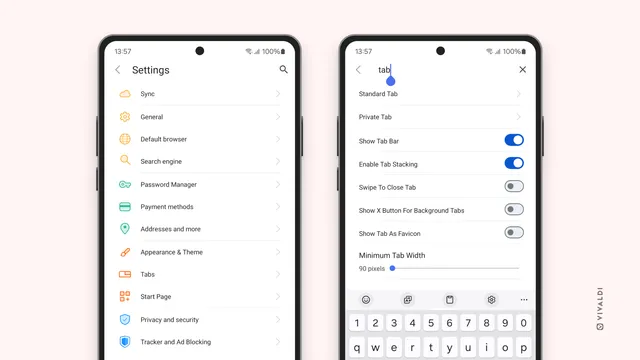
WoodpeckerCI v3.15.0 is here! 🎉 Now with optional flags in depends_on, timezone support for crons, grouped collapsible logs & improved security. Update for smoother pipelines & better control! 🚀 #WoodpeckerCI#release#CICD#DevOps 🦾
Feather Wiki version 1.9.0 "Greenfinch" has been released! It includes a major overhaul of the FW core plus a full test suite for development and a bunch of other fixes and improvements!
Feather Wiki version 1.9.0 "Greenfinch" has been released! It includes a major overhaul of the FW core plus a full test suite for development and a bunch of other fixes and improvements!
Announcing feed-repeat v1.0, a self-hostable tool that repeats old blog posts in new feeds, for you to reread the old gems or to remember the past: https://abhinavsarkar.net/notes/2026-feed-repeat/
Announcing feed-repeat v1.0, a self-hostable tool that repeats old blog posts in new feeds, for you to reread the old gems or to remember the past: https://abhinavsarkar.net/notes/2026-feed-repeat/
Announcing feed-repeat v1.0, a self-hostable tool that repeats old blog posts in new feeds, for you to reread the old gems or to remember the past: https://abhinavsarkar.net/notes/2026-feed-repeat/
🚨 Update to #WoodpeckerCI v3.14.1 for critical security fixes! Now agent_id spoofing is blocked, keeping your builds safer than ever. Huge thanks to security researchers & fixers! 🔒✨ #release#Security#DevSecOps#CI#OpenSource
‼️ Security fixes: - DoS in DOMNode::C14N() - Integer overflow in metaphone() - SQL injection in pdo_firebird (NUL in query strings) - Buffer over-read in mb_convert_encoding() - OOB read in urldecode() - UAF/RCE in SOAP - XSS in PHP-FPM status page - NULL/UAF in Mbstring and SOAP
‼️ Security fixes: - DoS in DOMNode::C14N() - Integer overflow in metaphone() - SQL injection in pdo_firebird (NUL in query strings) - Buffer over-read in mb_convert_encoding() - OOB read in urldecode() - UAF/RCE in SOAP - XSS in PHP-FPM status page - NULL/UAF in Mbstring and SOAP
🌳 Village overhaul 🌳 6 new villager professions 🌳 Improved chest loot 🌳 New currency: Gold Coins 🌳 New villager trades 🌳 Can trade without Trading Book 🌳 Repair tools at Repairing Table 🌳 Redwood + Poplar Tree 🌳 Per-player Creative Mode 🌳 Rain is rarer 🌳 Complete Spanish translation
🌳 Village overhaul 🌳 6 new villager professions 🌳 Improved chest loot 🌳 New currency: Gold Coins 🌳 New villager trades 🌳 Can trade without Trading Book 🌳 Repair tools at Repairing Table 🌳 Redwood + Poplar Tree 🌳 Per-player Creative Mode 🌳 Rain is rarer 🌳 Complete Spanish translation
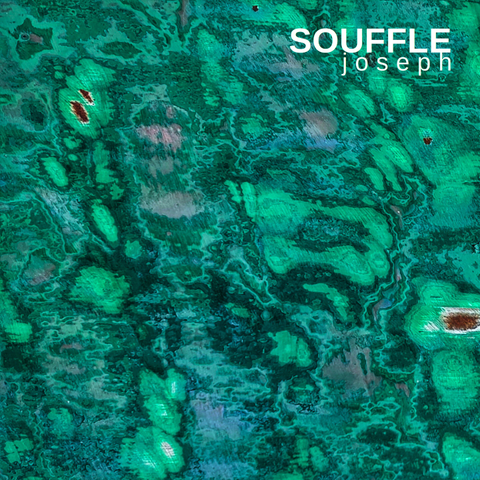
With electronic artpop tunes and spacious vocals I tell a fierce, yet hopeful story about the change the world needs now 🌍 I draw on my own mutations as a wild woman living in an economic world... 🌿
With electronic artpop tunes and spacious vocals I tell a fierce, yet hopeful story about the change the world needs now 🌍 I draw on my own mutations as a wild woman living in an economic world... 🌿
🚀 #OpenProject 17.3 is released, improving #agile work from planning to execution:
🔹 Dedicated sprint objects 🔸 All work packages visible on Backlogs 🔹 Automatic sprint board creation 🔸 In-place editing of project attributes on the Project Overview page 🔹 Sharing of meeting templates (Basic plan and higher)
🚀 #OpenProject 17.3 is released, improving #agile work from planning to execution:
🔹 Dedicated sprint objects 🔸 All work packages visible on Backlogs 🔹 Automatic sprint board creation 🔸 In-place editing of project attributes on the Project Overview page 🔹 Sharing of meeting templates (Basic plan and higher)
Bugfix release!. Drop shadows, vector layers, image import, more..., + some UX enhancements and a new mirror in Japan.
Over two million downloads of GIMP 3.2 so many new issues are reported for the first time. Thank you all who worked on GIMP & thank you all who reported problems on gitlab and provided much-needed feedback, & most of all thank you to our many users!
Bugfix release!. Drop shadows, vector layers, image import, more..., + some UX enhancements and a new mirror in Japan.
Over two million downloads of GIMP 3.2 so many new issues are reported for the first time. Thank you all who worked on GIMP & thank you all who reported problems on gitlab and provided much-needed feedback, & most of all thank you to our many users!
Today we released GIMP 3.2 with major new features, including vector layers, link layers (smart objects), DDS BC7 export, better PSD import including PSB for large images, MyPaint 2.0 brushes, and much more!
Today we released GIMP 3.2 with major new features, including vector layers, link layers (smart objects), DDS BC7 export, better PSD import including PSB for large images, MyPaint 2.0 brushes, and much more!
Today we released GIMP 3.2 with major new features, including vector layers, link layers (smart objects), DDS BC7 export, better PSD import including PSB for large images, MyPaint 2.0 brushes, and much more!
Today we released GIMP 3.2 with major new features, including vector layers, link layers (smart objects), DDS BC7 export, better PSD import including PSB for large images, MyPaint 2.0 brushes, and much more!
Today we released GIMP 3.2 with major new features, including vector layers, link layers (smart objects), DDS BC7 export, better PSD import including PSB for large images, MyPaint 2.0 brushes, and much more!
GTK 4.22.0, the first stable release of GTK 4.22 is now available!
Lots of changes happened in this development cycle:
- a new SVG-based format for symbolic icons, including state-based animations - GtkSvg, a paintable that renders (animated) SVG efficiently - GtkAccessibleHypertext, an interface for accessible object containing links - GtkPopoverBin is a new widget that you can use to show a popover menu on a widget
- GskRenderReplay, a new API for replaying render nodes - the backdrop-filter CSS property is now supported - GTK now relies on the settings portal under Wayland - improved language filtering in the font selection dialog - a new reduced motion setting, complete with media query, for controlling the amount and type of animations in widgets
GTK 4.22.0, the first stable release of GTK 4.22 is now available!
Lots of changes happened in this development cycle:
- a new SVG-based format for symbolic icons, including state-based animations - GtkSvg, a paintable that renders (animated) SVG efficiently - GtkAccessibleHypertext, an interface for accessible object containing links - GtkPopoverBin is a new widget that you can use to show a popover menu on a widget
OpenCloud Android Release 1.1 is now available. With the new TUS support, uploads can be continued after connection interruptions. This is particularly helpful when travelling, switching Wi-Fi networks or when the network signal is weak. Download now: https://opencloud.eu/en/product/download-apps
OpenCloud Android Release 1.1 is now available. With the new TUS support, uploads can be continued after connection interruptions. This is particularly helpful when travelling, switching Wi-Fi networks or when the network signal is weak. Download now: https://opencloud.eu/en/product/download-apps
• Official support for wasm (WebAssembly), allowing to run pandoc in the browser, • the *alerts* extension is now available in the pandoc Markdown flavor, • support for defaults files using JSON instead of YAML, • extension of `${.}` vars in the `defaults` field, making it easier to base defaults files on other defaults, • method to run Lua code with a modified pandoc state, • and much more
• Official support for wasm (WebAssembly), allowing to run pandoc in the browser, • the *alerts* extension is now available in the pandoc Markdown flavor, • support for defaults files using JSON instead of YAML, • extension of `${.}` vars in the `defaults` field, making it easier to base defaults files on other defaults, • method to run Lua code with a modified pandoc state, • and much more
Output of running "pypistats overall pytest-socket --monthly --mirrors without".
It's a table with category, date, percent and downloads headers. The rows are sorted by downloads, highest first.
ALT text
Output of running the same command but with "--sort date".
The rows are now sorted by date, earliest first.
Output of running "pypistats overall pytest-socket --monthly --mirrors without".
It's a table with category, date, percent and downloads headers. The rows are sorted by downloads, highest first.
ALT text
Output of running the same command but with "--sort date".
The rows are now sorted by date, earliest first.
A new version of the manual, including more translation work; fixes to bugs people have been kind enough to report.
Startup performance improved on many systems; colour profiles on Windows; SVG path import; some minor UI improvements; security fixes; see link for more.
A new version of the manual, including more translation work; fixes to bugs people have been kind enough to report.
Startup performance improved on many systems; colour profiles on Windows; SVG path import; some minor UI improvements; security fixes; see link for more.
A new version of the manual, including more translation work; fixes to bugs people have been kind enough to report.
Startup performance improved on many systems; colour profiles on Windows; SVG path import; some minor UI improvements; security fixes; see link for more.
v0.7.0 still had some blocking bugs including deck selection between midi controller & keyboard going out of sync and even more severe, an incorrect PartialOrd implementation that caused the library worker thread to panic. I hope i now catched them all :)
On the more interesting side of things, along refactoring & fixing deck selection, it's now also possible to select more then one deck by eg Pressing and holding any of F1-F4 and combining it with another. As long as a key is pressed down, one can add other decks. Every action the user does that affects a deck will now be processed for every selected deck. To select only a single deck, simple press the corresponding button for that deck. This works now with keyboard + denon sc2000.
WoodpeckerCI v3.13.0 is here! 🚀 New CLI contexts, notes on secrets, cron custom vars & disabling, Kubernetes pod affinity & headless services support, plus enhanced security & bug fixes. Update now for a smoother CI/CD! 🔧✨ #WoodpeckerCI#release#CI#DevOps 🛠️
Home dashboard improvements 🏡, easier navigation to protocol dashboards 🔎, and ESPHome action responses are just a few of the small but important changes this release. 😎
support 3.15 drop 3.9 improve verbose output declare type hints replace dateutil+six dependencies with stdlib replace httpx with urllib replace pre-commit with prek
Fedify 1.10.0: Observability foundations for the future debug dashboard
Fedify is a #TypeScript framework for building #ActivityPub servers that participate in the #fediverse. It reduces the complexity and boilerplate typically required for ActivityPub implementation while providing comprehensive federation capabilities.
We're excited to announce #Fedify 1.10.0, a focused release that lays critical groundwork for future debugging and observability features. Released on December 24, 2025, this version introduces infrastructure improvements that will enable the upcoming debug dashboard while maintaining full backward compatibility with existing Fedify applications.
This release represents a transitional step toward Fedify 2.0.0, introducing optional capabilities that will become standard in the next major version. The changes focus on enabling richer observability through OpenTelemetry enhancements and adding prefix scanning capabilities to the key–value store interface.
Enhanced OpenTelemetry instrumentation
Fedify 1.10.0 significantly expands OpenTelemetry instrumentation with span events that capture detailed ActivityPub data. These enhancements enable richer observability and debugging capabilities without relying solely on span attributes, which are limited to primitive values.
The new span events provide complete activity payloads and verification status, making it possible to build comprehensive debugging tools that show the full context of federation operations:
activitypub.activity.received event on activitypub.inbox span — records the full activity JSON, verification status (activity verified, HTTP signatures verified, Linked Data signatures verified), and actor information
activitypub.activity.sent event on activitypub.send_activity span — records the full activity JSON and target inbox URL
activitypub.object.fetched event on activitypub.lookup_object span — records the fetched object's type and complete JSON-LD representation
Additionally, Fedify now instruments previously uncovered operations:
activitypub.fetch_document span for document loader operations, tracking URL fetching, HTTP redirects, and final document URLs
activitypub.verify_key_ownership span for cryptographic key ownership verification, recording actor ID, key ID, verification result, and the verification method used
These instrumentation improvements emerged from work on issue #234 (Real-time ActivityPub debug dashboard). Rather than introducing a custom observer interface as originally proposed in #323, we leveraged Fedify's existing OpenTelemetry infrastructure to capture rich federation data through span events. This approach provides a standards-based foundation that's composable with existing observability tools like Jaeger, Zipkin, and Grafana Tempo.
Distributed trace storage with FedifySpanExporter
Building on the enhanced instrumentation, Fedify 1.10.0 introduces FedifySpanExporter, a new OpenTelemetry SpanExporter that persists ActivityPub activity traces to a KvStore. This enables distributed tracing support across multiple nodes in a Fedify deployment, which is essential for building debug dashboards that can show complete request flows across web servers and background workers.
The new @fedify/fedify/otel module provides the following types and interfaces:
import { MemoryKvStore } from "@fedify/fedify";import { FedifySpanExporter } from "@fedify/fedify/otel";import { BasicTracerProvider, SimpleSpanProcessor,} from "@opentelemetry/sdk-trace-base";const kv = new MemoryKvStore();const exporter = new FedifySpanExporter(kv, { ttl: Temporal.Duration.from({ hours: 1 }),});const provider = new BasicTracerProvider();provider.addSpanProcessor(new SimpleSpanProcessor(exporter));
The stored traces can be queried for display in debugging interfaces:
// Get all activities for a specific traceconst activities = await exporter.getActivitiesByTraceId(traceId);// Get recent traces with summary informationconst recentTraces = await exporter.getRecentTraces({ limit: 100 });
The exporter supports two storage strategies depending on the KvStore capabilities. When the list() method is available (preferred), it stores individual records with keys like [prefix, traceId, spanId]. When only cas() is available, it uses compare-and-swap operations to append records to arrays stored per trace.
This infrastructure provides the foundation for implementing a comprehensive debug dashboard as a custom SpanExporter, as outlined in the updated implementation plan for issue #234.
Optional list() method for KvStore interface
Fedify 1.10.0 adds an optional list() method to the KvStore interface for enumerating entries by key prefix. This method enables efficient prefix scanning, which is useful for implementing features like distributed trace storage, cache invalidation by prefix, and listing related entries.
When the prefix parameter is omitted or empty, list() returns all entries in the store. This is useful for debugging and administrative purposes. All official KvStore implementations have been updated to support this method:
MemoryKvStore — filters in-memory keys by prefix
SqliteKvStore — uses LIKE query with JSON key pattern
PostgresKvStore — uses array slice comparison
RedisKvStore — uses SCAN with pattern matching and key deserialization
DenoKvStore — delegates to Deno KV's built-in list() API
While list() is currently optional to give existing custom KvStore implementations time to add support, it will become a required method in Fedify 2.0.0 (tracked in issue #499). This migration path allows implementers to gradually adopt the new capability throughout the 1.x release cycle.
The addition of list() support was implemented in pull request #500, which also included the setup of proper testing infrastructure for WorkersKvStore using Vitest with @cloudflare/vitest-pool-workers.
NestJS 11 and Express 5 support
Thanks to a contribution from Cho Hasang (@crohasang), the @fedify/nestjs package now supports NestJS 11 environments that use Express 5. The peer dependency range for Express has been widened to ^4.0.0 || ^5.0.0, eliminating peer dependency conflicts in modern NestJS projects while maintaining backward compatibility with Express 4.
This change, implemented in pull request #493, keeps the workspace catalog pinned to Express 4 for internal development and test stability while allowing Express 5 in consuming applications.
What's next
Fedify 1.10.0 serves as a stepping stone toward the upcoming 2.0.0 release. The optional list() method introduced in this version will become required in 2.0.0, simplifying the interface contract and allowing Fedify internals to rely on prefix scanning being universally available.
The enhanced #OpenTelemetry instrumentation and FedifySpanExporter provide the foundation for implementing the debug dashboard proposed in issue #234. The next steps include building the web dashboard UI with real-time activity lists, filtering, and JSON inspection capabilities—all as a separate package that leverages the standards-based observability infrastructure introduced in this release.
Depending on the development timeline and feature priorities, there may be additional 1.x releases before the 2.0.0 migration. For developers building custom KvStore implementations, now is the time to add list() support to prepare for the eventual 2.0.0 upgrade. The implementation patterns used in the official backends provide clear guidance for various storage strategies.
Acknowledgments
Special thanks to Cho Hasang (@crohasang) for the NestJS 11 compatibility improvements, and to all community members who provided feedback and testing for the new observability features.
For the complete list of changes, bug fixes, and improvements, please refer to the CHANGES.md file in the repository.
Fedify 1.10.0: Observability foundations for the future debug dashboard
Fedify is a #TypeScript framework for building #ActivityPub servers that participate in the #fediverse. It reduces the complexity and boilerplate typically required for ActivityPub implementation while providing comprehensive federation capabilities.
We're excited to announce #Fedify 1.10.0, a focused release that lays critical groundwork for future debugging and observability features. Released on December 24, 2025, this version introduces infrastructure improvements that will enable the upcoming debug dashboard while maintaining full backward compatibility with existing Fedify applications.
This release represents a transitional step toward Fedify 2.0.0, introducing optional capabilities that will become standard in the next major version. The changes focus on enabling richer observability through OpenTelemetry enhancements and adding prefix scanning capabilities to the key–value store interface.
Enhanced OpenTelemetry instrumentation
Fedify 1.10.0 significantly expands OpenTelemetry instrumentation with span events that capture detailed ActivityPub data. These enhancements enable richer observability and debugging capabilities without relying solely on span attributes, which are limited to primitive values.
The new span events provide complete activity payloads and verification status, making it possible to build comprehensive debugging tools that show the full context of federation operations:
activitypub.activity.received event on activitypub.inbox span — records the full activity JSON, verification status (activity verified, HTTP signatures verified, Linked Data signatures verified), and actor information
activitypub.activity.sent event on activitypub.send_activity span — records the full activity JSON and target inbox URL
activitypub.object.fetched event on activitypub.lookup_object span — records the fetched object's type and complete JSON-LD representation
Additionally, Fedify now instruments previously uncovered operations:
activitypub.fetch_document span for document loader operations, tracking URL fetching, HTTP redirects, and final document URLs
activitypub.verify_key_ownership span for cryptographic key ownership verification, recording actor ID, key ID, verification result, and the verification method used
These instrumentation improvements emerged from work on issue #234 (Real-time ActivityPub debug dashboard). Rather than introducing a custom observer interface as originally proposed in #323, we leveraged Fedify's existing OpenTelemetry infrastructure to capture rich federation data through span events. This approach provides a standards-based foundation that's composable with existing observability tools like Jaeger, Zipkin, and Grafana Tempo.
Distributed trace storage with FedifySpanExporter
Building on the enhanced instrumentation, Fedify 1.10.0 introduces FedifySpanExporter, a new OpenTelemetry SpanExporter that persists ActivityPub activity traces to a KvStore. This enables distributed tracing support across multiple nodes in a Fedify deployment, which is essential for building debug dashboards that can show complete request flows across web servers and background workers.
The new @fedify/fedify/otel module provides the following types and interfaces:
import { MemoryKvStore } from "@fedify/fedify";import { FedifySpanExporter } from "@fedify/fedify/otel";import { BasicTracerProvider, SimpleSpanProcessor,} from "@opentelemetry/sdk-trace-base";const kv = new MemoryKvStore();const exporter = new FedifySpanExporter(kv, { ttl: Temporal.Duration.from({ hours: 1 }),});const provider = new BasicTracerProvider();provider.addSpanProcessor(new SimpleSpanProcessor(exporter));
The stored traces can be queried for display in debugging interfaces:
// Get all activities for a specific traceconst activities = await exporter.getActivitiesByTraceId(traceId);// Get recent traces with summary informationconst recentTraces = await exporter.getRecentTraces({ limit: 100 });
The exporter supports two storage strategies depending on the KvStore capabilities. When the list() method is available (preferred), it stores individual records with keys like [prefix, traceId, spanId]. When only cas() is available, it uses compare-and-swap operations to append records to arrays stored per trace.
This infrastructure provides the foundation for implementing a comprehensive debug dashboard as a custom SpanExporter, as outlined in the updated implementation plan for issue #234.
Optional list() method for KvStore interface
Fedify 1.10.0 adds an optional list() method to the KvStore interface for enumerating entries by key prefix. This method enables efficient prefix scanning, which is useful for implementing features like distributed trace storage, cache invalidation by prefix, and listing related entries.
When the prefix parameter is omitted or empty, list() returns all entries in the store. This is useful for debugging and administrative purposes. All official KvStore implementations have been updated to support this method:
MemoryKvStore — filters in-memory keys by prefix
SqliteKvStore — uses LIKE query with JSON key pattern
PostgresKvStore — uses array slice comparison
RedisKvStore — uses SCAN with pattern matching and key deserialization
DenoKvStore — delegates to Deno KV's built-in list() API
While list() is currently optional to give existing custom KvStore implementations time to add support, it will become a required method in Fedify 2.0.0 (tracked in issue #499). This migration path allows implementers to gradually adopt the new capability throughout the 1.x release cycle.
The addition of list() support was implemented in pull request #500, which also included the setup of proper testing infrastructure for WorkersKvStore using Vitest with @cloudflare/vitest-pool-workers.
NestJS 11 and Express 5 support
Thanks to a contribution from Cho Hasang (@crohasang), the @fedify/nestjs package now supports NestJS 11 environments that use Express 5. The peer dependency range for Express has been widened to ^4.0.0 || ^5.0.0, eliminating peer dependency conflicts in modern NestJS projects while maintaining backward compatibility with Express 4.
This change, implemented in pull request #493, keeps the workspace catalog pinned to Express 4 for internal development and test stability while allowing Express 5 in consuming applications.
What's next
Fedify 1.10.0 serves as a stepping stone toward the upcoming 2.0.0 release. The optional list() method introduced in this version will become required in 2.0.0, simplifying the interface contract and allowing Fedify internals to rely on prefix scanning being universally available.
The enhanced #OpenTelemetry instrumentation and FedifySpanExporter provide the foundation for implementing the debug dashboard proposed in issue #234. The next steps include building the web dashboard UI with real-time activity lists, filtering, and JSON inspection capabilities—all as a separate package that leverages the standards-based observability infrastructure introduced in this release.
Depending on the development timeline and feature priorities, there may be additional 1.x releases before the 2.0.0 migration. For developers building custom KvStore implementations, now is the time to add list() support to prepare for the eventual 2.0.0 upgrade. The implementation patterns used in the official backends provide clear guidance for various storage strategies.
Acknowledgments
Special thanks to Cho Hasang (@crohasang) for the NestJS 11 compatibility improvements, and to all community members who provided feedback and testing for the new observability features.
For the complete list of changes, bug fixes, and improvements, please refer to the CHANGES.md file in the repository.
Fedify 1.10.0: Observability foundations for the future debug dashboard
Fedify is a #TypeScript framework for building #ActivityPub servers that participate in the #fediverse. It reduces the complexity and boilerplate typically required for ActivityPub implementation while providing comprehensive federation capabilities.
We're excited to announce #Fedify 1.10.0, a focused release that lays critical groundwork for future debugging and observability features. Released on December 24, 2025, this version introduces infrastructure improvements that will enable the upcoming debug dashboard while maintaining full backward compatibility with existing Fedify applications.
This release represents a transitional step toward Fedify 2.0.0, introducing optional capabilities that will become standard in the next major version. The changes focus on enabling richer observability through OpenTelemetry enhancements and adding prefix scanning capabilities to the key–value store interface.
Enhanced OpenTelemetry instrumentation
Fedify 1.10.0 significantly expands OpenTelemetry instrumentation with span events that capture detailed ActivityPub data. These enhancements enable richer observability and debugging capabilities without relying solely on span attributes, which are limited to primitive values.
The new span events provide complete activity payloads and verification status, making it possible to build comprehensive debugging tools that show the full context of federation operations:
activitypub.activity.received event on activitypub.inbox span — records the full activity JSON, verification status (activity verified, HTTP signatures verified, Linked Data signatures verified), and actor information
activitypub.activity.sent event on activitypub.send_activity span — records the full activity JSON and target inbox URL
activitypub.object.fetched event on activitypub.lookup_object span — records the fetched object's type and complete JSON-LD representation
Additionally, Fedify now instruments previously uncovered operations:
activitypub.fetch_document span for document loader operations, tracking URL fetching, HTTP redirects, and final document URLs
activitypub.verify_key_ownership span for cryptographic key ownership verification, recording actor ID, key ID, verification result, and the verification method used
These instrumentation improvements emerged from work on issue #234 (Real-time ActivityPub debug dashboard). Rather than introducing a custom observer interface as originally proposed in #323, we leveraged Fedify's existing OpenTelemetry infrastructure to capture rich federation data through span events. This approach provides a standards-based foundation that's composable with existing observability tools like Jaeger, Zipkin, and Grafana Tempo.
Distributed trace storage with FedifySpanExporter
Building on the enhanced instrumentation, Fedify 1.10.0 introduces FedifySpanExporter, a new OpenTelemetry SpanExporter that persists ActivityPub activity traces to a KvStore. This enables distributed tracing support across multiple nodes in a Fedify deployment, which is essential for building debug dashboards that can show complete request flows across web servers and background workers.
The new @fedify/fedify/otel module provides the following types and interfaces:
import { MemoryKvStore } from "@fedify/fedify";import { FedifySpanExporter } from "@fedify/fedify/otel";import { BasicTracerProvider, SimpleSpanProcessor,} from "@opentelemetry/sdk-trace-base";const kv = new MemoryKvStore();const exporter = new FedifySpanExporter(kv, { ttl: Temporal.Duration.from({ hours: 1 }),});const provider = new BasicTracerProvider();provider.addSpanProcessor(new SimpleSpanProcessor(exporter));
The stored traces can be queried for display in debugging interfaces:
// Get all activities for a specific traceconst activities = await exporter.getActivitiesByTraceId(traceId);// Get recent traces with summary informationconst recentTraces = await exporter.getRecentTraces({ limit: 100 });
The exporter supports two storage strategies depending on the KvStore capabilities. When the list() method is available (preferred), it stores individual records with keys like [prefix, traceId, spanId]. When only cas() is available, it uses compare-and-swap operations to append records to arrays stored per trace.
This infrastructure provides the foundation for implementing a comprehensive debug dashboard as a custom SpanExporter, as outlined in the updated implementation plan for issue #234.
Optional list() method for KvStore interface
Fedify 1.10.0 adds an optional list() method to the KvStore interface for enumerating entries by key prefix. This method enables efficient prefix scanning, which is useful for implementing features like distributed trace storage, cache invalidation by prefix, and listing related entries.
When the prefix parameter is omitted or empty, list() returns all entries in the store. This is useful for debugging and administrative purposes. All official KvStore implementations have been updated to support this method:
MemoryKvStore — filters in-memory keys by prefix
SqliteKvStore — uses LIKE query with JSON key pattern
PostgresKvStore — uses array slice comparison
RedisKvStore — uses SCAN with pattern matching and key deserialization
DenoKvStore — delegates to Deno KV's built-in list() API
While list() is currently optional to give existing custom KvStore implementations time to add support, it will become a required method in Fedify 2.0.0 (tracked in issue #499). This migration path allows implementers to gradually adopt the new capability throughout the 1.x release cycle.
The addition of list() support was implemented in pull request #500, which also included the setup of proper testing infrastructure for WorkersKvStore using Vitest with @cloudflare/vitest-pool-workers.
NestJS 11 and Express 5 support
Thanks to a contribution from Cho Hasang (@crohasang), the @fedify/nestjs package now supports NestJS 11 environments that use Express 5. The peer dependency range for Express has been widened to ^4.0.0 || ^5.0.0, eliminating peer dependency conflicts in modern NestJS projects while maintaining backward compatibility with Express 4.
This change, implemented in pull request #493, keeps the workspace catalog pinned to Express 4 for internal development and test stability while allowing Express 5 in consuming applications.
What's next
Fedify 1.10.0 serves as a stepping stone toward the upcoming 2.0.0 release. The optional list() method introduced in this version will become required in 2.0.0, simplifying the interface contract and allowing Fedify internals to rely on prefix scanning being universally available.
The enhanced #OpenTelemetry instrumentation and FedifySpanExporter provide the foundation for implementing the debug dashboard proposed in issue #234. The next steps include building the web dashboard UI with real-time activity lists, filtering, and JSON inspection capabilities—all as a separate package that leverages the standards-based observability infrastructure introduced in this release.
Depending on the development timeline and feature priorities, there may be additional 1.x releases before the 2.0.0 migration. For developers building custom KvStore implementations, now is the time to add list() support to prepare for the eventual 2.0.0 upgrade. The implementation patterns used in the official backends provide clear guidance for various storage strategies.
Acknowledgments
Special thanks to Cho Hasang (@crohasang) for the NestJS 11 compatibility improvements, and to all community members who provided feedback and testing for the new observability features.
For the complete list of changes, bug fixes, and improvements, please refer to the CHANGES.md file in the repository.
Fedify 1.10.0: Observability foundations for the future debug dashboard
Fedify is a #TypeScript framework for building #ActivityPub servers that participate in the #fediverse. It reduces the complexity and boilerplate typically required for ActivityPub implementation while providing comprehensive federation capabilities.
We're excited to announce #Fedify 1.10.0, a focused release that lays critical groundwork for future debugging and observability features. Released on December 24, 2025, this version introduces infrastructure improvements that will enable the upcoming debug dashboard while maintaining full backward compatibility with existing Fedify applications.
This release represents a transitional step toward Fedify 2.0.0, introducing optional capabilities that will become standard in the next major version. The changes focus on enabling richer observability through OpenTelemetry enhancements and adding prefix scanning capabilities to the key–value store interface.
Enhanced OpenTelemetry instrumentation
Fedify 1.10.0 significantly expands OpenTelemetry instrumentation with span events that capture detailed ActivityPub data. These enhancements enable richer observability and debugging capabilities without relying solely on span attributes, which are limited to primitive values.
The new span events provide complete activity payloads and verification status, making it possible to build comprehensive debugging tools that show the full context of federation operations:
activitypub.activity.received event on activitypub.inbox span — records the full activity JSON, verification status (activity verified, HTTP signatures verified, Linked Data signatures verified), and actor information
activitypub.activity.sent event on activitypub.send_activity span — records the full activity JSON and target inbox URL
activitypub.object.fetched event on activitypub.lookup_object span — records the fetched object's type and complete JSON-LD representation
Additionally, Fedify now instruments previously uncovered operations:
activitypub.fetch_document span for document loader operations, tracking URL fetching, HTTP redirects, and final document URLs
activitypub.verify_key_ownership span for cryptographic key ownership verification, recording actor ID, key ID, verification result, and the verification method used
These instrumentation improvements emerged from work on issue #234 (Real-time ActivityPub debug dashboard). Rather than introducing a custom observer interface as originally proposed in #323, we leveraged Fedify's existing OpenTelemetry infrastructure to capture rich federation data through span events. This approach provides a standards-based foundation that's composable with existing observability tools like Jaeger, Zipkin, and Grafana Tempo.
Distributed trace storage with FedifySpanExporter
Building on the enhanced instrumentation, Fedify 1.10.0 introduces FedifySpanExporter, a new OpenTelemetry SpanExporter that persists ActivityPub activity traces to a KvStore. This enables distributed tracing support across multiple nodes in a Fedify deployment, which is essential for building debug dashboards that can show complete request flows across web servers and background workers.
The new @fedify/fedify/otel module provides the following types and interfaces:
import { MemoryKvStore } from "@fedify/fedify";import { FedifySpanExporter } from "@fedify/fedify/otel";import { BasicTracerProvider, SimpleSpanProcessor,} from "@opentelemetry/sdk-trace-base";const kv = new MemoryKvStore();const exporter = new FedifySpanExporter(kv, { ttl: Temporal.Duration.from({ hours: 1 }),});const provider = new BasicTracerProvider();provider.addSpanProcessor(new SimpleSpanProcessor(exporter));
The stored traces can be queried for display in debugging interfaces:
// Get all activities for a specific traceconst activities = await exporter.getActivitiesByTraceId(traceId);// Get recent traces with summary informationconst recentTraces = await exporter.getRecentTraces({ limit: 100 });
The exporter supports two storage strategies depending on the KvStore capabilities. When the list() method is available (preferred), it stores individual records with keys like [prefix, traceId, spanId]. When only cas() is available, it uses compare-and-swap operations to append records to arrays stored per trace.
This infrastructure provides the foundation for implementing a comprehensive debug dashboard as a custom SpanExporter, as outlined in the updated implementation plan for issue #234.
Optional list() method for KvStore interface
Fedify 1.10.0 adds an optional list() method to the KvStore interface for enumerating entries by key prefix. This method enables efficient prefix scanning, which is useful for implementing features like distributed trace storage, cache invalidation by prefix, and listing related entries.
When the prefix parameter is omitted or empty, list() returns all entries in the store. This is useful for debugging and administrative purposes. All official KvStore implementations have been updated to support this method:
MemoryKvStore — filters in-memory keys by prefix
SqliteKvStore — uses LIKE query with JSON key pattern
PostgresKvStore — uses array slice comparison
RedisKvStore — uses SCAN with pattern matching and key deserialization
DenoKvStore — delegates to Deno KV's built-in list() API
While list() is currently optional to give existing custom KvStore implementations time to add support, it will become a required method in Fedify 2.0.0 (tracked in issue #499). This migration path allows implementers to gradually adopt the new capability throughout the 1.x release cycle.
The addition of list() support was implemented in pull request #500, which also included the setup of proper testing infrastructure for WorkersKvStore using Vitest with @cloudflare/vitest-pool-workers.
NestJS 11 and Express 5 support
Thanks to a contribution from Cho Hasang (@crohasang), the @fedify/nestjs package now supports NestJS 11 environments that use Express 5. The peer dependency range for Express has been widened to ^4.0.0 || ^5.0.0, eliminating peer dependency conflicts in modern NestJS projects while maintaining backward compatibility with Express 4.
This change, implemented in pull request #493, keeps the workspace catalog pinned to Express 4 for internal development and test stability while allowing Express 5 in consuming applications.
What's next
Fedify 1.10.0 serves as a stepping stone toward the upcoming 2.0.0 release. The optional list() method introduced in this version will become required in 2.0.0, simplifying the interface contract and allowing Fedify internals to rely on prefix scanning being universally available.
The enhanced #OpenTelemetry instrumentation and FedifySpanExporter provide the foundation for implementing the debug dashboard proposed in issue #234. The next steps include building the web dashboard UI with real-time activity lists, filtering, and JSON inspection capabilities—all as a separate package that leverages the standards-based observability infrastructure introduced in this release.
Depending on the development timeline and feature priorities, there may be additional 1.x releases before the 2.0.0 migration. For developers building custom KvStore implementations, now is the time to add list() support to prepare for the eventual 2.0.0 upgrade. The implementation patterns used in the official backends provide clear guidance for various storage strategies.
Acknowledgments
Special thanks to Cho Hasang (@crohasang) for the NestJS 11 compatibility improvements, and to all community members who provided feedback and testing for the new observability features.
For the complete list of changes, bug fixes, and improvements, please refer to the CHANGES.md file in the repository.
Fedify 1.10.0: Observability foundations for the future debug dashboard
Fedify is a #TypeScript framework for building #ActivityPub servers that participate in the #fediverse. It reduces the complexity and boilerplate typically required for ActivityPub implementation while providing comprehensive federation capabilities.
We're excited to announce #Fedify 1.10.0, a focused release that lays critical groundwork for future debugging and observability features. Released on December 24, 2025, this version introduces infrastructure improvements that will enable the upcoming debug dashboard while maintaining full backward compatibility with existing Fedify applications.
This release represents a transitional step toward Fedify 2.0.0, introducing optional capabilities that will become standard in the next major version. The changes focus on enabling richer observability through OpenTelemetry enhancements and adding prefix scanning capabilities to the key–value store interface.
Enhanced OpenTelemetry instrumentation
Fedify 1.10.0 significantly expands OpenTelemetry instrumentation with span events that capture detailed ActivityPub data. These enhancements enable richer observability and debugging capabilities without relying solely on span attributes, which are limited to primitive values.
The new span events provide complete activity payloads and verification status, making it possible to build comprehensive debugging tools that show the full context of federation operations:
activitypub.activity.received event on activitypub.inbox span — records the full activity JSON, verification status (activity verified, HTTP signatures verified, Linked Data signatures verified), and actor information
activitypub.activity.sent event on activitypub.send_activity span — records the full activity JSON and target inbox URL
activitypub.object.fetched event on activitypub.lookup_object span — records the fetched object's type and complete JSON-LD representation
Additionally, Fedify now instruments previously uncovered operations:
activitypub.fetch_document span for document loader operations, tracking URL fetching, HTTP redirects, and final document URLs
activitypub.verify_key_ownership span for cryptographic key ownership verification, recording actor ID, key ID, verification result, and the verification method used
These instrumentation improvements emerged from work on issue #234 (Real-time ActivityPub debug dashboard). Rather than introducing a custom observer interface as originally proposed in #323, we leveraged Fedify's existing OpenTelemetry infrastructure to capture rich federation data through span events. This approach provides a standards-based foundation that's composable with existing observability tools like Jaeger, Zipkin, and Grafana Tempo.
Distributed trace storage with FedifySpanExporter
Building on the enhanced instrumentation, Fedify 1.10.0 introduces FedifySpanExporter, a new OpenTelemetry SpanExporter that persists ActivityPub activity traces to a KvStore. This enables distributed tracing support across multiple nodes in a Fedify deployment, which is essential for building debug dashboards that can show complete request flows across web servers and background workers.
The new @fedify/fedify/otel module provides the following types and interfaces:
import { MemoryKvStore } from "@fedify/fedify";import { FedifySpanExporter } from "@fedify/fedify/otel";import { BasicTracerProvider, SimpleSpanProcessor,} from "@opentelemetry/sdk-trace-base";const kv = new MemoryKvStore();const exporter = new FedifySpanExporter(kv, { ttl: Temporal.Duration.from({ hours: 1 }),});const provider = new BasicTracerProvider();provider.addSpanProcessor(new SimpleSpanProcessor(exporter));
The stored traces can be queried for display in debugging interfaces:
// Get all activities for a specific traceconst activities = await exporter.getActivitiesByTraceId(traceId);// Get recent traces with summary informationconst recentTraces = await exporter.getRecentTraces({ limit: 100 });
The exporter supports two storage strategies depending on the KvStore capabilities. When the list() method is available (preferred), it stores individual records with keys like [prefix, traceId, spanId]. When only cas() is available, it uses compare-and-swap operations to append records to arrays stored per trace.
This infrastructure provides the foundation for implementing a comprehensive debug dashboard as a custom SpanExporter, as outlined in the updated implementation plan for issue #234.
Optional list() method for KvStore interface
Fedify 1.10.0 adds an optional list() method to the KvStore interface for enumerating entries by key prefix. This method enables efficient prefix scanning, which is useful for implementing features like distributed trace storage, cache invalidation by prefix, and listing related entries.
When the prefix parameter is omitted or empty, list() returns all entries in the store. This is useful for debugging and administrative purposes. All official KvStore implementations have been updated to support this method:
MemoryKvStore — filters in-memory keys by prefix
SqliteKvStore — uses LIKE query with JSON key pattern
PostgresKvStore — uses array slice comparison
RedisKvStore — uses SCAN with pattern matching and key deserialization
DenoKvStore — delegates to Deno KV's built-in list() API
While list() is currently optional to give existing custom KvStore implementations time to add support, it will become a required method in Fedify 2.0.0 (tracked in issue #499). This migration path allows implementers to gradually adopt the new capability throughout the 1.x release cycle.
The addition of list() support was implemented in pull request #500, which also included the setup of proper testing infrastructure for WorkersKvStore using Vitest with @cloudflare/vitest-pool-workers.
NestJS 11 and Express 5 support
Thanks to a contribution from Cho Hasang (@crohasang), the @fedify/nestjs package now supports NestJS 11 environments that use Express 5. The peer dependency range for Express has been widened to ^4.0.0 || ^5.0.0, eliminating peer dependency conflicts in modern NestJS projects while maintaining backward compatibility with Express 4.
This change, implemented in pull request #493, keeps the workspace catalog pinned to Express 4 for internal development and test stability while allowing Express 5 in consuming applications.
What's next
Fedify 1.10.0 serves as a stepping stone toward the upcoming 2.0.0 release. The optional list() method introduced in this version will become required in 2.0.0, simplifying the interface contract and allowing Fedify internals to rely on prefix scanning being universally available.
The enhanced #OpenTelemetry instrumentation and FedifySpanExporter provide the foundation for implementing the debug dashboard proposed in issue #234. The next steps include building the web dashboard UI with real-time activity lists, filtering, and JSON inspection capabilities—all as a separate package that leverages the standards-based observability infrastructure introduced in this release.
Depending on the development timeline and feature priorities, there may be additional 1.x releases before the 2.0.0 migration. For developers building custom KvStore implementations, now is the time to add list() support to prepare for the eventual 2.0.0 upgrade. The implementation patterns used in the official backends provide clear guidance for various storage strategies.
Acknowledgments
Special thanks to Cho Hasang (@crohasang) for the NestJS 11 compatibility improvements, and to all community members who provided feedback and testing for the new observability features.
For the complete list of changes, bug fixes, and improvements, please refer to the CHANGES.md file in the repository.
Fedify 1.10.0: Observability foundations for the future debug dashboard
Fedify is a #TypeScript framework for building #ActivityPub servers that participate in the #fediverse. It reduces the complexity and boilerplate typically required for ActivityPub implementation while providing comprehensive federation capabilities.
We're excited to announce #Fedify 1.10.0, a focused release that lays critical groundwork for future debugging and observability features. Released on December 24, 2025, this version introduces infrastructure improvements that will enable the upcoming debug dashboard while maintaining full backward compatibility with existing Fedify applications.
This release represents a transitional step toward Fedify 2.0.0, introducing optional capabilities that will become standard in the next major version. The changes focus on enabling richer observability through OpenTelemetry enhancements and adding prefix scanning capabilities to the key–value store interface.
Enhanced OpenTelemetry instrumentation
Fedify 1.10.0 significantly expands OpenTelemetry instrumentation with span events that capture detailed ActivityPub data. These enhancements enable richer observability and debugging capabilities without relying solely on span attributes, which are limited to primitive values.
The new span events provide complete activity payloads and verification status, making it possible to build comprehensive debugging tools that show the full context of federation operations:
activitypub.activity.received event on activitypub.inbox span — records the full activity JSON, verification status (activity verified, HTTP signatures verified, Linked Data signatures verified), and actor information
activitypub.activity.sent event on activitypub.send_activity span — records the full activity JSON and target inbox URL
activitypub.object.fetched event on activitypub.lookup_object span — records the fetched object's type and complete JSON-LD representation
Additionally, Fedify now instruments previously uncovered operations:
activitypub.fetch_document span for document loader operations, tracking URL fetching, HTTP redirects, and final document URLs
activitypub.verify_key_ownership span for cryptographic key ownership verification, recording actor ID, key ID, verification result, and the verification method used
These instrumentation improvements emerged from work on issue #234 (Real-time ActivityPub debug dashboard). Rather than introducing a custom observer interface as originally proposed in #323, we leveraged Fedify's existing OpenTelemetry infrastructure to capture rich federation data through span events. This approach provides a standards-based foundation that's composable with existing observability tools like Jaeger, Zipkin, and Grafana Tempo.
Distributed trace storage with FedifySpanExporter
Building on the enhanced instrumentation, Fedify 1.10.0 introduces FedifySpanExporter, a new OpenTelemetry SpanExporter that persists ActivityPub activity traces to a KvStore. This enables distributed tracing support across multiple nodes in a Fedify deployment, which is essential for building debug dashboards that can show complete request flows across web servers and background workers.
The new @fedify/fedify/otel module provides the following types and interfaces:
import { MemoryKvStore } from "@fedify/fedify";import { FedifySpanExporter } from "@fedify/fedify/otel";import { BasicTracerProvider, SimpleSpanProcessor,} from "@opentelemetry/sdk-trace-base";const kv = new MemoryKvStore();const exporter = new FedifySpanExporter(kv, { ttl: Temporal.Duration.from({ hours: 1 }),});const provider = new BasicTracerProvider();provider.addSpanProcessor(new SimpleSpanProcessor(exporter));
The stored traces can be queried for display in debugging interfaces:
// Get all activities for a specific traceconst activities = await exporter.getActivitiesByTraceId(traceId);// Get recent traces with summary informationconst recentTraces = await exporter.getRecentTraces({ limit: 100 });
The exporter supports two storage strategies depending on the KvStore capabilities. When the list() method is available (preferred), it stores individual records with keys like [prefix, traceId, spanId]. When only cas() is available, it uses compare-and-swap operations to append records to arrays stored per trace.
This infrastructure provides the foundation for implementing a comprehensive debug dashboard as a custom SpanExporter, as outlined in the updated implementation plan for issue #234.
Optional list() method for KvStore interface
Fedify 1.10.0 adds an optional list() method to the KvStore interface for enumerating entries by key prefix. This method enables efficient prefix scanning, which is useful for implementing features like distributed trace storage, cache invalidation by prefix, and listing related entries.
When the prefix parameter is omitted or empty, list() returns all entries in the store. This is useful for debugging and administrative purposes. All official KvStore implementations have been updated to support this method:
MemoryKvStore — filters in-memory keys by prefix
SqliteKvStore — uses LIKE query with JSON key pattern
PostgresKvStore — uses array slice comparison
RedisKvStore — uses SCAN with pattern matching and key deserialization
DenoKvStore — delegates to Deno KV's built-in list() API
While list() is currently optional to give existing custom KvStore implementations time to add support, it will become a required method in Fedify 2.0.0 (tracked in issue #499). This migration path allows implementers to gradually adopt the new capability throughout the 1.x release cycle.
The addition of list() support was implemented in pull request #500, which also included the setup of proper testing infrastructure for WorkersKvStore using Vitest with @cloudflare/vitest-pool-workers.
NestJS 11 and Express 5 support
Thanks to a contribution from Cho Hasang (@crohasang), the @fedify/nestjs package now supports NestJS 11 environments that use Express 5. The peer dependency range for Express has been widened to ^4.0.0 || ^5.0.0, eliminating peer dependency conflicts in modern NestJS projects while maintaining backward compatibility with Express 4.
This change, implemented in pull request #493, keeps the workspace catalog pinned to Express 4 for internal development and test stability while allowing Express 5 in consuming applications.
What's next
Fedify 1.10.0 serves as a stepping stone toward the upcoming 2.0.0 release. The optional list() method introduced in this version will become required in 2.0.0, simplifying the interface contract and allowing Fedify internals to rely on prefix scanning being universally available.
The enhanced #OpenTelemetry instrumentation and FedifySpanExporter provide the foundation for implementing the debug dashboard proposed in issue #234. The next steps include building the web dashboard UI with real-time activity lists, filtering, and JSON inspection capabilities—all as a separate package that leverages the standards-based observability infrastructure introduced in this release.
Depending on the development timeline and feature priorities, there may be additional 1.x releases before the 2.0.0 migration. For developers building custom KvStore implementations, now is the time to add list() support to prepare for the eventual 2.0.0 upgrade. The implementation patterns used in the official backends provide clear guidance for various storage strategies.
Acknowledgments
Special thanks to Cho Hasang (@crohasang) for the NestJS 11 compatibility improvements, and to all community members who provided feedback and testing for the new observability features.
For the complete list of changes, bug fixes, and improvements, please refer to the CHANGES.md file in the repository.
Fedify 1.10.0: Observability foundations for the future debug dashboard
Fedify is a #TypeScript framework for building #ActivityPub servers that participate in the #fediverse. It reduces the complexity and boilerplate typically required for ActivityPub implementation while providing comprehensive federation capabilities.
We're excited to announce #Fedify 1.10.0, a focused release that lays critical groundwork for future debugging and observability features. Released on December 24, 2025, this version introduces infrastructure improvements that will enable the upcoming debug dashboard while maintaining full backward compatibility with existing Fedify applications.
This release represents a transitional step toward Fedify 2.0.0, introducing optional capabilities that will become standard in the next major version. The changes focus on enabling richer observability through OpenTelemetry enhancements and adding prefix scanning capabilities to the key–value store interface.
Enhanced OpenTelemetry instrumentation
Fedify 1.10.0 significantly expands OpenTelemetry instrumentation with span events that capture detailed ActivityPub data. These enhancements enable richer observability and debugging capabilities without relying solely on span attributes, which are limited to primitive values.
The new span events provide complete activity payloads and verification status, making it possible to build comprehensive debugging tools that show the full context of federation operations:
activitypub.activity.received event on activitypub.inbox span — records the full activity JSON, verification status (activity verified, HTTP signatures verified, Linked Data signatures verified), and actor information
activitypub.activity.sent event on activitypub.send_activity span — records the full activity JSON and target inbox URL
activitypub.object.fetched event on activitypub.lookup_object span — records the fetched object's type and complete JSON-LD representation
Additionally, Fedify now instruments previously uncovered operations:
activitypub.fetch_document span for document loader operations, tracking URL fetching, HTTP redirects, and final document URLs
activitypub.verify_key_ownership span for cryptographic key ownership verification, recording actor ID, key ID, verification result, and the verification method used
These instrumentation improvements emerged from work on issue #234 (Real-time ActivityPub debug dashboard). Rather than introducing a custom observer interface as originally proposed in #323, we leveraged Fedify's existing OpenTelemetry infrastructure to capture rich federation data through span events. This approach provides a standards-based foundation that's composable with existing observability tools like Jaeger, Zipkin, and Grafana Tempo.
Distributed trace storage with FedifySpanExporter
Building on the enhanced instrumentation, Fedify 1.10.0 introduces FedifySpanExporter, a new OpenTelemetry SpanExporter that persists ActivityPub activity traces to a KvStore. This enables distributed tracing support across multiple nodes in a Fedify deployment, which is essential for building debug dashboards that can show complete request flows across web servers and background workers.
The new @fedify/fedify/otel module provides the following types and interfaces:
import { MemoryKvStore } from "@fedify/fedify";import { FedifySpanExporter } from "@fedify/fedify/otel";import { BasicTracerProvider, SimpleSpanProcessor,} from "@opentelemetry/sdk-trace-base";const kv = new MemoryKvStore();const exporter = new FedifySpanExporter(kv, { ttl: Temporal.Duration.from({ hours: 1 }),});const provider = new BasicTracerProvider();provider.addSpanProcessor(new SimpleSpanProcessor(exporter));
The stored traces can be queried for display in debugging interfaces:
// Get all activities for a specific traceconst activities = await exporter.getActivitiesByTraceId(traceId);// Get recent traces with summary informationconst recentTraces = await exporter.getRecentTraces({ limit: 100 });
The exporter supports two storage strategies depending on the KvStore capabilities. When the list() method is available (preferred), it stores individual records with keys like [prefix, traceId, spanId]. When only cas() is available, it uses compare-and-swap operations to append records to arrays stored per trace.
This infrastructure provides the foundation for implementing a comprehensive debug dashboard as a custom SpanExporter, as outlined in the updated implementation plan for issue #234.
Optional list() method for KvStore interface
Fedify 1.10.0 adds an optional list() method to the KvStore interface for enumerating entries by key prefix. This method enables efficient prefix scanning, which is useful for implementing features like distributed trace storage, cache invalidation by prefix, and listing related entries.
When the prefix parameter is omitted or empty, list() returns all entries in the store. This is useful for debugging and administrative purposes. All official KvStore implementations have been updated to support this method:
MemoryKvStore — filters in-memory keys by prefix
SqliteKvStore — uses LIKE query with JSON key pattern
PostgresKvStore — uses array slice comparison
RedisKvStore — uses SCAN with pattern matching and key deserialization
DenoKvStore — delegates to Deno KV's built-in list() API
While list() is currently optional to give existing custom KvStore implementations time to add support, it will become a required method in Fedify 2.0.0 (tracked in issue #499). This migration path allows implementers to gradually adopt the new capability throughout the 1.x release cycle.
The addition of list() support was implemented in pull request #500, which also included the setup of proper testing infrastructure for WorkersKvStore using Vitest with @cloudflare/vitest-pool-workers.
NestJS 11 and Express 5 support
Thanks to a contribution from Cho Hasang (@crohasang), the @fedify/nestjs package now supports NestJS 11 environments that use Express 5. The peer dependency range for Express has been widened to ^4.0.0 || ^5.0.0, eliminating peer dependency conflicts in modern NestJS projects while maintaining backward compatibility with Express 4.
This change, implemented in pull request #493, keeps the workspace catalog pinned to Express 4 for internal development and test stability while allowing Express 5 in consuming applications.
What's next
Fedify 1.10.0 serves as a stepping stone toward the upcoming 2.0.0 release. The optional list() method introduced in this version will become required in 2.0.0, simplifying the interface contract and allowing Fedify internals to rely on prefix scanning being universally available.
The enhanced #OpenTelemetry instrumentation and FedifySpanExporter provide the foundation for implementing the debug dashboard proposed in issue #234. The next steps include building the web dashboard UI with real-time activity lists, filtering, and JSON inspection capabilities—all as a separate package that leverages the standards-based observability infrastructure introduced in this release.
Depending on the development timeline and feature priorities, there may be additional 1.x releases before the 2.0.0 migration. For developers building custom KvStore implementations, now is the time to add list() support to prepare for the eventual 2.0.0 upgrade. The implementation patterns used in the official backends provide clear guidance for various storage strategies.
Acknowledgments
Special thanks to Cho Hasang (@crohasang) for the NestJS 11 compatibility improvements, and to all community members who provided feedback and testing for the new observability features.
For the complete list of changes, bug fixes, and improvements, please refer to the CHANGES.md file in the repository.
Fedify 1.10.0: Observability foundations for the future debug dashboard
Fedify is a #TypeScript framework for building #ActivityPub servers that participate in the #fediverse. It reduces the complexity and boilerplate typically required for ActivityPub implementation while providing comprehensive federation capabilities.
We're excited to announce #Fedify 1.10.0, a focused release that lays critical groundwork for future debugging and observability features. Released on December 24, 2025, this version introduces infrastructure improvements that will enable the upcoming debug dashboard while maintaining full backward compatibility with existing Fedify applications.
This release represents a transitional step toward Fedify 2.0.0, introducing optional capabilities that will become standard in the next major version. The changes focus on enabling richer observability through OpenTelemetry enhancements and adding prefix scanning capabilities to the key–value store interface.
Enhanced OpenTelemetry instrumentation
Fedify 1.10.0 significantly expands OpenTelemetry instrumentation with span events that capture detailed ActivityPub data. These enhancements enable richer observability and debugging capabilities without relying solely on span attributes, which are limited to primitive values.
The new span events provide complete activity payloads and verification status, making it possible to build comprehensive debugging tools that show the full context of federation operations:
activitypub.activity.received event on activitypub.inbox span — records the full activity JSON, verification status (activity verified, HTTP signatures verified, Linked Data signatures verified), and actor information
activitypub.activity.sent event on activitypub.send_activity span — records the full activity JSON and target inbox URL
activitypub.object.fetched event on activitypub.lookup_object span — records the fetched object's type and complete JSON-LD representation
Additionally, Fedify now instruments previously uncovered operations:
activitypub.fetch_document span for document loader operations, tracking URL fetching, HTTP redirects, and final document URLs
activitypub.verify_key_ownership span for cryptographic key ownership verification, recording actor ID, key ID, verification result, and the verification method used
These instrumentation improvements emerged from work on issue #234 (Real-time ActivityPub debug dashboard). Rather than introducing a custom observer interface as originally proposed in #323, we leveraged Fedify's existing OpenTelemetry infrastructure to capture rich federation data through span events. This approach provides a standards-based foundation that's composable with existing observability tools like Jaeger, Zipkin, and Grafana Tempo.
Distributed trace storage with FedifySpanExporter
Building on the enhanced instrumentation, Fedify 1.10.0 introduces FedifySpanExporter, a new OpenTelemetry SpanExporter that persists ActivityPub activity traces to a KvStore. This enables distributed tracing support across multiple nodes in a Fedify deployment, which is essential for building debug dashboards that can show complete request flows across web servers and background workers.
The new @fedify/fedify/otel module provides the following types and interfaces:
import { MemoryKvStore } from "@fedify/fedify";import { FedifySpanExporter } from "@fedify/fedify/otel";import { BasicTracerProvider, SimpleSpanProcessor,} from "@opentelemetry/sdk-trace-base";const kv = new MemoryKvStore();const exporter = new FedifySpanExporter(kv, { ttl: Temporal.Duration.from({ hours: 1 }),});const provider = new BasicTracerProvider();provider.addSpanProcessor(new SimpleSpanProcessor(exporter));
The stored traces can be queried for display in debugging interfaces:
// Get all activities for a specific traceconst activities = await exporter.getActivitiesByTraceId(traceId);// Get recent traces with summary informationconst recentTraces = await exporter.getRecentTraces({ limit: 100 });
The exporter supports two storage strategies depending on the KvStore capabilities. When the list() method is available (preferred), it stores individual records with keys like [prefix, traceId, spanId]. When only cas() is available, it uses compare-and-swap operations to append records to arrays stored per trace.
This infrastructure provides the foundation for implementing a comprehensive debug dashboard as a custom SpanExporter, as outlined in the updated implementation plan for issue #234.
Optional list() method for KvStore interface
Fedify 1.10.0 adds an optional list() method to the KvStore interface for enumerating entries by key prefix. This method enables efficient prefix scanning, which is useful for implementing features like distributed trace storage, cache invalidation by prefix, and listing related entries.
When the prefix parameter is omitted or empty, list() returns all entries in the store. This is useful for debugging and administrative purposes. All official KvStore implementations have been updated to support this method:
MemoryKvStore — filters in-memory keys by prefix
SqliteKvStore — uses LIKE query with JSON key pattern
PostgresKvStore — uses array slice comparison
RedisKvStore — uses SCAN with pattern matching and key deserialization
DenoKvStore — delegates to Deno KV's built-in list() API
While list() is currently optional to give existing custom KvStore implementations time to add support, it will become a required method in Fedify 2.0.0 (tracked in issue #499). This migration path allows implementers to gradually adopt the new capability throughout the 1.x release cycle.
The addition of list() support was implemented in pull request #500, which also included the setup of proper testing infrastructure for WorkersKvStore using Vitest with @cloudflare/vitest-pool-workers.
NestJS 11 and Express 5 support
Thanks to a contribution from Cho Hasang (@crohasang), the @fedify/nestjs package now supports NestJS 11 environments that use Express 5. The peer dependency range for Express has been widened to ^4.0.0 || ^5.0.0, eliminating peer dependency conflicts in modern NestJS projects while maintaining backward compatibility with Express 4.
This change, implemented in pull request #493, keeps the workspace catalog pinned to Express 4 for internal development and test stability while allowing Express 5 in consuming applications.
What's next
Fedify 1.10.0 serves as a stepping stone toward the upcoming 2.0.0 release. The optional list() method introduced in this version will become required in 2.0.0, simplifying the interface contract and allowing Fedify internals to rely on prefix scanning being universally available.
The enhanced #OpenTelemetry instrumentation and FedifySpanExporter provide the foundation for implementing the debug dashboard proposed in issue #234. The next steps include building the web dashboard UI with real-time activity lists, filtering, and JSON inspection capabilities—all as a separate package that leverages the standards-based observability infrastructure introduced in this release.
Depending on the development timeline and feature priorities, there may be additional 1.x releases before the 2.0.0 migration. For developers building custom KvStore implementations, now is the time to add list() support to prepare for the eventual 2.0.0 upgrade. The implementation patterns used in the official backends provide clear guidance for various storage strategies.
Acknowledgments
Special thanks to Cho Hasang (@crohasang) for the NestJS 11 compatibility improvements, and to all community members who provided feedback and testing for the new observability features.
For the complete list of changes, bug fixes, and improvements, please refer to the CHANGES.md file in the repository.
Fedify 1.10.0: Observability foundations for the future debug dashboard
Fedify is a #TypeScript framework for building #ActivityPub servers that participate in the #fediverse. It reduces the complexity and boilerplate typically required for ActivityPub implementation while providing comprehensive federation capabilities.
We're excited to announce #Fedify 1.10.0, a focused release that lays critical groundwork for future debugging and observability features. Released on December 24, 2025, this version introduces infrastructure improvements that will enable the upcoming debug dashboard while maintaining full backward compatibility with existing Fedify applications.
This release represents a transitional step toward Fedify 2.0.0, introducing optional capabilities that will become standard in the next major version. The changes focus on enabling richer observability through OpenTelemetry enhancements and adding prefix scanning capabilities to the key–value store interface.
Enhanced OpenTelemetry instrumentation
Fedify 1.10.0 significantly expands OpenTelemetry instrumentation with span events that capture detailed ActivityPub data. These enhancements enable richer observability and debugging capabilities without relying solely on span attributes, which are limited to primitive values.
The new span events provide complete activity payloads and verification status, making it possible to build comprehensive debugging tools that show the full context of federation operations:
activitypub.activity.received event on activitypub.inbox span — records the full activity JSON, verification status (activity verified, HTTP signatures verified, Linked Data signatures verified), and actor information
activitypub.activity.sent event on activitypub.send_activity span — records the full activity JSON and target inbox URL
activitypub.object.fetched event on activitypub.lookup_object span — records the fetched object's type and complete JSON-LD representation
Additionally, Fedify now instruments previously uncovered operations:
activitypub.fetch_document span for document loader operations, tracking URL fetching, HTTP redirects, and final document URLs
activitypub.verify_key_ownership span for cryptographic key ownership verification, recording actor ID, key ID, verification result, and the verification method used
These instrumentation improvements emerged from work on issue #234 (Real-time ActivityPub debug dashboard). Rather than introducing a custom observer interface as originally proposed in #323, we leveraged Fedify's existing OpenTelemetry infrastructure to capture rich federation data through span events. This approach provides a standards-based foundation that's composable with existing observability tools like Jaeger, Zipkin, and Grafana Tempo.
Distributed trace storage with FedifySpanExporter
Building on the enhanced instrumentation, Fedify 1.10.0 introduces FedifySpanExporter, a new OpenTelemetry SpanExporter that persists ActivityPub activity traces to a KvStore. This enables distributed tracing support across multiple nodes in a Fedify deployment, which is essential for building debug dashboards that can show complete request flows across web servers and background workers.
The new @fedify/fedify/otel module provides the following types and interfaces:
import { MemoryKvStore } from "@fedify/fedify";import { FedifySpanExporter } from "@fedify/fedify/otel";import { BasicTracerProvider, SimpleSpanProcessor,} from "@opentelemetry/sdk-trace-base";const kv = new MemoryKvStore();const exporter = new FedifySpanExporter(kv, { ttl: Temporal.Duration.from({ hours: 1 }),});const provider = new BasicTracerProvider();provider.addSpanProcessor(new SimpleSpanProcessor(exporter));
The stored traces can be queried for display in debugging interfaces:
// Get all activities for a specific traceconst activities = await exporter.getActivitiesByTraceId(traceId);// Get recent traces with summary informationconst recentTraces = await exporter.getRecentTraces({ limit: 100 });
The exporter supports two storage strategies depending on the KvStore capabilities. When the list() method is available (preferred), it stores individual records with keys like [prefix, traceId, spanId]. When only cas() is available, it uses compare-and-swap operations to append records to arrays stored per trace.
This infrastructure provides the foundation for implementing a comprehensive debug dashboard as a custom SpanExporter, as outlined in the updated implementation plan for issue #234.
Optional list() method for KvStore interface
Fedify 1.10.0 adds an optional list() method to the KvStore interface for enumerating entries by key prefix. This method enables efficient prefix scanning, which is useful for implementing features like distributed trace storage, cache invalidation by prefix, and listing related entries.
When the prefix parameter is omitted or empty, list() returns all entries in the store. This is useful for debugging and administrative purposes. All official KvStore implementations have been updated to support this method:
MemoryKvStore — filters in-memory keys by prefix
SqliteKvStore — uses LIKE query with JSON key pattern
PostgresKvStore — uses array slice comparison
RedisKvStore — uses SCAN with pattern matching and key deserialization
DenoKvStore — delegates to Deno KV's built-in list() API
While list() is currently optional to give existing custom KvStore implementations time to add support, it will become a required method in Fedify 2.0.0 (tracked in issue #499). This migration path allows implementers to gradually adopt the new capability throughout the 1.x release cycle.
The addition of list() support was implemented in pull request #500, which also included the setup of proper testing infrastructure for WorkersKvStore using Vitest with @cloudflare/vitest-pool-workers.
NestJS 11 and Express 5 support
Thanks to a contribution from Cho Hasang (@crohasang), the @fedify/nestjs package now supports NestJS 11 environments that use Express 5. The peer dependency range for Express has been widened to ^4.0.0 || ^5.0.0, eliminating peer dependency conflicts in modern NestJS projects while maintaining backward compatibility with Express 4.
This change, implemented in pull request #493, keeps the workspace catalog pinned to Express 4 for internal development and test stability while allowing Express 5 in consuming applications.
What's next
Fedify 1.10.0 serves as a stepping stone toward the upcoming 2.0.0 release. The optional list() method introduced in this version will become required in 2.0.0, simplifying the interface contract and allowing Fedify internals to rely on prefix scanning being universally available.
The enhanced #OpenTelemetry instrumentation and FedifySpanExporter provide the foundation for implementing the debug dashboard proposed in issue #234. The next steps include building the web dashboard UI with real-time activity lists, filtering, and JSON inspection capabilities—all as a separate package that leverages the standards-based observability infrastructure introduced in this release.
Depending on the development timeline and feature priorities, there may be additional 1.x releases before the 2.0.0 migration. For developers building custom KvStore implementations, now is the time to add list() support to prepare for the eventual 2.0.0 upgrade. The implementation patterns used in the official backends provide clear guidance for various storage strategies.
Acknowledgments
Special thanks to Cho Hasang (@crohasang) for the NestJS 11 compatibility improvements, and to all community members who provided feedback and testing for the new observability features.
For the complete list of changes, bug fixes, and improvements, please refer to the CHANGES.md file in the repository.
Fedify 1.10.0: Observability foundations for the future debug dashboard
Fedify is a #TypeScript framework for building #ActivityPub servers that participate in the #fediverse. It reduces the complexity and boilerplate typically required for ActivityPub implementation while providing comprehensive federation capabilities.
We're excited to announce #Fedify 1.10.0, a focused release that lays critical groundwork for future debugging and observability features. Released on December 24, 2025, this version introduces infrastructure improvements that will enable the upcoming debug dashboard while maintaining full backward compatibility with existing Fedify applications.
This release represents a transitional step toward Fedify 2.0.0, introducing optional capabilities that will become standard in the next major version. The changes focus on enabling richer observability through OpenTelemetry enhancements and adding prefix scanning capabilities to the key–value store interface.
Enhanced OpenTelemetry instrumentation
Fedify 1.10.0 significantly expands OpenTelemetry instrumentation with span events that capture detailed ActivityPub data. These enhancements enable richer observability and debugging capabilities without relying solely on span attributes, which are limited to primitive values.
The new span events provide complete activity payloads and verification status, making it possible to build comprehensive debugging tools that show the full context of federation operations:
activitypub.activity.received event on activitypub.inbox span — records the full activity JSON, verification status (activity verified, HTTP signatures verified, Linked Data signatures verified), and actor information
activitypub.activity.sent event on activitypub.send_activity span — records the full activity JSON and target inbox URL
activitypub.object.fetched event on activitypub.lookup_object span — records the fetched object's type and complete JSON-LD representation
Additionally, Fedify now instruments previously uncovered operations:
activitypub.fetch_document span for document loader operations, tracking URL fetching, HTTP redirects, and final document URLs
activitypub.verify_key_ownership span for cryptographic key ownership verification, recording actor ID, key ID, verification result, and the verification method used
These instrumentation improvements emerged from work on issue #234 (Real-time ActivityPub debug dashboard). Rather than introducing a custom observer interface as originally proposed in #323, we leveraged Fedify's existing OpenTelemetry infrastructure to capture rich federation data through span events. This approach provides a standards-based foundation that's composable with existing observability tools like Jaeger, Zipkin, and Grafana Tempo.
Distributed trace storage with FedifySpanExporter
Building on the enhanced instrumentation, Fedify 1.10.0 introduces FedifySpanExporter, a new OpenTelemetry SpanExporter that persists ActivityPub activity traces to a KvStore. This enables distributed tracing support across multiple nodes in a Fedify deployment, which is essential for building debug dashboards that can show complete request flows across web servers and background workers.
The new @fedify/fedify/otel module provides the following types and interfaces:
import { MemoryKvStore } from "@fedify/fedify";import { FedifySpanExporter } from "@fedify/fedify/otel";import { BasicTracerProvider, SimpleSpanProcessor,} from "@opentelemetry/sdk-trace-base";const kv = new MemoryKvStore();const exporter = new FedifySpanExporter(kv, { ttl: Temporal.Duration.from({ hours: 1 }),});const provider = new BasicTracerProvider();provider.addSpanProcessor(new SimpleSpanProcessor(exporter));
The stored traces can be queried for display in debugging interfaces:
// Get all activities for a specific traceconst activities = await exporter.getActivitiesByTraceId(traceId);// Get recent traces with summary informationconst recentTraces = await exporter.getRecentTraces({ limit: 100 });
The exporter supports two storage strategies depending on the KvStore capabilities. When the list() method is available (preferred), it stores individual records with keys like [prefix, traceId, spanId]. When only cas() is available, it uses compare-and-swap operations to append records to arrays stored per trace.
This infrastructure provides the foundation for implementing a comprehensive debug dashboard as a custom SpanExporter, as outlined in the updated implementation plan for issue #234.
Optional list() method for KvStore interface
Fedify 1.10.0 adds an optional list() method to the KvStore interface for enumerating entries by key prefix. This method enables efficient prefix scanning, which is useful for implementing features like distributed trace storage, cache invalidation by prefix, and listing related entries.
When the prefix parameter is omitted or empty, list() returns all entries in the store. This is useful for debugging and administrative purposes. All official KvStore implementations have been updated to support this method:
MemoryKvStore — filters in-memory keys by prefix
SqliteKvStore — uses LIKE query with JSON key pattern
PostgresKvStore — uses array slice comparison
RedisKvStore — uses SCAN with pattern matching and key deserialization
DenoKvStore — delegates to Deno KV's built-in list() API
While list() is currently optional to give existing custom KvStore implementations time to add support, it will become a required method in Fedify 2.0.0 (tracked in issue #499). This migration path allows implementers to gradually adopt the new capability throughout the 1.x release cycle.
The addition of list() support was implemented in pull request #500, which also included the setup of proper testing infrastructure for WorkersKvStore using Vitest with @cloudflare/vitest-pool-workers.
NestJS 11 and Express 5 support
Thanks to a contribution from Cho Hasang (@crohasang), the @fedify/nestjs package now supports NestJS 11 environments that use Express 5. The peer dependency range for Express has been widened to ^4.0.0 || ^5.0.0, eliminating peer dependency conflicts in modern NestJS projects while maintaining backward compatibility with Express 4.
This change, implemented in pull request #493, keeps the workspace catalog pinned to Express 4 for internal development and test stability while allowing Express 5 in consuming applications.
What's next
Fedify 1.10.0 serves as a stepping stone toward the upcoming 2.0.0 release. The optional list() method introduced in this version will become required in 2.0.0, simplifying the interface contract and allowing Fedify internals to rely on prefix scanning being universally available.
The enhanced #OpenTelemetry instrumentation and FedifySpanExporter provide the foundation for implementing the debug dashboard proposed in issue #234. The next steps include building the web dashboard UI with real-time activity lists, filtering, and JSON inspection capabilities—all as a separate package that leverages the standards-based observability infrastructure introduced in this release.
Depending on the development timeline and feature priorities, there may be additional 1.x releases before the 2.0.0 migration. For developers building custom KvStore implementations, now is the time to add list() support to prepare for the eventual 2.0.0 upgrade. The implementation patterns used in the official backends provide clear guidance for various storage strategies.
Acknowledgments
Special thanks to Cho Hasang (@crohasang) for the NestJS 11 compatibility improvements, and to all community members who provided feedback and testing for the new observability features.
For the complete list of changes, bug fixes, and improvements, please refer to the CHANGES.md file in the repository.
* Add locale support for decimal separator in `intword` * Add support for Python 3.15 * `naturaldelta`: round the value to nearest unit that makes sense * Fix plural form for `intword` and improve performance * Replace `Exception` with more specific `FileNotFoundError` * Replace pre-commit with prek
The perfect game to play at the airport or under the dinner table this holiday season 🎄 It auto-saves, is optimized for mobile, and has online leaderboards!
This little remake has been kicking around all year and I wanted to finish up the rest of the presentation and get it out there. Free on itch!!
The perfect game to play at the airport or under the dinner table this holiday season 🎄 It auto-saves, is optimized for mobile, and has online leaderboards!
This little remake has been kicking around all year and I wanted to finish up the rest of the presentation and get it out there. Free on itch!!
🔬 PEP 799: A new high-frequency statistical sampling profiler and dedicated profiling package 💬 PEP 686: Python now uses UTF-8 as the default encoding 🌊 PEP 782: A new PyBytesWriter C API to create a Python bytes object 🎨 Colour code snippets in argparse help: https://bsky.app/profile/savannah.dev/post/3m7svdqdeqs2x ⚠️ Better error messages
API updates: - Migration to Swift 6.2 - Renamed unit test titles (less code duplication) - GPT-5.2 support (optional ALT text & hashtag generation by the photo author) - All dependencies updated
Web client: - Upgrade to Angular 21 (getting closer to zoneless 😉) - Fixed bug after canceling photo upload - All dependencies updated
API updates: - Migration to Swift 6.2 - Renamed unit test titles (less code duplication) - GPT-5.2 support (optional ALT text & hashtag generation by the photo author) - All dependencies updated
Web client: - Upgrade to Angular 21 (getting closer to zoneless 😉) - Fixed bug after canceling photo upload - All dependencies updated
API updates: - Migration to Swift 6.2 - Renamed unit test titles (less code duplication) - GPT-5.2 support (optional ALT text & hashtag generation by the photo author) - All dependencies updated
Web client: - Upgrade to Angular 21 (getting closer to zoneless 😉) - Fixed bug after canceling photo upload - All dependencies updated
API updates: - Migration to Swift 6.2 - Renamed unit test titles (less code duplication) - GPT-5.2 support (optional ALT text & hashtag generation by the photo author) - All dependencies updated
Web client: - Upgrade to Angular 21 (getting closer to zoneless 😉) - Fixed bug after canceling photo upload - All dependencies updated
Waiting for the .1 to upgrade? This one's especially for you!
🥧 Deferred type annotation evaluation! 🥧 T-strings! 🥧 Zstandard! 🥧 Syntax highlighting in the REPL! 🥧 Colour in unittest, argparse, json and calendar CLIs! 🥧 UUID v6-8! 🥧 And much more!
Waiting for the .1 to upgrade? This one's especially for you!
🥧 Deferred type annotation evaluation! 🥧 T-strings! 🥧 Zstandard! 🥧 Syntax highlighting in the REPL! 🥧 Colour in unittest, argparse, json and calendar CLIs! 🥧 UUID v6-8! 🥧 And much more!
🎉 Neues Production Release von OpenCloud Wir freuen uns sehr über das neue Release, mit Mandantenfähigkeit, neuen Helm-Charts, Files on Demand und einem neuen UI-Design mit Dark Mode.
Ein großer Dank geht an unser Entwicklerteam und alle Beteiligten, die dieses Release möglich gemacht haben. 💚
🚀 Woodpecker 3.10.0 is live! - Pull‑request metadata & task‑UUID labels for tighter CI pipelines - New org‑listing API (CLI & Go SDK) + milestone support - Smarter error traces, CLI auto‑completion & human‑readable queue info - Dozens of dependency fixes
🌐 URI Extension ▶️ Pipe Operator 📑 Clone With ⚠️ A New #[\NoDiscard] Attribute 🆕 Closures and First-Class Callables in Constant Expressions 🌀 Persistent cURL Share Handles
🌐 URI Extension ▶️ Pipe Operator 📑 Clone With ⚠️ A New #[\NoDiscard] Attribute 🆕 Closures and First-Class Callables in Constant Expressions 🌀 Persistent cURL Share Handles
🌐 URI Extension ▶️ Pipe Operator 📑 Clone With ⚠️ A New #[\NoDiscard] Attribute 🆕 Closures and First-Class Callables in Constant Expressions 🌀 Persistent cURL Share Handles
🌐 URI Extension ▶️ Pipe Operator 📑 Clone With ⚠️ A New #[\NoDiscard] Attribute 🆕 Closures and First-Class Callables in Constant Expressions 🌀 Persistent cURL Share Handles
After one sequential-only CI failure, two artifacts builds, one GitHub outage, two fixes for the Windows installer build, four Windows builds, and a NuGet outage:
🐍 Python 3.15 alpha 2!
🔬 PEP 799: A new high-frequency statistical sampling profiler 💬 PEP 686: Python now uses UTF-8 as the default encoding 🌊 PEP 782: A new PyBytesWriter C API to create a Python bytes object ⚠️ Better error messages
After one sequential-only CI failure, two artifacts builds, one GitHub outage, two fixes for the Windows installer build, four Windows builds, and a NuGet outage:
🐍 Python 3.15 alpha 2!
🔬 PEP 799: A new high-frequency statistical sampling profiler 💬 PEP 686: Python now uses UTF-8 as the default encoding 🌊 PEP 782: A new PyBytesWriter C API to create a Python bytes object ⚠️ Better error messages
🚀 WoodpeckerCI 3.12.0 is here! Get full commit changes in Bitbucket pushes, support file changes in Bitbucket Cloud, agent version logging & improved log streaming. Plus many bug fixes & security updates! Upgrade now! 🔒🐦 #WoodpeckerCI#release#CI#DevOps#Changelog
This might be one of the biggest release ever made on the project.
We improved the way to follow, publish, upload share and comment content 🗒️but also redesigned the chat layout 🗨️, refactored the end-to-end-encryption code 🔒, improved our bridges integration 🌉, dropping dependencies 🧹 and improving video-conferencing performances 📹
Checkout the release note to have all the details of this exciting release 🤩
This might be one of the biggest release ever made on the project.
We improved the way to follow, publish, upload share and comment content 🗒️but also redesigned the chat layout 🗨️, refactored the end-to-end-encryption code 🔒, improved our bridges integration 🌉, dropping dependencies 🧹 and improving video-conferencing performances 📹
Checkout the release note to have all the details of this exciting release 🤩
Add support for Python 3.15, drop 3.9, test 3.13t-3.15t Set dicts with column-specific config for all column-specific attrs Update type hints Replace pre-commit with prek & more!
After a long wait, GHC 9.14.1-rc1 is now available. This includes an important fix which ensures compatibility with macOS 26 and later. We expect that this same fix will be backported to GHC 9.12 and 9.10 in the coming months.
After a long wait, GHC 9.14.1-rc1 is now available. This includes an important fix which ensures compatibility with macOS 26 and later. We expect that this same fix will be backported to GHC 9.12 and 9.10 in the coming months.
Plasma 6.5 is out! Look forward to cool interface re-designs (rounded corners! Automatic smooth light-to-dark transitions!), features (smart KRunner searches! Pinned clipboard items!) and tons of usability and accessibility improvements:
The animation shows the Plasma desktop with some apps, smoothly transitioning from light to dark themes.
ALT text
This screenshot shows Plasma's clipboard "Klipper" and some items have stars next to them on the right, indicating they are "favorited" or "pinned", meaning they will persist to be pasted again later.
ALT text
This animation shows a user making a mess of typing in "firefox" into KRunner's text box. Regardless, KRunner knows what they mean and brings up the correct app.
Plasma 6.5 is out! Look forward to cool interface re-designs (rounded corners! Automatic smooth light-to-dark transitions!), features (smart KRunner searches! Pinned clipboard items!) and tons of usability and accessibility improvements:
The animation shows the Plasma desktop with some apps, smoothly transitioning from light to dark themes.
ALT text
This screenshot shows Plasma's clipboard "Klipper" and some items have stars next to them on the right, indicating they are "favorited" or "pinned", meaning they will persist to be pasted again later.
ALT text
This animation shows a user making a mess of typing in "firefox" into KRunner's text box. Regardless, KRunner knows what they mean and brings up the correct app.
Plasma 6.5 is out! Look forward to cool interface re-designs (rounded corners! Automatic smooth light-to-dark transitions!), features (smart KRunner searches! Pinned clipboard items!) and tons of usability and accessibility improvements:
The animation shows the Plasma desktop with some apps, smoothly transitioning from light to dark themes.
ALT text
This screenshot shows Plasma's clipboard "Klipper" and some items have stars next to them on the right, indicating they are "favorited" or "pinned", meaning they will persist to be pasted again later.
ALT text
This animation shows a user making a mess of typing in "firefox" into KRunner's text box. Regardless, KRunner knows what they mean and brings up the correct app.
Plasma 6.5 is out! Look forward to cool interface re-designs (rounded corners! Automatic smooth light-to-dark transitions!), features (smart KRunner searches! Pinned clipboard items!) and tons of usability and accessibility improvements:
The animation shows the Plasma desktop with some apps, smoothly transitioning from light to dark themes.
ALT text
This screenshot shows Plasma's clipboard "Klipper" and some items have stars next to them on the right, indicating they are "favorited" or "pinned", meaning they will persist to be pasted again later.
ALT text
This animation shows a user making a mess of typing in "firefox" into KRunner's text box. Regardless, KRunner knows what they mean and brings up the correct app.
Plasma 6.5 is out! Look forward to cool interface re-designs (rounded corners! Automatic smooth light-to-dark transitions!), features (smart KRunner searches! Pinned clipboard items!) and tons of usability and accessibility improvements:
The animation shows the Plasma desktop with some apps, smoothly transitioning from light to dark themes.
ALT text
This screenshot shows Plasma's clipboard "Klipper" and some items have stars next to them on the right, indicating they are "favorited" or "pinned", meaning they will persist to be pasted again later.
ALT text
This animation shows a user making a mess of typing in "firefox" into KRunner's text box. Regardless, KRunner knows what they mean and brings up the correct app.
This release fixes a citeproc-related performance regression. The only document conversion change is support for dynamic blocks and block attributes in Org-mode. Thanks to all who contributed!
Forget* about Python 3.14, all the cool kids are trying out Python 3.15.0 alpha 1 (but not on production)! 🚀
🔬 PEP 799: A dedicated profiling package for Python profiling tools 💬 PEP 686: Python now uses UTF-8 as the default encoding 🌊 PEP 782: A new PyBytesWriter C API to create a Python bytes object ⚠️ Better error messages
We were excited to see the recent release of Ghost 6 with ActivityPub features. The Ghost team have been an active participant in our Long-form Text project. John O'Nolan, founder and CEO of Ghost.org, was kind enough to answer our questions about the software and its community.
SWF: For our readers who don't know Ghost, how would you describe the platform?
JO: Ghost is an independent publishing platform for people who take writing seriously. We're open source, non-profit, and built to give […]
We were excited to see the recent release of Ghost 6 with ActivityPub features. The Ghost team have been an active participant in our Long-form Text project. John O’Nolan, founder and CEO of Ghost.org, was kind enough to answer our questions about the software and its community.
SWF: For our readers who don’t know Ghost, how would you describe the platform?
JO: Ghost is an independent publishing platform for people who take writing seriously. We’re open source, non-profit, and built to give creators complete ownership of their content and their audience. We’ve helped indie publishers generate over $100 million in revenue from sustainable modern media businesses like 404Media, Platformer and Tangle News.
SWF: Tell us about your user community. Can you paint a picture of them with a broad brush? What kind of people choose Ghost?
JO: Ghost attracts people who care about owning their home on the internet, rather than having another profile on a social media platform. Our publishers range from solo journalists and creators, to established news outlets and large businesses. They value independence, and they’re willing to do the work to maintain control of their brand, distribution, data, and relationship with readers.
SWF: What is it like to be a Ghost user in 2025? What kind of problems are your users facing today?
JO: The big challenge today is the same one that’s haunted independent publishers for two decades: discovery. You can own your platform and serve your audience beautifully, but if people can’t find you, none of it matters. Email newsletters have been a solid answer, but they’re still dependent on deliverability and inbox placement. Algorithms on social platforms actively suppress links now, so sharing your work there is like shouting into a hurricane.
SWF: Tell us about your experience with ActivityPub. Why did you decide to add ActivityPub support to your software?
JO: Ghost has had support for delivering content by email newsletters for a number of years, and email has remained an unassailable distribution platform for publishers because it’s an open protocol. No company controls your email list except you, so it’s one of the best investments you can make. ActivityPub is now doing the same thing for social technology. It allows publishers to own and control a distribution channel that allows their work to spread and be discovered by others. For the first time, you can publish independently and grow faster than ever before.
SWF: What stack is Ghost built on? What development tools does your team use?
JO: Ghost is all built in modern JavaScript; mainly Node and React. Our ActivityPub service is built on Fedify, and everything we build is released under an open source MIT license. Our development tools are constantly evolving, and now more quickly than ever before with the advent of AI tools, which seem to change on a near weekly basis.
SWF: What was the development process like?
JO: Challenging, honestly. ActivityPub is beautifully designed but the spec leaves room for interpretation, and when you’re building something new, there’s no roadmap. Building interoperability between other platforms, who’ve all interpreted the spec in their own unique ways, has been a real challenge. The approach we took was to ship early versions as quickly as possible to beta testers so we could learn as we go, using real-world data and issues to guide our process. We’re in a good spot, now, but there’s still a lot to do!
SWF: Ghost produces long-form blog posts, articles and newsletters. How was the experience adapting Ghost articles to the microblogging interfaces of Mastodon and Threads?
JO: In some ways really easy, and in other ways quite tricky. We’re at a pretty early stage for long-form content on ActivityPub, and the majority of other products out there don’t necessarily have interfaces for supporting it yet. The easy part is that we can provide fallbacks, so if you’re scrolling on Mastodon you might see an article title and excerpt, with a link to read the full post – and that works pretty well! The dream, though, is to make it so you can just consume the full article within whatever app you happen to be using, and doing that requires more collaboration between different platforms to agree on how to make that possible.
SWF: You’ve been an active participant in the ActivityPub community since you decided to implement the standard. Why?
JO: ActivityPub is a movement as much as a technology protocol, and behind it is a group of people who all believe in making the web a weird, wonderful open place for collaboration. Getting to know those humans and being a part of that movement has been every bit as important to the success of our work as writing the code that powers our software. We’ve received incredible support from the Mastodon team, AP spec authors, and other platforms who are building ActivityPub support. Without actively participating in the community, I don’t know if we would’ve gotten as far as we have already.
SWF: Ghost has implemented not only a publishing interface, but also a reading experience. Why?
JO: The big difference between ActivityPub and email is that it’s a 2-way protocol. When you send an email newsletter, that’s it. You’re done. But with ActivityPub, it’s possible to achieve what – in the olden days – we fondly referred to as ‘the blogosphere’. People all over the world writing and reading each other’s work. If an email newsletter is like standing on a stage giving a keynote to an audience, participating in a network is more like mingling at the afterparty. You can’t just talk the whole time, you have to listen, too. Being successful within the context of a network has always involved following and engaging with others, as peers, so it felt really important to make sure that we brought that aspect into the product.
SWF: Your reader is, frankly, one of the most interesting UIs for ActivityPub we’ve seen. Tell us about why you put the time and effort into making a beautiful reading experience for Ghost.
JO: We didn’t want to just tick the “ActivityPub support” checkbox – we wanted to create something that actually feels great to use every day. The idea was to bring some of the product ideas over from RSS readers and kindles, where people currently consume long-form content, and use them as the basis for an ActivityPub-native reading experience. We experimented with multiple different approaches to try and create an experience with a mix of familiarity and novelty. People intuitively understand a list of articles and a view for opening and reading them, but then when you start to see inline replies and live notifications happening around those stories – suddenly it feels like something new and different.
SWF: If people want to get a taste of the kind of content Ghost publishers produce, what are some good examples to follow?
JO: Tough question! There are so many out there, and it really depends on what you’re into. The best place to start would be on ghost.org/explore – when you can browse through all sorts of different categories of creators and content, and explore the things that interest you the most.
SWF: If I’m a Fediverse enthusiast, what can I do to help make Ghost 6 a success?
JO: Follow Ghost publishers and engage with their content – likes, replies, reposts all help! Most importantly, help us spread the word about what’s possible when platforms collaborate rather than compete. And if you’re technical, our ActivityPub implementation is entirely open source on GitHub – contributions, bug reports, and feedback make the whole ecosystem stronger.
We were excited to see the recent release of Ghost 6 with ActivityPub features. The Ghost team have been an active participant in our Long-form Text project. John O'Nolan, founder and CEO of Ghost.org, was kind enough to answer our questions about the software and its community.
SWF: For our readers who don't know Ghost, how would you describe the platform?
JO: Ghost is an independent publishing platform for people who take writing seriously. We're open source, non-profit, and built to give […]
We were excited to see the recent release of Ghost 6 with ActivityPub features. The Ghost team have been an active participant in our Long-form Text project. John O’Nolan, founder and CEO of Ghost.org, was kind enough to answer our questions about the software and its community.
SWF: For our readers who don’t know Ghost, how would you describe the platform?
JO: Ghost is an independent publishing platform for people who take writing seriously. We’re open source, non-profit, and built to give creators complete ownership of their content and their audience. We’ve helped indie publishers generate over $100 million in revenue from sustainable modern media businesses like 404Media, Platformer and Tangle News.
SWF: Tell us about your user community. Can you paint a picture of them with a broad brush? What kind of people choose Ghost?
JO: Ghost attracts people who care about owning their home on the internet, rather than having another profile on a social media platform. Our publishers range from solo journalists and creators, to established news outlets and large businesses. They value independence, and they’re willing to do the work to maintain control of their brand, distribution, data, and relationship with readers.
SWF: What is it like to be a Ghost user in 2025? What kind of problems are your users facing today?
JO: The big challenge today is the same one that’s haunted independent publishers for two decades: discovery. You can own your platform and serve your audience beautifully, but if people can’t find you, none of it matters. Email newsletters have been a solid answer, but they’re still dependent on deliverability and inbox placement. Algorithms on social platforms actively suppress links now, so sharing your work there is like shouting into a hurricane.
SWF: Tell us about your experience with ActivityPub. Why did you decide to add ActivityPub support to your software?
JO: Ghost has had support for delivering content by email newsletters for a number of years, and email has remained an unassailable distribution platform for publishers because it’s an open protocol. No company controls your email list except you, so it’s one of the best investments you can make. ActivityPub is now doing the same thing for social technology. It allows publishers to own and control a distribution channel that allows their work to spread and be discovered by others. For the first time, you can publish independently and grow faster than ever before.
SWF: What stack is Ghost built on? What development tools does your team use?
JO: Ghost is all built in modern JavaScript; mainly Node and React. Our ActivityPub service is built on Fedify, and everything we build is released under an open source MIT license. Our development tools are constantly evolving, and now more quickly than ever before with the advent of AI tools, which seem to change on a near weekly basis.
SWF: What was the development process like?
JO: Challenging, honestly. ActivityPub is beautifully designed but the spec leaves room for interpretation, and when you’re building something new, there’s no roadmap. Building interoperability between other platforms, who’ve all interpreted the spec in their own unique ways, has been a real challenge. The approach we took was to ship early versions as quickly as possible to beta testers so we could learn as we go, using real-world data and issues to guide our process. We’re in a good spot, now, but there’s still a lot to do!
SWF: Ghost produces long-form blog posts, articles and newsletters. How was the experience adapting Ghost articles to the microblogging interfaces of Mastodon and Threads?
JO: In some ways really easy, and in other ways quite tricky. We’re at a pretty early stage for long-form content on ActivityPub, and the majority of other products out there don’t necessarily have interfaces for supporting it yet. The easy part is that we can provide fallbacks, so if you’re scrolling on Mastodon you might see an article title and excerpt, with a link to read the full post – and that works pretty well! The dream, though, is to make it so you can just consume the full article within whatever app you happen to be using, and doing that requires more collaboration between different platforms to agree on how to make that possible.
SWF: You’ve been an active participant in the ActivityPub community since you decided to implement the standard. Why?
JO: ActivityPub is a movement as much as a technology protocol, and behind it is a group of people who all believe in making the web a weird, wonderful open place for collaboration. Getting to know those humans and being a part of that movement has been every bit as important to the success of our work as writing the code that powers our software. We’ve received incredible support from the Mastodon team, AP spec authors, and other platforms who are building ActivityPub support. Without actively participating in the community, I don’t know if we would’ve gotten as far as we have already.
SWF: Ghost has implemented not only a publishing interface, but also a reading experience. Why?
JO: The big difference between ActivityPub and email is that it’s a 2-way protocol. When you send an email newsletter, that’s it. You’re done. But with ActivityPub, it’s possible to achieve what – in the olden days – we fondly referred to as ‘the blogosphere’. People all over the world writing and reading each other’s work. If an email newsletter is like standing on a stage giving a keynote to an audience, participating in a network is more like mingling at the afterparty. You can’t just talk the whole time, you have to listen, too. Being successful within the context of a network has always involved following and engaging with others, as peers, so it felt really important to make sure that we brought that aspect into the product.
SWF: Your reader is, frankly, one of the most interesting UIs for ActivityPub we’ve seen. Tell us about why you put the time and effort into making a beautiful reading experience for Ghost.
JO: We didn’t want to just tick the “ActivityPub support” checkbox – we wanted to create something that actually feels great to use every day. The idea was to bring some of the product ideas over from RSS readers and kindles, where people currently consume long-form content, and use them as the basis for an ActivityPub-native reading experience. We experimented with multiple different approaches to try and create an experience with a mix of familiarity and novelty. People intuitively understand a list of articles and a view for opening and reading them, but then when you start to see inline replies and live notifications happening around those stories – suddenly it feels like something new and different.
SWF: If people want to get a taste of the kind of content Ghost publishers produce, what are some good examples to follow?
JO: Tough question! There are so many out there, and it really depends on what you’re into. The best place to start would be on ghost.org/explore – when you can browse through all sorts of different categories of creators and content, and explore the things that interest you the most.
SWF: If I’m a Fediverse enthusiast, what can I do to help make Ghost 6 a success?
JO: Follow Ghost publishers and engage with their content – likes, replies, reposts all help! Most importantly, help us spread the word about what’s possible when platforms collaborate rather than compete. And if you’re technical, our ActivityPub implementation is entirely open source on GitHub – contributions, bug reports, and feedback make the whole ecosystem stronger.
We were excited to see the recent release of Ghost 6 with ActivityPub features. The Ghost team have been an active participant in our Long-form Text project. John O'Nolan, founder and CEO of Ghost.org, was kind enough to answer our questions about the software and its community.
SWF: For our readers who don't know Ghost, how would you describe the platform?
JO: Ghost is an independent publishing platform for people who take writing seriously. We're open source, non-profit, and built to give […]
We were excited to see the recent release of Ghost 6 with ActivityPub features. The Ghost team have been an active participant in our Long-form Text project. John O’Nolan, founder and CEO of Ghost.org, was kind enough to answer our questions about the software and its community.
SWF: For our readers who don’t know Ghost, how would you describe the platform?
JO: Ghost is an independent publishing platform for people who take writing seriously. We’re open source, non-profit, and built to give creators complete ownership of their content and their audience. We’ve helped indie publishers generate over $100 million in revenue from sustainable modern media businesses like 404Media, Platformer and Tangle News.
SWF: Tell us about your user community. Can you paint a picture of them with a broad brush? What kind of people choose Ghost?
JO: Ghost attracts people who care about owning their home on the internet, rather than having another profile on a social media platform. Our publishers range from solo journalists and creators, to established news outlets and large businesses. They value independence, and they’re willing to do the work to maintain control of their brand, distribution, data, and relationship with readers.
SWF: What is it like to be a Ghost user in 2025? What kind of problems are your users facing today?
JO: The big challenge today is the same one that’s haunted independent publishers for two decades: discovery. You can own your platform and serve your audience beautifully, but if people can’t find you, none of it matters. Email newsletters have been a solid answer, but they’re still dependent on deliverability and inbox placement. Algorithms on social platforms actively suppress links now, so sharing your work there is like shouting into a hurricane.
SWF: Tell us about your experience with ActivityPub. Why did you decide to add ActivityPub support to your software?
JO: Ghost has had support for delivering content by email newsletters for a number of years, and email has remained an unassailable distribution platform for publishers because it’s an open protocol. No company controls your email list except you, so it’s one of the best investments you can make. ActivityPub is now doing the same thing for social technology. It allows publishers to own and control a distribution channel that allows their work to spread and be discovered by others. For the first time, you can publish independently and grow faster than ever before.
SWF: What stack is Ghost built on? What development tools does your team use?
JO: Ghost is all built in modern JavaScript; mainly Node and React. Our ActivityPub service is built on Fedify, and everything we build is released under an open source MIT license. Our development tools are constantly evolving, and now more quickly than ever before with the advent of AI tools, which seem to change on a near weekly basis.
SWF: What was the development process like?
JO: Challenging, honestly. ActivityPub is beautifully designed but the spec leaves room for interpretation, and when you’re building something new, there’s no roadmap. Building interoperability between other platforms, who’ve all interpreted the spec in their own unique ways, has been a real challenge. The approach we took was to ship early versions as quickly as possible to beta testers so we could learn as we go, using real-world data and issues to guide our process. We’re in a good spot, now, but there’s still a lot to do!
SWF: Ghost produces long-form blog posts, articles and newsletters. How was the experience adapting Ghost articles to the microblogging interfaces of Mastodon and Threads?
JO: In some ways really easy, and in other ways quite tricky. We’re at a pretty early stage for long-form content on ActivityPub, and the majority of other products out there don’t necessarily have interfaces for supporting it yet. The easy part is that we can provide fallbacks, so if you’re scrolling on Mastodon you might see an article title and excerpt, with a link to read the full post – and that works pretty well! The dream, though, is to make it so you can just consume the full article within whatever app you happen to be using, and doing that requires more collaboration between different platforms to agree on how to make that possible.
SWF: You’ve been an active participant in the ActivityPub community since you decided to implement the standard. Why?
JO: ActivityPub is a movement as much as a technology protocol, and behind it is a group of people who all believe in making the web a weird, wonderful open place for collaboration. Getting to know those humans and being a part of that movement has been every bit as important to the success of our work as writing the code that powers our software. We’ve received incredible support from the Mastodon team, AP spec authors, and other platforms who are building ActivityPub support. Without actively participating in the community, I don’t know if we would’ve gotten as far as we have already.
SWF: Ghost has implemented not only a publishing interface, but also a reading experience. Why?
JO: The big difference between ActivityPub and email is that it’s a 2-way protocol. When you send an email newsletter, that’s it. You’re done. But with ActivityPub, it’s possible to achieve what – in the olden days – we fondly referred to as ‘the blogosphere’. People all over the world writing and reading each other’s work. If an email newsletter is like standing on a stage giving a keynote to an audience, participating in a network is more like mingling at the afterparty. You can’t just talk the whole time, you have to listen, too. Being successful within the context of a network has always involved following and engaging with others, as peers, so it felt really important to make sure that we brought that aspect into the product.
SWF: Your reader is, frankly, one of the most interesting UIs for ActivityPub we’ve seen. Tell us about why you put the time and effort into making a beautiful reading experience for Ghost.
JO: We didn’t want to just tick the “ActivityPub support” checkbox – we wanted to create something that actually feels great to use every day. The idea was to bring some of the product ideas over from RSS readers and kindles, where people currently consume long-form content, and use them as the basis for an ActivityPub-native reading experience. We experimented with multiple different approaches to try and create an experience with a mix of familiarity and novelty. People intuitively understand a list of articles and a view for opening and reading them, but then when you start to see inline replies and live notifications happening around those stories – suddenly it feels like something new and different.
SWF: If people want to get a taste of the kind of content Ghost publishers produce, what are some good examples to follow?
JO: Tough question! There are so many out there, and it really depends on what you’re into. The best place to start would be on ghost.org/explore – when you can browse through all sorts of different categories of creators and content, and explore the things that interest you the most.
SWF: If I’m a Fediverse enthusiast, what can I do to help make Ghost 6 a success?
JO: Follow Ghost publishers and engage with their content – likes, replies, reposts all help! Most importantly, help us spread the word about what’s possible when platforms collaborate rather than compete. And if you’re technical, our ActivityPub implementation is entirely open source on GitHub – contributions, bug reports, and feedback make the whole ecosystem stronger.
We were excited to see the recent release of Ghost 6 with ActivityPub features. The Ghost team have been an active participant in our Long-form Text project. John O'Nolan, founder and CEO of Ghost.org, was kind enough to answer our questions about the software and its community.
SWF: For our readers who don't know Ghost, how would you describe the platform?
JO: Ghost is an independent publishing platform for people who take writing seriously. We're open source, non-profit, and built to give […]
We were excited to see the recent release of Ghost 6 with ActivityPub features. The Ghost team have been an active participant in our Long-form Text project. John O’Nolan, founder and CEO of Ghost.org, was kind enough to answer our questions about the software and its community.
SWF: For our readers who don’t know Ghost, how would you describe the platform?
JO: Ghost is an independent publishing platform for people who take writing seriously. We’re open source, non-profit, and built to give creators complete ownership of their content and their audience. We’ve helped indie publishers generate over $100 million in revenue from sustainable modern media businesses like 404Media, Platformer and Tangle News.
SWF: Tell us about your user community. Can you paint a picture of them with a broad brush? What kind of people choose Ghost?
JO: Ghost attracts people who care about owning their home on the internet, rather than having another profile on a social media platform. Our publishers range from solo journalists and creators, to established news outlets and large businesses. They value independence, and they’re willing to do the work to maintain control of their brand, distribution, data, and relationship with readers.
SWF: What is it like to be a Ghost user in 2025? What kind of problems are your users facing today?
JO: The big challenge today is the same one that’s haunted independent publishers for two decades: discovery. You can own your platform and serve your audience beautifully, but if people can’t find you, none of it matters. Email newsletters have been a solid answer, but they’re still dependent on deliverability and inbox placement. Algorithms on social platforms actively suppress links now, so sharing your work there is like shouting into a hurricane.
SWF: Tell us about your experience with ActivityPub. Why did you decide to add ActivityPub support to your software?
JO: Ghost has had support for delivering content by email newsletters for a number of years, and email has remained an unassailable distribution platform for publishers because it’s an open protocol. No company controls your email list except you, so it’s one of the best investments you can make. ActivityPub is now doing the same thing for social technology. It allows publishers to own and control a distribution channel that allows their work to spread and be discovered by others. For the first time, you can publish independently and grow faster than ever before.
SWF: What stack is Ghost built on? What development tools does your team use?
JO: Ghost is all built in modern JavaScript; mainly Node and React. Our ActivityPub service is built on Fedify, and everything we build is released under an open source MIT license. Our development tools are constantly evolving, and now more quickly than ever before with the advent of AI tools, which seem to change on a near weekly basis.
SWF: What was the development process like?
JO: Challenging, honestly. ActivityPub is beautifully designed but the spec leaves room for interpretation, and when you’re building something new, there’s no roadmap. Building interoperability between other platforms, who’ve all interpreted the spec in their own unique ways, has been a real challenge. The approach we took was to ship early versions as quickly as possible to beta testers so we could learn as we go, using real-world data and issues to guide our process. We’re in a good spot, now, but there’s still a lot to do!
SWF: Ghost produces long-form blog posts, articles and newsletters. How was the experience adapting Ghost articles to the microblogging interfaces of Mastodon and Threads?
JO: In some ways really easy, and in other ways quite tricky. We’re at a pretty early stage for long-form content on ActivityPub, and the majority of other products out there don’t necessarily have interfaces for supporting it yet. The easy part is that we can provide fallbacks, so if you’re scrolling on Mastodon you might see an article title and excerpt, with a link to read the full post – and that works pretty well! The dream, though, is to make it so you can just consume the full article within whatever app you happen to be using, and doing that requires more collaboration between different platforms to agree on how to make that possible.
SWF: You’ve been an active participant in the ActivityPub community since you decided to implement the standard. Why?
JO: ActivityPub is a movement as much as a technology protocol, and behind it is a group of people who all believe in making the web a weird, wonderful open place for collaboration. Getting to know those humans and being a part of that movement has been every bit as important to the success of our work as writing the code that powers our software. We’ve received incredible support from the Mastodon team, AP spec authors, and other platforms who are building ActivityPub support. Without actively participating in the community, I don’t know if we would’ve gotten as far as we have already.
SWF: Ghost has implemented not only a publishing interface, but also a reading experience. Why?
JO: The big difference between ActivityPub and email is that it’s a 2-way protocol. When you send an email newsletter, that’s it. You’re done. But with ActivityPub, it’s possible to achieve what – in the olden days – we fondly referred to as ‘the blogosphere’. People all over the world writing and reading each other’s work. If an email newsletter is like standing on a stage giving a keynote to an audience, participating in a network is more like mingling at the afterparty. You can’t just talk the whole time, you have to listen, too. Being successful within the context of a network has always involved following and engaging with others, as peers, so it felt really important to make sure that we brought that aspect into the product.
SWF: Your reader is, frankly, one of the most interesting UIs for ActivityPub we’ve seen. Tell us about why you put the time and effort into making a beautiful reading experience for Ghost.
JO: We didn’t want to just tick the “ActivityPub support” checkbox – we wanted to create something that actually feels great to use every day. The idea was to bring some of the product ideas over from RSS readers and kindles, where people currently consume long-form content, and use them as the basis for an ActivityPub-native reading experience. We experimented with multiple different approaches to try and create an experience with a mix of familiarity and novelty. People intuitively understand a list of articles and a view for opening and reading them, but then when you start to see inline replies and live notifications happening around those stories – suddenly it feels like something new and different.
SWF: If people want to get a taste of the kind of content Ghost publishers produce, what are some good examples to follow?
JO: Tough question! There are so many out there, and it really depends on what you’re into. The best place to start would be on ghost.org/explore – when you can browse through all sorts of different categories of creators and content, and explore the things that interest you the most.
SWF: If I’m a Fediverse enthusiast, what can I do to help make Ghost 6 a success?
JO: Follow Ghost publishers and engage with their content – likes, replies, reposts all help! Most importantly, help us spread the word about what’s possible when platforms collaborate rather than compete. And if you’re technical, our ActivityPub implementation is entirely open source on GitHub – contributions, bug reports, and feedback make the whole ecosystem stronger.
We were excited to see the recent release of Ghost 6 with ActivityPub features. The Ghost team have been an active participant in our Long-form Text project. John O'Nolan, founder and CEO of Ghost.org, was kind enough to answer our questions about the software and its community.
SWF: For our readers who don't know Ghost, how would you describe the platform?
JO: Ghost is an independent publishing platform for people who take writing seriously. We're open source, non-profit, and built to give […]
We were excited to see the recent release of Ghost 6 with ActivityPub features. The Ghost team have been an active participant in our Long-form Text project. John O’Nolan, founder and CEO of Ghost.org, was kind enough to answer our questions about the software and its community.
SWF: For our readers who don’t know Ghost, how would you describe the platform?
JO: Ghost is an independent publishing platform for people who take writing seriously. We’re open source, non-profit, and built to give creators complete ownership of their content and their audience. We’ve helped indie publishers generate over $100 million in revenue from sustainable modern media businesses like 404Media, Platformer and Tangle News.
SWF: Tell us about your user community. Can you paint a picture of them with a broad brush? What kind of people choose Ghost?
JO: Ghost attracts people who care about owning their home on the internet, rather than having another profile on a social media platform. Our publishers range from solo journalists and creators, to established news outlets and large businesses. They value independence, and they’re willing to do the work to maintain control of their brand, distribution, data, and relationship with readers.
SWF: What is it like to be a Ghost user in 2025? What kind of problems are your users facing today?
JO: The big challenge today is the same one that’s haunted independent publishers for two decades: discovery. You can own your platform and serve your audience beautifully, but if people can’t find you, none of it matters. Email newsletters have been a solid answer, but they’re still dependent on deliverability and inbox placement. Algorithms on social platforms actively suppress links now, so sharing your work there is like shouting into a hurricane.
SWF: Tell us about your experience with ActivityPub. Why did you decide to add ActivityPub support to your software?
JO: Ghost has had support for delivering content by email newsletters for a number of years, and email has remained an unassailable distribution platform for publishers because it’s an open protocol. No company controls your email list except you, so it’s one of the best investments you can make. ActivityPub is now doing the same thing for social technology. It allows publishers to own and control a distribution channel that allows their work to spread and be discovered by others. For the first time, you can publish independently and grow faster than ever before.
SWF: What stack is Ghost built on? What development tools does your team use?
JO: Ghost is all built in modern JavaScript; mainly Node and React. Our ActivityPub service is built on Fedify, and everything we build is released under an open source MIT license. Our development tools are constantly evolving, and now more quickly than ever before with the advent of AI tools, which seem to change on a near weekly basis.
SWF: What was the development process like?
JO: Challenging, honestly. ActivityPub is beautifully designed but the spec leaves room for interpretation, and when you’re building something new, there’s no roadmap. Building interoperability between other platforms, who’ve all interpreted the spec in their own unique ways, has been a real challenge. The approach we took was to ship early versions as quickly as possible to beta testers so we could learn as we go, using real-world data and issues to guide our process. We’re in a good spot, now, but there’s still a lot to do!
SWF: Ghost produces long-form blog posts, articles and newsletters. How was the experience adapting Ghost articles to the microblogging interfaces of Mastodon and Threads?
JO: In some ways really easy, and in other ways quite tricky. We’re at a pretty early stage for long-form content on ActivityPub, and the majority of other products out there don’t necessarily have interfaces for supporting it yet. The easy part is that we can provide fallbacks, so if you’re scrolling on Mastodon you might see an article title and excerpt, with a link to read the full post – and that works pretty well! The dream, though, is to make it so you can just consume the full article within whatever app you happen to be using, and doing that requires more collaboration between different platforms to agree on how to make that possible.
SWF: You’ve been an active participant in the ActivityPub community since you decided to implement the standard. Why?
JO: ActivityPub is a movement as much as a technology protocol, and behind it is a group of people who all believe in making the web a weird, wonderful open place for collaboration. Getting to know those humans and being a part of that movement has been every bit as important to the success of our work as writing the code that powers our software. We’ve received incredible support from the Mastodon team, AP spec authors, and other platforms who are building ActivityPub support. Without actively participating in the community, I don’t know if we would’ve gotten as far as we have already.
SWF: Ghost has implemented not only a publishing interface, but also a reading experience. Why?
JO: The big difference between ActivityPub and email is that it’s a 2-way protocol. When you send an email newsletter, that’s it. You’re done. But with ActivityPub, it’s possible to achieve what – in the olden days – we fondly referred to as ‘the blogosphere’. People all over the world writing and reading each other’s work. If an email newsletter is like standing on a stage giving a keynote to an audience, participating in a network is more like mingling at the afterparty. You can’t just talk the whole time, you have to listen, too. Being successful within the context of a network has always involved following and engaging with others, as peers, so it felt really important to make sure that we brought that aspect into the product.
SWF: Your reader is, frankly, one of the most interesting UIs for ActivityPub we’ve seen. Tell us about why you put the time and effort into making a beautiful reading experience for Ghost.
JO: We didn’t want to just tick the “ActivityPub support” checkbox – we wanted to create something that actually feels great to use every day. The idea was to bring some of the product ideas over from RSS readers and kindles, where people currently consume long-form content, and use them as the basis for an ActivityPub-native reading experience. We experimented with multiple different approaches to try and create an experience with a mix of familiarity and novelty. People intuitively understand a list of articles and a view for opening and reading them, but then when you start to see inline replies and live notifications happening around those stories – suddenly it feels like something new and different.
SWF: If people want to get a taste of the kind of content Ghost publishers produce, what are some good examples to follow?
JO: Tough question! There are so many out there, and it really depends on what you’re into. The best place to start would be on ghost.org/explore – when you can browse through all sorts of different categories of creators and content, and explore the things that interest you the most.
SWF: If I’m a Fediverse enthusiast, what can I do to help make Ghost 6 a success?
JO: Follow Ghost publishers and engage with their content – likes, replies, reposts all help! Most importantly, help us spread the word about what’s possible when platforms collaborate rather than compete. And if you’re technical, our ActivityPub implementation is entirely open source on GitHub – contributions, bug reports, and feedback make the whole ecosystem stronger.
Finally released version 1.7.0 of Vermin! With Python 3.13 support (144 new rules), GitHub annotation and colored output formats, and 3.14 deprecation fixes etc.
Terminal showing:
✅ Wait until all files are ready
Go to https://www.python.org/admin/downloads/release/add/ and create a new release
Have you already created a new release for 3.14.0?
Enter yes or no:
The jobs with profile-guided optimisation (PGO) build once, then collect a profile by running the tests, and then build again using that profile, to see how "real" code executes and optimises for that.
The Windows build on Azure Pipelines. Lots of boxes for each of "build binaries", "sign binaries", "generate layouts", "pack", "test" and finally "publish". So far nearing the end of the build binaries stage.
Now start run_release.py, the main release automation script, which does a bunch of pre-checks, runs blurb to create a merged changelog, bumps some numbers, and pushes a branch and tag to my fork. It'll go upstream at the end of a successful build.
A GitHub Actions build matrix showing an initial verify-input followed by parallel build-source (itself followed by test-source), build-docs, and build-android (consisting of aarch64 and x86_64 jobs).
A new tier-2 buildbot failure appeared yesterday (because of course) but it had previously been offline for a month and will need some reconfiguration. Can ignore.
🔥 RSS/Atom support opens up data portability beyond the fediverse. You can now subscribe to user feeds, thread comments, posts, articles, events, media feeds, or custom feeds directly in your RSS client.
🔥 RSS/Atom support opens up data portability beyond the fediverse. You can now subscribe to user feeds, thread comments, posts, articles, events, media feeds, or custom feeds directly in your RSS client.
A Flake8 plugin to identify those unjoined strings that a first Black run leaves behind: "111111111111111111111" "222222222222222222222"
I hear there's another big release tomorrow? This release adds support for Python 3.14 and for once code changes were needed due to AST deprecation removals.
Also drop support for almost-very-nearly-EOL Python 3.9.
🚀 Woodpecker 3.10.0 is live! - Pull‑request metadata & task‑UUID labels for tighter CI pipelines - New org‑listing API (CLI & Go SDK) + milestone support - Smarter error traces, CLI auto‑completion & human‑readable queue info - Dozens of dependency fixes
LogTape 1.1.0 is here, and it focuses on making your logging smarter and more flexible. This release introduces two major features we think you'll love.
Introducing fingers crossed logging
Tired of noisy production logs? Wish you had the full story when an error finally pops up? Our new “fingers crossed” logging pattern was built for exactly that.
With fingers crossed logging, LogTape buffers your debug and low-level logs in memory instead of immediately outputting them. When an error occurs, it flushes the entire buffer—giving you the complete sequence of events leading up to the problem. Once the error is logged, subsequent logs pass through normally until the next trigger event.
import { configure, fingersCrossed, getConsoleSink } from "@logtape/logtape";await configure({ sinks: { console: fingersCrossed(getConsoleSink(), { triggerLevel: "error", // Buffer until an error occurs maxBufferSize: 500, // Keep last 500 records }), }, loggers: [ { category: [], sinks: ["console"], lowestLevel: "debug" }, ],});
It's the best of both worlds: clean logs when things are running smoothly, and rich, detailed context the moment an issue occurs. Stop choosing between too much noise and not enough information.
Category isolation for complex applications
For applications with multiple modules or services, the new category isolation feature prevents one component's errors from flushing unrelated logs:
fingersCrossed(getConsoleSink(), { isolateByCategory: "descendant", // Only flush related categories})
You can choose how categories relate to each other—flush child categories when a parent triggers, parent categories when a child triggers, or both. This surgical precision keeps your logs focused and relevant.
Direct log emission for external systems
Integrating logs from external systems just got a lot easier. With the new Logger.emit() method, you can now feed logs from Kafka, legacy applications, or any other source directly into LogTape while preserving their original timestamps and metadata.
const logger = getLogger(["my-app", "integration"]);// Preserve the original timestamp from an external systemlogger.emit({ timestamp: kafkaMessage.originalTimestamp, level: "info", message: [kafkaMessage.content], rawMessage: kafkaMessage.content, properties: { source: "kafka", partition: kafkaMessage.partition, offset: kafkaMessage.offset, },});
This new low-level API gives you full control over the log record, allowing you to leverage LogTape's powerful filtering, formatting, and sink ecosystem for any log source. It's particularly valuable for:
Migrating from other logging systems while preserving historical context
Aggregating logs from multiple sources with accurate timestamps
Building custom adapters for specialized logging scenarios
Bug fixes and improvements
Beyond the headline features, we've strengthened LogTape's reliability across the ecosystem. Check out the full changelog for complete details.
@logtape/file
Fixed potential data loss during high-volume logging by ensuring all buffered logs are fully written before disposal
Changed getStreamFileSink() to properly implement AsyncDisposable for cleaner resource management
@logtape/sentry
Improved cross-runtime compatibility by introducing a structural interface that avoids type conflicts
Fixed template metadata preservation for better Sentry breadcrumb formatting
Removed unnecessary Node.js dependencies for broader runtime support
@logtape/pretty
Added support for displaying structured data properties directly in pretty-formatted output (thanks to Matthias Feist for the contribution)
Why upgrade?
Upgrading to 1.1.0 is a no-brainer. It's fully backward-compatible and makes your setup more powerful. The fingers crossed feature alone will change how you debug in production. Imagine getting a complete stack trace with full context for every error, without the performance hit of constant verbose logging.
If you're new to LogTape, this release shows what we're all about: building tools that solve real-world problems. We don't think you should have to choose between noisy logs and insufficient context. LogTape adapts to what you need, buffering logs when things are quiet and providing rich detail when it matters most.
The new features are opt-in, so your existing configuration continues working exactly as before. When you're ready, explore fingers crossed logging for cleaner production logs or use emit() for advanced integration scenarios.
Let us know what you think of the new features! We're always active in our GitHub discussions and would love to hear your feedback.
LogTape 1.1.0 is here, and it focuses on making your logging smarter and more flexible. This release introduces two major features we think you'll love.
Introducing fingers crossed logging
Tired of noisy production logs? Wish you had the full story when an error finally pops up? Our new “fingers crossed” logging pattern was built for exactly that.
With fingers crossed logging, LogTape buffers your debug and low-level logs in memory instead of immediately outputting them. When an error occurs, it flushes the entire buffer—giving you the complete sequence of events leading up to the problem. Once the error is logged, subsequent logs pass through normally until the next trigger event.
import { configure, fingersCrossed, getConsoleSink } from "@logtape/logtape";await configure({ sinks: { console: fingersCrossed(getConsoleSink(), { triggerLevel: "error", // Buffer until an error occurs maxBufferSize: 500, // Keep last 500 records }), }, loggers: [ { category: [], sinks: ["console"], lowestLevel: "debug" }, ],});
It's the best of both worlds: clean logs when things are running smoothly, and rich, detailed context the moment an issue occurs. Stop choosing between too much noise and not enough information.
Category isolation for complex applications
For applications with multiple modules or services, the new category isolation feature prevents one component's errors from flushing unrelated logs:
fingersCrossed(getConsoleSink(), { isolateByCategory: "descendant", // Only flush related categories})
You can choose how categories relate to each other—flush child categories when a parent triggers, parent categories when a child triggers, or both. This surgical precision keeps your logs focused and relevant.
Direct log emission for external systems
Integrating logs from external systems just got a lot easier. With the new Logger.emit() method, you can now feed logs from Kafka, legacy applications, or any other source directly into LogTape while preserving their original timestamps and metadata.
const logger = getLogger(["my-app", "integration"]);// Preserve the original timestamp from an external systemlogger.emit({ timestamp: kafkaMessage.originalTimestamp, level: "info", message: [kafkaMessage.content], rawMessage: kafkaMessage.content, properties: { source: "kafka", partition: kafkaMessage.partition, offset: kafkaMessage.offset, },});
This new low-level API gives you full control over the log record, allowing you to leverage LogTape's powerful filtering, formatting, and sink ecosystem for any log source. It's particularly valuable for:
Migrating from other logging systems while preserving historical context
Aggregating logs from multiple sources with accurate timestamps
Building custom adapters for specialized logging scenarios
Bug fixes and improvements
Beyond the headline features, we've strengthened LogTape's reliability across the ecosystem. Check out the full changelog for complete details.
@logtape/file
Fixed potential data loss during high-volume logging by ensuring all buffered logs are fully written before disposal
Changed getStreamFileSink() to properly implement AsyncDisposable for cleaner resource management
@logtape/sentry
Improved cross-runtime compatibility by introducing a structural interface that avoids type conflicts
Fixed template metadata preservation for better Sentry breadcrumb formatting
Removed unnecessary Node.js dependencies for broader runtime support
@logtape/pretty
Added support for displaying structured data properties directly in pretty-formatted output (thanks to Matthias Feist for the contribution)
Why upgrade?
Upgrading to 1.1.0 is a no-brainer. It's fully backward-compatible and makes your setup more powerful. The fingers crossed feature alone will change how you debug in production. Imagine getting a complete stack trace with full context for every error, without the performance hit of constant verbose logging.
If you're new to LogTape, this release shows what we're all about: building tools that solve real-world problems. We don't think you should have to choose between noisy logs and insufficient context. LogTape adapts to what you need, buffering logs when things are quiet and providing rich detail when it matters most.
The new features are opt-in, so your existing configuration continues working exactly as before. When you're ready, explore fingers crossed logging for cleaner production logs or use emit() for advanced integration scenarios.
Let us know what you think of the new features! We're always active in our GitHub discussions and would love to hear your feedback.
LogTape 1.1.0 is here, and it focuses on making your logging smarter and more flexible. This release introduces two major features we think you'll love.
Introducing fingers crossed logging
Tired of noisy production logs? Wish you had the full story when an error finally pops up? Our new “fingers crossed” logging pattern was built for exactly that.
With fingers crossed logging, LogTape buffers your debug and low-level logs in memory instead of immediately outputting them. When an error occurs, it flushes the entire buffer—giving you the complete sequence of events leading up to the problem. Once the error is logged, subsequent logs pass through normally until the next trigger event.
import { configure, fingersCrossed, getConsoleSink } from "@logtape/logtape";await configure({ sinks: { console: fingersCrossed(getConsoleSink(), { triggerLevel: "error", // Buffer until an error occurs maxBufferSize: 500, // Keep last 500 records }), }, loggers: [ { category: [], sinks: ["console"], lowestLevel: "debug" }, ],});
It's the best of both worlds: clean logs when things are running smoothly, and rich, detailed context the moment an issue occurs. Stop choosing between too much noise and not enough information.
Category isolation for complex applications
For applications with multiple modules or services, the new category isolation feature prevents one component's errors from flushing unrelated logs:
fingersCrossed(getConsoleSink(), { isolateByCategory: "descendant", // Only flush related categories})
You can choose how categories relate to each other—flush child categories when a parent triggers, parent categories when a child triggers, or both. This surgical precision keeps your logs focused and relevant.
Direct log emission for external systems
Integrating logs from external systems just got a lot easier. With the new Logger.emit() method, you can now feed logs from Kafka, legacy applications, or any other source directly into LogTape while preserving their original timestamps and metadata.
const logger = getLogger(["my-app", "integration"]);// Preserve the original timestamp from an external systemlogger.emit({ timestamp: kafkaMessage.originalTimestamp, level: "info", message: [kafkaMessage.content], rawMessage: kafkaMessage.content, properties: { source: "kafka", partition: kafkaMessage.partition, offset: kafkaMessage.offset, },});
This new low-level API gives you full control over the log record, allowing you to leverage LogTape's powerful filtering, formatting, and sink ecosystem for any log source. It's particularly valuable for:
Migrating from other logging systems while preserving historical context
Aggregating logs from multiple sources with accurate timestamps
Building custom adapters for specialized logging scenarios
Bug fixes and improvements
Beyond the headline features, we've strengthened LogTape's reliability across the ecosystem. Check out the full changelog for complete details.
@logtape/file
Fixed potential data loss during high-volume logging by ensuring all buffered logs are fully written before disposal
Changed getStreamFileSink() to properly implement AsyncDisposable for cleaner resource management
@logtape/sentry
Improved cross-runtime compatibility by introducing a structural interface that avoids type conflicts
Fixed template metadata preservation for better Sentry breadcrumb formatting
Removed unnecessary Node.js dependencies for broader runtime support
@logtape/pretty
Added support for displaying structured data properties directly in pretty-formatted output (thanks to Matthias Feist for the contribution)
Why upgrade?
Upgrading to 1.1.0 is a no-brainer. It's fully backward-compatible and makes your setup more powerful. The fingers crossed feature alone will change how you debug in production. Imagine getting a complete stack trace with full context for every error, without the performance hit of constant verbose logging.
If you're new to LogTape, this release shows what we're all about: building tools that solve real-world problems. We don't think you should have to choose between noisy logs and insufficient context. LogTape adapts to what you need, buffering logs when things are quiet and providing rich detail when it matters most.
The new features are opt-in, so your existing configuration continues working exactly as before. When you're ready, explore fingers crossed logging for cleaner production logs or use emit() for advanced integration scenarios.
Let us know what you think of the new features! We're always active in our GitHub discussions and would love to hear your feedback.
LogTape 1.1.0 is here, and it focuses on making your logging smarter and more flexible. This release introduces two major features we think you'll love.
Introducing fingers crossed logging
Tired of noisy production logs? Wish you had the full story when an error finally pops up? Our new “fingers crossed” logging pattern was built for exactly that.
With fingers crossed logging, LogTape buffers your debug and low-level logs in memory instead of immediately outputting them. When an error occurs, it flushes the entire buffer—giving you the complete sequence of events leading up to the problem. Once the error is logged, subsequent logs pass through normally until the next trigger event.
import { configure, fingersCrossed, getConsoleSink } from "@logtape/logtape";await configure({ sinks: { console: fingersCrossed(getConsoleSink(), { triggerLevel: "error", // Buffer until an error occurs maxBufferSize: 500, // Keep last 500 records }), }, loggers: [ { category: [], sinks: ["console"], lowestLevel: "debug" }, ],});
It's the best of both worlds: clean logs when things are running smoothly, and rich, detailed context the moment an issue occurs. Stop choosing between too much noise and not enough information.
Category isolation for complex applications
For applications with multiple modules or services, the new category isolation feature prevents one component's errors from flushing unrelated logs:
fingersCrossed(getConsoleSink(), { isolateByCategory: "descendant", // Only flush related categories})
You can choose how categories relate to each other—flush child categories when a parent triggers, parent categories when a child triggers, or both. This surgical precision keeps your logs focused and relevant.
Direct log emission for external systems
Integrating logs from external systems just got a lot easier. With the new Logger.emit() method, you can now feed logs from Kafka, legacy applications, or any other source directly into LogTape while preserving their original timestamps and metadata.
const logger = getLogger(["my-app", "integration"]);// Preserve the original timestamp from an external systemlogger.emit({ timestamp: kafkaMessage.originalTimestamp, level: "info", message: [kafkaMessage.content], rawMessage: kafkaMessage.content, properties: { source: "kafka", partition: kafkaMessage.partition, offset: kafkaMessage.offset, },});
This new low-level API gives you full control over the log record, allowing you to leverage LogTape's powerful filtering, formatting, and sink ecosystem for any log source. It's particularly valuable for:
Migrating from other logging systems while preserving historical context
Aggregating logs from multiple sources with accurate timestamps
Building custom adapters for specialized logging scenarios
Bug fixes and improvements
Beyond the headline features, we've strengthened LogTape's reliability across the ecosystem. Check out the full changelog for complete details.
@logtape/file
Fixed potential data loss during high-volume logging by ensuring all buffered logs are fully written before disposal
Changed getStreamFileSink() to properly implement AsyncDisposable for cleaner resource management
@logtape/sentry
Improved cross-runtime compatibility by introducing a structural interface that avoids type conflicts
Fixed template metadata preservation for better Sentry breadcrumb formatting
Removed unnecessary Node.js dependencies for broader runtime support
@logtape/pretty
Added support for displaying structured data properties directly in pretty-formatted output (thanks to Matthias Feist for the contribution)
Why upgrade?
Upgrading to 1.1.0 is a no-brainer. It's fully backward-compatible and makes your setup more powerful. The fingers crossed feature alone will change how you debug in production. Imagine getting a complete stack trace with full context for every error, without the performance hit of constant verbose logging.
If you're new to LogTape, this release shows what we're all about: building tools that solve real-world problems. We don't think you should have to choose between noisy logs and insufficient context. LogTape adapts to what you need, buffering logs when things are quiet and providing rich detail when it matters most.
The new features are opt-in, so your existing configuration continues working exactly as before. When you're ready, explore fingers crossed logging for cleaner production logs or use emit() for advanced integration scenarios.
Let us know what you think of the new features! We're always active in our GitHub discussions and would love to hear your feedback.
LogTape 1.1.0 is here, and it focuses on making your logging smarter and more flexible. This release introduces two major features we think you'll love.
Introducing fingers crossed logging
Tired of noisy production logs? Wish you had the full story when an error finally pops up? Our new “fingers crossed” logging pattern was built for exactly that.
With fingers crossed logging, LogTape buffers your debug and low-level logs in memory instead of immediately outputting them. When an error occurs, it flushes the entire buffer—giving you the complete sequence of events leading up to the problem. Once the error is logged, subsequent logs pass through normally until the next trigger event.
import { configure, fingersCrossed, getConsoleSink } from "@logtape/logtape";await configure({ sinks: { console: fingersCrossed(getConsoleSink(), { triggerLevel: "error", // Buffer until an error occurs maxBufferSize: 500, // Keep last 500 records }), }, loggers: [ { category: [], sinks: ["console"], lowestLevel: "debug" }, ],});
It's the best of both worlds: clean logs when things are running smoothly, and rich, detailed context the moment an issue occurs. Stop choosing between too much noise and not enough information.
Category isolation for complex applications
For applications with multiple modules or services, the new category isolation feature prevents one component's errors from flushing unrelated logs:
fingersCrossed(getConsoleSink(), { isolateByCategory: "descendant", // Only flush related categories})
You can choose how categories relate to each other—flush child categories when a parent triggers, parent categories when a child triggers, or both. This surgical precision keeps your logs focused and relevant.
Direct log emission for external systems
Integrating logs from external systems just got a lot easier. With the new Logger.emit() method, you can now feed logs from Kafka, legacy applications, or any other source directly into LogTape while preserving their original timestamps and metadata.
const logger = getLogger(["my-app", "integration"]);// Preserve the original timestamp from an external systemlogger.emit({ timestamp: kafkaMessage.originalTimestamp, level: "info", message: [kafkaMessage.content], rawMessage: kafkaMessage.content, properties: { source: "kafka", partition: kafkaMessage.partition, offset: kafkaMessage.offset, },});
This new low-level API gives you full control over the log record, allowing you to leverage LogTape's powerful filtering, formatting, and sink ecosystem for any log source. It's particularly valuable for:
Migrating from other logging systems while preserving historical context
Aggregating logs from multiple sources with accurate timestamps
Building custom adapters for specialized logging scenarios
Bug fixes and improvements
Beyond the headline features, we've strengthened LogTape's reliability across the ecosystem. Check out the full changelog for complete details.
@logtape/file
Fixed potential data loss during high-volume logging by ensuring all buffered logs are fully written before disposal
Changed getStreamFileSink() to properly implement AsyncDisposable for cleaner resource management
@logtape/sentry
Improved cross-runtime compatibility by introducing a structural interface that avoids type conflicts
Fixed template metadata preservation for better Sentry breadcrumb formatting
Removed unnecessary Node.js dependencies for broader runtime support
@logtape/pretty
Added support for displaying structured data properties directly in pretty-formatted output (thanks to Matthias Feist for the contribution)
Why upgrade?
Upgrading to 1.1.0 is a no-brainer. It's fully backward-compatible and makes your setup more powerful. The fingers crossed feature alone will change how you debug in production. Imagine getting a complete stack trace with full context for every error, without the performance hit of constant verbose logging.
If you're new to LogTape, this release shows what we're all about: building tools that solve real-world problems. We don't think you should have to choose between noisy logs and insufficient context. LogTape adapts to what you need, buffering logs when things are quiet and providing rich detail when it matters most.
The new features are opt-in, so your existing configuration continues working exactly as before. When you're ready, explore fingers crossed logging for cleaner production logs or use emit() for advanced integration scenarios.
Let us know what you think of the new features! We're always active in our GitHub discussions and would love to hear your feedback.
LogTape 1.1.0 is here, and it focuses on making your logging smarter and more flexible. This release introduces two major features we think you'll love.
Introducing fingers crossed logging
Tired of noisy production logs? Wish you had the full story when an error finally pops up? Our new “fingers crossed” logging pattern was built for exactly that.
With fingers crossed logging, LogTape buffers your debug and low-level logs in memory instead of immediately outputting them. When an error occurs, it flushes the entire buffer—giving you the complete sequence of events leading up to the problem. Once the error is logged, subsequent logs pass through normally until the next trigger event.
import { configure, fingersCrossed, getConsoleSink } from "@logtape/logtape";await configure({ sinks: { console: fingersCrossed(getConsoleSink(), { triggerLevel: "error", // Buffer until an error occurs maxBufferSize: 500, // Keep last 500 records }), }, loggers: [ { category: [], sinks: ["console"], lowestLevel: "debug" }, ],});
It's the best of both worlds: clean logs when things are running smoothly, and rich, detailed context the moment an issue occurs. Stop choosing between too much noise and not enough information.
Category isolation for complex applications
For applications with multiple modules or services, the new category isolation feature prevents one component's errors from flushing unrelated logs:
fingersCrossed(getConsoleSink(), { isolateByCategory: "descendant", // Only flush related categories})
You can choose how categories relate to each other—flush child categories when a parent triggers, parent categories when a child triggers, or both. This surgical precision keeps your logs focused and relevant.
Direct log emission for external systems
Integrating logs from external systems just got a lot easier. With the new Logger.emit() method, you can now feed logs from Kafka, legacy applications, or any other source directly into LogTape while preserving their original timestamps and metadata.
const logger = getLogger(["my-app", "integration"]);// Preserve the original timestamp from an external systemlogger.emit({ timestamp: kafkaMessage.originalTimestamp, level: "info", message: [kafkaMessage.content], rawMessage: kafkaMessage.content, properties: { source: "kafka", partition: kafkaMessage.partition, offset: kafkaMessage.offset, },});
This new low-level API gives you full control over the log record, allowing you to leverage LogTape's powerful filtering, formatting, and sink ecosystem for any log source. It's particularly valuable for:
Migrating from other logging systems while preserving historical context
Aggregating logs from multiple sources with accurate timestamps
Building custom adapters for specialized logging scenarios
Bug fixes and improvements
Beyond the headline features, we've strengthened LogTape's reliability across the ecosystem. Check out the full changelog for complete details.
@logtape/file
Fixed potential data loss during high-volume logging by ensuring all buffered logs are fully written before disposal
Changed getStreamFileSink() to properly implement AsyncDisposable for cleaner resource management
@logtape/sentry
Improved cross-runtime compatibility by introducing a structural interface that avoids type conflicts
Fixed template metadata preservation for better Sentry breadcrumb formatting
Removed unnecessary Node.js dependencies for broader runtime support
@logtape/pretty
Added support for displaying structured data properties directly in pretty-formatted output (thanks to Matthias Feist for the contribution)
Why upgrade?
Upgrading to 1.1.0 is a no-brainer. It's fully backward-compatible and makes your setup more powerful. The fingers crossed feature alone will change how you debug in production. Imagine getting a complete stack trace with full context for every error, without the performance hit of constant verbose logging.
If you're new to LogTape, this release shows what we're all about: building tools that solve real-world problems. We don't think you should have to choose between noisy logs and insufficient context. LogTape adapts to what you need, buffering logs when things are quiet and providing rich detail when it matters most.
The new features are opt-in, so your existing configuration continues working exactly as before. When you're ready, explore fingers crossed logging for cleaner production logs or use emit() for advanced integration scenarios.
Let us know what you think of the new features! We're always active in our GitHub discussions and would love to hear your feedback.
We're releasing Optique 0.3.0 with several improvements that make building complex CLI applications more straightforward. This release focuses on expanding parser flexibility and improving the help system based on feedback from the community, particularly from the Fedify project's migration from Cliffy to Optique. Special thanks to @z9mb1 for her invaluable insights during this process.
What's new
Required Boolean flags with the new flag() parser for dependent options patterns
Flexible type defaults in withDefault() supporting union types for conditional CLI structures
Extended or() capacity now supporting up to 10 parsers (previously 5)
Enhanced merge() combinator that works with any object-producing parser, not just object()
Context-aware help using the new longestMatch() combinator
Version display support in both @optique/core and @optique/run
Structured output functions for consistent terminal formatting
Required Boolean flags with flag()
The new flag() parser creates Boolean flags that must be explicitly provided. While option() defaults to false when absent, flag() fails parsing entirely if not present. This subtle difference enables cleaner patterns for dependent options.
Consider a scenario where certain options only make sense when a mode is explicitly enabled:
import { flag, object, option, withDefault } from "@optique/core/parser";import { integer } from "@optique/core/valueparser";// Without the --advanced flag, these options aren't availableconst parser = withDefault( object({ advanced: flag("--advanced"), maxThreads: option("--threads", integer()), cacheSize: option("--cache-size", integer()) }), { advanced: false as const });// Usage:// myapp → { advanced: false }// myapp --advanced → Error: --threads and --cache-size required// myapp --advanced --threads 4 --cache-size 100 → Success
This pattern is particularly useful for confirmation flags (--yes-i-am-sure) or mode switches that fundamentally change how your CLI behaves.
Union types in withDefault()
Previously, withDefault() required the default value to match the parser's type exactly. Now it supports different types, creating union types that enable conditional CLI structures:
const conditionalParser = withDefault( object({ server: flag("-s", "--server"), port: option("-p", "--port", integer()), host: option("-h", "--host", string()) }), { server: false as const });// Result type is now a union:// | { server: false }// | { server: true, port: number, host: string }
This change makes it much easier to build CLIs where different flags enable different sets of options, without resorting to complex or() chains.
More flexible merge() combinator
The merge() combinator now accepts any parser that produces object-like values. Previously limited to object() parsers, it now works with withDefault(), map(), and other transformative parsers:
const transformedConfig = map( object({ host: option("--host", string()), port: option("--port", integer()) }), ({ host, port }) => ({ endpoint: `${host}:${port}` }));const conditionalFeatures = withDefault( object({ experimental: flag("--experimental"), debugLevel: option("--debug-level", integer()) }), { experimental: false as const });// Can now merge different parser typesconst appConfig = merge( transformedConfig, // map() result conditionalFeatures, // withDefault() parser object({ // traditional object() verbose: option("-v", "--verbose") }));
This improvement came from recognizing that many parsers ultimately produce objects, and artificially restricting merge() to only object() parsers was limiting composition patterns.
Context-aware help with longestMatch()
The new longestMatch() combinator selects the parser that consumes the most input tokens. This enables sophisticated help systems where command --help shows help for that specific command rather than global help:
const normalParser = object({ help: constant(false), command: or( command("list", listOptions), command("add", addOptions) )});const contextualHelp = object({ help: constant(true), commands: multiple(argument(string())), helpFlag: flag("--help")});const cli = longestMatch(normalParser, contextualHelp);// myapp --help → Shows global help// myapp list --help → Shows help for 'list' command// myapp add --help → Shows help for 'add' command
The run() functions in both @optique/core/facade and @optique/run now use this pattern automatically, so your CLI gets context-aware help without any additional configuration.
Version display support
Both @optique/core/facade and @optique/run now support version display through --version flags and version commands. See the runners documentation for details:
// @optique/run - simple APIrun(parser, { version: "1.0.0", // Adds --version flag help: "both"});// @optique/core/facade - detailed controlrun(parser, "myapp", args, { version: { mode: "both", // --version flag AND version command value: "1.0.0", onShow: process.exit }});
The API follows the same pattern as help configuration, keeping things consistent and predictable.
Structured output functions
The new output functions in @optique/run provide consistent terminal formatting with automatic capability detection. Learn more in the messages documentation:
import { print, printError, createPrinter } from "@optique/run";import { message } from "@optique/core/message";// Standard output with automatic formattingprint(message`Processing ${filename}...`);// Error output to stderr with optional exitprintError(message`File ${filename} not found`, { exitCode: 1 });// Custom printer for specific needsconst debugPrint = createPrinter({ stream: "stderr", colors: true, maxWidth: 80});debugPrint(message`Debug: ${details}`);
These functions automatically detect terminal capabilities and apply appropriate formatting, making your CLI output consistent across different environments.
Breaking changes
While we've tried to maintain backward compatibility, there are a few changes to be aware of:
The help option in @optique/run no longer accepts "none". Simply omit the option to disable help.
Custom parsers implementing getDocFragments() need to update their signature to use DocState<TState> instead of direct state values.
The object() parser now uses greedy parsing, attempting to consume all matching fields in one pass. This shouldn't affect most use cases but may change parsing order in complex scenarios.
Upgrading to 0.3.0
To upgrade to Optique 0.3.0, update both packages:
These improvements came from real-world usage and community feedback. We're particularly interested in hearing how the new dependent options patterns work for your use cases, and whether the context-aware help system meets your needs.
As always, you can find complete documentation at optique.dev and file issues or suggestions on GitHub.
- YUV support - Better symbolic icons - CSS media queries for color scheme and contrast - Path intersection - Rely on portals for session management - Better support for Wayland, macOS, Android, and Windows
We're releasing Optique 0.3.0 with several improvements that make building complex CLI applications more straightforward. This release focuses on expanding parser flexibility and improving the help system based on feedback from the community, particularly from the Fedify project's migration from Cliffy to Optique. Special thanks to @z9mb1 for her invaluable insights during this process.
What's new
Required Boolean flags with the new flag() parser for dependent options patterns
Flexible type defaults in withDefault() supporting union types for conditional CLI structures
Extended or() capacity now supporting up to 10 parsers (previously 5)
Enhanced merge() combinator that works with any object-producing parser, not just object()
Context-aware help using the new longestMatch() combinator
Version display support in both @optique/core and @optique/run
Structured output functions for consistent terminal formatting
Required Boolean flags with flag()
The new flag() parser creates Boolean flags that must be explicitly provided. While option() defaults to false when absent, flag() fails parsing entirely if not present. This subtle difference enables cleaner patterns for dependent options.
Consider a scenario where certain options only make sense when a mode is explicitly enabled:
import { flag, object, option, withDefault } from "@optique/core/parser";import { integer } from "@optique/core/valueparser";// Without the --advanced flag, these options aren't availableconst parser = withDefault( object({ advanced: flag("--advanced"), maxThreads: option("--threads", integer()), cacheSize: option("--cache-size", integer()) }), { advanced: false as const });// Usage:// myapp → { advanced: false }// myapp --advanced → Error: --threads and --cache-size required// myapp --advanced --threads 4 --cache-size 100 → Success
This pattern is particularly useful for confirmation flags (--yes-i-am-sure) or mode switches that fundamentally change how your CLI behaves.
Union types in withDefault()
Previously, withDefault() required the default value to match the parser's type exactly. Now it supports different types, creating union types that enable conditional CLI structures:
const conditionalParser = withDefault( object({ server: flag("-s", "--server"), port: option("-p", "--port", integer()), host: option("-h", "--host", string()) }), { server: false as const });// Result type is now a union:// | { server: false }// | { server: true, port: number, host: string }
This change makes it much easier to build CLIs where different flags enable different sets of options, without resorting to complex or() chains.
More flexible merge() combinator
The merge() combinator now accepts any parser that produces object-like values. Previously limited to object() parsers, it now works with withDefault(), map(), and other transformative parsers:
const transformedConfig = map( object({ host: option("--host", string()), port: option("--port", integer()) }), ({ host, port }) => ({ endpoint: `${host}:${port}` }));const conditionalFeatures = withDefault( object({ experimental: flag("--experimental"), debugLevel: option("--debug-level", integer()) }), { experimental: false as const });// Can now merge different parser typesconst appConfig = merge( transformedConfig, // map() result conditionalFeatures, // withDefault() parser object({ // traditional object() verbose: option("-v", "--verbose") }));
This improvement came from recognizing that many parsers ultimately produce objects, and artificially restricting merge() to only object() parsers was limiting composition patterns.
Context-aware help with longestMatch()
The new longestMatch() combinator selects the parser that consumes the most input tokens. This enables sophisticated help systems where command --help shows help for that specific command rather than global help:
const normalParser = object({ help: constant(false), command: or( command("list", listOptions), command("add", addOptions) )});const contextualHelp = object({ help: constant(true), commands: multiple(argument(string())), helpFlag: flag("--help")});const cli = longestMatch(normalParser, contextualHelp);// myapp --help → Shows global help// myapp list --help → Shows help for 'list' command// myapp add --help → Shows help for 'add' command
The run() functions in both @optique/core/facade and @optique/run now use this pattern automatically, so your CLI gets context-aware help without any additional configuration.
Version display support
Both @optique/core/facade and @optique/run now support version display through --version flags and version commands. See the runners documentation for details:
// @optique/run - simple APIrun(parser, { version: "1.0.0", // Adds --version flag help: "both"});// @optique/core/facade - detailed controlrun(parser, "myapp", args, { version: { mode: "both", // --version flag AND version command value: "1.0.0", onShow: process.exit }});
The API follows the same pattern as help configuration, keeping things consistent and predictable.
Structured output functions
The new output functions in @optique/run provide consistent terminal formatting with automatic capability detection. Learn more in the messages documentation:
import { print, printError, createPrinter } from "@optique/run";import { message } from "@optique/core/message";// Standard output with automatic formattingprint(message`Processing ${filename}...`);// Error output to stderr with optional exitprintError(message`File ${filename} not found`, { exitCode: 1 });// Custom printer for specific needsconst debugPrint = createPrinter({ stream: "stderr", colors: true, maxWidth: 80});debugPrint(message`Debug: ${details}`);
These functions automatically detect terminal capabilities and apply appropriate formatting, making your CLI output consistent across different environments.
Breaking changes
While we've tried to maintain backward compatibility, there are a few changes to be aware of:
The help option in @optique/run no longer accepts "none". Simply omit the option to disable help.
Custom parsers implementing getDocFragments() need to update their signature to use DocState<TState> instead of direct state values.
The object() parser now uses greedy parsing, attempting to consume all matching fields in one pass. This shouldn't affect most use cases but may change parsing order in complex scenarios.
Upgrading to 0.3.0
To upgrade to Optique 0.3.0, update both packages:
These improvements came from real-world usage and community feedback. We're particularly interested in hearing how the new dependent options patterns work for your use cases, and whether the context-aware help system meets your needs.
As always, you can find complete documentation at optique.dev and file issues or suggestions on GitHub.
Pride versioning of software:
Proud version ─ Major version number:
Bump when you are proud of the release
First decimal ─ Default version number:
Just normal/okay releases
Second decimal ─ Shame version number:
Bump when fixing things too embarrassing to admit
This version has quite a few changes gone in to optimize the app.
Main changes:
- sqlite backend for messages cache - image caching - auto-pruning of caches - better image generation - use clipman instead of pyperclip - Mouse support (clicking messages, scrolling timelines) - like/unlike messages - a lot of fixes + refactoring
"Python 3.13 is the newest major release of the Python programming language, and it contains many new features and optimizations compared to Python 3.12. 3.13.6 is the sixth maintenance release of 3.13, containing around 200 bugfixes, build improvements and documentation changes since 3.13.5."
"Python 3.13 is the newest major release of the Python programming language, and it contains many new features and optimizations compared to Python 3.12. 3.13.6 is the sixth maintenance release of 3.13, containing around 200 bugfixes, build improvements and documentation changes since 3.13.5."
Album cover showing two ants walking across a landscape towards a mountain. On top of the mountain there is a large antenna. The title says "Arnold/Schwer Terra Formica".
Pride versioning of software:
Proud version ─ Major version number:
Bump when you are proud of the release
First decimal ─ Default version number:
Just normal/okay releases
Second decimal ─ Shame version number:
Bump when fixing things too embarrassing to admit
Pride versioning of software:
Proud version ─ Major version number:
Bump when you are proud of the release
First decimal ─ Default version number:
Just normal/okay releases
Second decimal ─ Shame version number:
Bump when fixing things too embarrassing to admit
Pride versioning of software:
Proud version ─ Major version number:
Bump when you are proud of the release
First decimal ─ Default version number:
Just normal/okay releases
Second decimal ─ Shame version number:
Bump when fixing things too embarrassing to admit
Pride versioning of software:
Proud version ─ Major version number:
Bump when you are proud of the release
First decimal ─ Default version number:
Just normal/okay releases
Second decimal ─ Shame version number:
Bump when fixing things too embarrassing to admit
Lots of changes, mainly related to improvements in SVG symbolic icons; CSS gradients, keyframe selectors, and text shadows; caching masks for fill and stroke nodes; and Windows support in the form of D3D textures, rendering, and composition
LogTape is a logging library designed specifically for the modern JavaScript ecosystem. It stands out with its zero-dependency architecture, universal runtime support across Node.js, Deno, Bun, browsers, and edge functions, and a library-first design philosophy that allows library authors to add logging without imposing any burden on their users. When LogTape isn't configured, logging calls have virtually no performance impact, making it the only truly unobtrusive logging solution available.
For a comprehensive overview of LogTape's capabilities and philosophy, see our introduction guide.
Milestone achievement
We're excited to announce LogTape 1.0.0, marking a significant milestone in the library's development. This release represents our commitment to API stability and long-term support. The 1.0.0 designation signals that LogTape's core APIs are now stable and ready for production use, with any future breaking changes following semantic versioning principles.
This milestone builds upon months of refinement, community feedback, and real-world usage, establishing LogTape as a mature and reliable logging solution for JavaScript applications and libraries.
Major new features
High-performance logging infrastructure
LogTape 1.0.0 introduces several performance-oriented features designed for high-throughput production environments. The new non-blocking sink option allows console, stream, and file sinks to buffer log records and flush them asynchronously, preventing logging operations from blocking your application's main thread.
The new fromAsyncSink() function provides a clean way to integrate asynchronous logging operations while maintaining LogTape's synchronous sink interface. This enables scenarios like sending logs to remote servers or databases without blocking your application.
For file operations specifically, the new getStreamFileSink() function in the @logtape/file package leverages Node.js PassThrough streams to deliver optimal I/O performance with automatic backpressure management.
New sink integrations
This release significantly expands LogTape's integration capabilities with two major new sink packages. The @logtape/cloudwatch-logs package enables direct integration with AWS CloudWatch Logs, featuring intelligent batching, exponential backoff retry strategies, and support for structured logging through JSON Lines formatting.
The @logtape/windows-eventlog package brings native Windows Event Log support with cross-runtime compatibility across Deno, Node.js, and Bun. This integration uses runtime-optimized FFI implementations for maximum performance while maintaining proper error handling and resource cleanup.
Beautiful development experience
The new @logtape/pretty package transforms console logging into a visually appealing experience designed specifically for local development. Inspired by Signale, it features colorful emojis for each log level, smart category truncation that preserves important context, and perfect column alignment that makes logs easy to scan.
As shown above, the pretty formatter supports true color terminals with rich color schemes, configurable icons, and intelligent word wrapping that maintains visual consistency even for long messages.
Ecosystem integration
Perhaps most significantly, LogTape 1.0.0 introduces adapter packages that bridge the gap between LogTape's library-friendly design and existing logging infrastructure. The @logtape/adaptor-winston and @logtape/adaptor-pino packages allow applications using these established logging libraries to seamlessly integrate LogTape-enabled libraries without changing their existing setup.
// Quick setup with winstonimport "@logtape/adaptor-winston/install";
// Or with custom configurationimport { install } from "@logtape/adaptor-winston";import winston from "winston";const logger = winston.createLogger({/* your config */});install(logger);
These adapters preserve LogTape's structured logging capabilities while routing everything through your preferred logging system, making adoption of LogTape-enabled libraries frictionless for existing applications.
Developer experience enhancements
This release includes several quality-of-life improvements for developers working with LogTape. The new getLogLevels() function provides programmatic access to all available log levels, while the LogMethod type offers better type inference for logging methods.
Browser compatibility has been improved, particularly for the @logtape/otel package, which previously had issues in browser environments due to Node.js-specific imports. The package now works seamlessly across all JavaScript runtimes without throwing module resolution errors.
Breaking changes and migration guide
LogTape 1.0.0 includes one notable breaking change: the removal of the deprecated LoggerConfig.level property. This property was deprecated in version 0.8.0 in favor of the more descriptive LoggerConfig.lowestLevel property.
If your configuration still uses the old property, simply rename it:
// Before (deprecated){ category: ["app"], level: "info", sinks: ["console"] }
For more complex filtering requirements, consider using the LoggerConfig.filters option instead, which provides more flexibility and supports inheritance from parent loggers.
Complete package ecosystem
LogTape 1.0.0 represents the culmination of a comprehensive package ecosystem, now consisting of 11 specialized packages that address different aspects of logging infrastructure. This modular approach allows you to install only the packages you need, keeping your dependency footprint minimal while accessing powerful logging capabilities when required.
Whether you're new to LogTape or upgrading from a previous version, getting started with 1.0.0 is straightforward. For new projects, begin with a simple configuration and gradually add the packages and features you need:
Existing applications using winston or Pino can immediately benefit from LogTape-enabled libraries by installing the appropriate adapter. For comprehensive migration guidance and detailed feature documentation, visit our documentation site.
The 1.0.0 release represents not just a version number, but a commitment to the stability and maturity that production applications require. We're excited to see what you'll build with LogTape.
LogTape is a logging library designed specifically for the modern JavaScript ecosystem. It stands out with its zero-dependency architecture, universal runtime support across Node.js, Deno, Bun, browsers, and edge functions, and a library-first design philosophy that allows library authors to add logging without imposing any burden on their users. When LogTape isn't configured, logging calls have virtually no performance impact, making it the only truly unobtrusive logging solution available.
For a comprehensive overview of LogTape's capabilities and philosophy, see our introduction guide.
Milestone achievement
We're excited to announce LogTape 1.0.0, marking a significant milestone in the library's development. This release represents our commitment to API stability and long-term support. The 1.0.0 designation signals that LogTape's core APIs are now stable and ready for production use, with any future breaking changes following semantic versioning principles.
This milestone builds upon months of refinement, community feedback, and real-world usage, establishing LogTape as a mature and reliable logging solution for JavaScript applications and libraries.
Major new features
High-performance logging infrastructure
LogTape 1.0.0 introduces several performance-oriented features designed for high-throughput production environments. The new non-blocking sink option allows console, stream, and file sinks to buffer log records and flush them asynchronously, preventing logging operations from blocking your application's main thread.
The new fromAsyncSink() function provides a clean way to integrate asynchronous logging operations while maintaining LogTape's synchronous sink interface. This enables scenarios like sending logs to remote servers or databases without blocking your application.
For file operations specifically, the new getStreamFileSink() function in the @logtape/file package leverages Node.js PassThrough streams to deliver optimal I/O performance with automatic backpressure management.
New sink integrations
This release significantly expands LogTape's integration capabilities with two major new sink packages. The @logtape/cloudwatch-logs package enables direct integration with AWS CloudWatch Logs, featuring intelligent batching, exponential backoff retry strategies, and support for structured logging through JSON Lines formatting.
The @logtape/windows-eventlog package brings native Windows Event Log support with cross-runtime compatibility across Deno, Node.js, and Bun. This integration uses runtime-optimized FFI implementations for maximum performance while maintaining proper error handling and resource cleanup.
Beautiful development experience
The new @logtape/pretty package transforms console logging into a visually appealing experience designed specifically for local development. Inspired by Signale, it features colorful emojis for each log level, smart category truncation that preserves important context, and perfect column alignment that makes logs easy to scan.
As shown above, the pretty formatter supports true color terminals with rich color schemes, configurable icons, and intelligent word wrapping that maintains visual consistency even for long messages.
Ecosystem integration
Perhaps most significantly, LogTape 1.0.0 introduces adapter packages that bridge the gap between LogTape's library-friendly design and existing logging infrastructure. The @logtape/adaptor-winston and @logtape/adaptor-pino packages allow applications using these established logging libraries to seamlessly integrate LogTape-enabled libraries without changing their existing setup.
// Quick setup with winstonimport "@logtape/adaptor-winston/install";
// Or with custom configurationimport { install } from "@logtape/adaptor-winston";import winston from "winston";const logger = winston.createLogger({/* your config */});install(logger);
These adapters preserve LogTape's structured logging capabilities while routing everything through your preferred logging system, making adoption of LogTape-enabled libraries frictionless for existing applications.
Developer experience enhancements
This release includes several quality-of-life improvements for developers working with LogTape. The new getLogLevels() function provides programmatic access to all available log levels, while the LogMethod type offers better type inference for logging methods.
Browser compatibility has been improved, particularly for the @logtape/otel package, which previously had issues in browser environments due to Node.js-specific imports. The package now works seamlessly across all JavaScript runtimes without throwing module resolution errors.
Breaking changes and migration guide
LogTape 1.0.0 includes one notable breaking change: the removal of the deprecated LoggerConfig.level property. This property was deprecated in version 0.8.0 in favor of the more descriptive LoggerConfig.lowestLevel property.
If your configuration still uses the old property, simply rename it:
// Before (deprecated){ category: ["app"], level: "info", sinks: ["console"] }
For more complex filtering requirements, consider using the LoggerConfig.filters option instead, which provides more flexibility and supports inheritance from parent loggers.
Complete package ecosystem
LogTape 1.0.0 represents the culmination of a comprehensive package ecosystem, now consisting of 11 specialized packages that address different aspects of logging infrastructure. This modular approach allows you to install only the packages you need, keeping your dependency footprint minimal while accessing powerful logging capabilities when required.
Whether you're new to LogTape or upgrading from a previous version, getting started with 1.0.0 is straightforward. For new projects, begin with a simple configuration and gradually add the packages and features you need:
Existing applications using winston or Pino can immediately benefit from LogTape-enabled libraries by installing the appropriate adapter. For comprehensive migration guidance and detailed feature documentation, visit our documentation site.
The 1.0.0 release represents not just a version number, but a commitment to the stability and maturity that production applications require. We're excited to see what you'll build with LogTape.
LogTape is a logging library designed specifically for the modern JavaScript ecosystem. It stands out with its zero-dependency architecture, universal runtime support across Node.js, Deno, Bun, browsers, and edge functions, and a library-first design philosophy that allows library authors to add logging without imposing any burden on their users. When LogTape isn't configured, logging calls have virtually no performance impact, making it the only truly unobtrusive logging solution available.
For a comprehensive overview of LogTape's capabilities and philosophy, see our introduction guide.
Milestone achievement
We're excited to announce LogTape 1.0.0, marking a significant milestone in the library's development. This release represents our commitment to API stability and long-term support. The 1.0.0 designation signals that LogTape's core APIs are now stable and ready for production use, with any future breaking changes following semantic versioning principles.
This milestone builds upon months of refinement, community feedback, and real-world usage, establishing LogTape as a mature and reliable logging solution for JavaScript applications and libraries.
Major new features
High-performance logging infrastructure
LogTape 1.0.0 introduces several performance-oriented features designed for high-throughput production environments. The new non-blocking sink option allows console, stream, and file sinks to buffer log records and flush them asynchronously, preventing logging operations from blocking your application's main thread.
The new fromAsyncSink() function provides a clean way to integrate asynchronous logging operations while maintaining LogTape's synchronous sink interface. This enables scenarios like sending logs to remote servers or databases without blocking your application.
For file operations specifically, the new getStreamFileSink() function in the @logtape/file package leverages Node.js PassThrough streams to deliver optimal I/O performance with automatic backpressure management.
New sink integrations
This release significantly expands LogTape's integration capabilities with two major new sink packages. The @logtape/cloudwatch-logs package enables direct integration with AWS CloudWatch Logs, featuring intelligent batching, exponential backoff retry strategies, and support for structured logging through JSON Lines formatting.
The @logtape/windows-eventlog package brings native Windows Event Log support with cross-runtime compatibility across Deno, Node.js, and Bun. This integration uses runtime-optimized FFI implementations for maximum performance while maintaining proper error handling and resource cleanup.
Beautiful development experience
The new @logtape/pretty package transforms console logging into a visually appealing experience designed specifically for local development. Inspired by Signale, it features colorful emojis for each log level, smart category truncation that preserves important context, and perfect column alignment that makes logs easy to scan.
As shown above, the pretty formatter supports true color terminals with rich color schemes, configurable icons, and intelligent word wrapping that maintains visual consistency even for long messages.
Ecosystem integration
Perhaps most significantly, LogTape 1.0.0 introduces adapter packages that bridge the gap between LogTape's library-friendly design and existing logging infrastructure. The @logtape/adaptor-winston and @logtape/adaptor-pino packages allow applications using these established logging libraries to seamlessly integrate LogTape-enabled libraries without changing their existing setup.
// Quick setup with winstonimport "@logtape/adaptor-winston/install";
// Or with custom configurationimport { install } from "@logtape/adaptor-winston";import winston from "winston";const logger = winston.createLogger({/* your config */});install(logger);
These adapters preserve LogTape's structured logging capabilities while routing everything through your preferred logging system, making adoption of LogTape-enabled libraries frictionless for existing applications.
Developer experience enhancements
This release includes several quality-of-life improvements for developers working with LogTape. The new getLogLevels() function provides programmatic access to all available log levels, while the LogMethod type offers better type inference for logging methods.
Browser compatibility has been improved, particularly for the @logtape/otel package, which previously had issues in browser environments due to Node.js-specific imports. The package now works seamlessly across all JavaScript runtimes without throwing module resolution errors.
Breaking changes and migration guide
LogTape 1.0.0 includes one notable breaking change: the removal of the deprecated LoggerConfig.level property. This property was deprecated in version 0.8.0 in favor of the more descriptive LoggerConfig.lowestLevel property.
If your configuration still uses the old property, simply rename it:
// Before (deprecated){ category: ["app"], level: "info", sinks: ["console"] }
For more complex filtering requirements, consider using the LoggerConfig.filters option instead, which provides more flexibility and supports inheritance from parent loggers.
Complete package ecosystem
LogTape 1.0.0 represents the culmination of a comprehensive package ecosystem, now consisting of 11 specialized packages that address different aspects of logging infrastructure. This modular approach allows you to install only the packages you need, keeping your dependency footprint minimal while accessing powerful logging capabilities when required.
Whether you're new to LogTape or upgrading from a previous version, getting started with 1.0.0 is straightforward. For new projects, begin with a simple configuration and gradually add the packages and features you need:
Existing applications using winston or Pino can immediately benefit from LogTape-enabled libraries by installing the appropriate adapter. For comprehensive migration guidance and detailed feature documentation, visit our documentation site.
The 1.0.0 release represents not just a version number, but a commitment to the stability and maturity that production applications require. We're excited to see what you'll build with LogTape.
LogTape is a logging library designed specifically for the modern JavaScript ecosystem. It stands out with its zero-dependency architecture, universal runtime support across Node.js, Deno, Bun, browsers, and edge functions, and a library-first design philosophy that allows library authors to add logging without imposing any burden on their users. When LogTape isn't configured, logging calls have virtually no performance impact, making it the only truly unobtrusive logging solution available.
For a comprehensive overview of LogTape's capabilities and philosophy, see our introduction guide.
Milestone achievement
We're excited to announce LogTape 1.0.0, marking a significant milestone in the library's development. This release represents our commitment to API stability and long-term support. The 1.0.0 designation signals that LogTape's core APIs are now stable and ready for production use, with any future breaking changes following semantic versioning principles.
This milestone builds upon months of refinement, community feedback, and real-world usage, establishing LogTape as a mature and reliable logging solution for JavaScript applications and libraries.
Major new features
High-performance logging infrastructure
LogTape 1.0.0 introduces several performance-oriented features designed for high-throughput production environments. The new non-blocking sink option allows console, stream, and file sinks to buffer log records and flush them asynchronously, preventing logging operations from blocking your application's main thread.
The new fromAsyncSink() function provides a clean way to integrate asynchronous logging operations while maintaining LogTape's synchronous sink interface. This enables scenarios like sending logs to remote servers or databases without blocking your application.
For file operations specifically, the new getStreamFileSink() function in the @logtape/file package leverages Node.js PassThrough streams to deliver optimal I/O performance with automatic backpressure management.
New sink integrations
This release significantly expands LogTape's integration capabilities with two major new sink packages. The @logtape/cloudwatch-logs package enables direct integration with AWS CloudWatch Logs, featuring intelligent batching, exponential backoff retry strategies, and support for structured logging through JSON Lines formatting.
The @logtape/windows-eventlog package brings native Windows Event Log support with cross-runtime compatibility across Deno, Node.js, and Bun. This integration uses runtime-optimized FFI implementations for maximum performance while maintaining proper error handling and resource cleanup.
Beautiful development experience
The new @logtape/pretty package transforms console logging into a visually appealing experience designed specifically for local development. Inspired by Signale, it features colorful emojis for each log level, smart category truncation that preserves important context, and perfect column alignment that makes logs easy to scan.
As shown above, the pretty formatter supports true color terminals with rich color schemes, configurable icons, and intelligent word wrapping that maintains visual consistency even for long messages.
Ecosystem integration
Perhaps most significantly, LogTape 1.0.0 introduces adapter packages that bridge the gap between LogTape's library-friendly design and existing logging infrastructure. The @logtape/adaptor-winston and @logtape/adaptor-pino packages allow applications using these established logging libraries to seamlessly integrate LogTape-enabled libraries without changing their existing setup.
// Quick setup with winstonimport "@logtape/adaptor-winston/install";
// Or with custom configurationimport { install } from "@logtape/adaptor-winston";import winston from "winston";const logger = winston.createLogger({/* your config */});install(logger);
These adapters preserve LogTape's structured logging capabilities while routing everything through your preferred logging system, making adoption of LogTape-enabled libraries frictionless for existing applications.
Developer experience enhancements
This release includes several quality-of-life improvements for developers working with LogTape. The new getLogLevels() function provides programmatic access to all available log levels, while the LogMethod type offers better type inference for logging methods.
Browser compatibility has been improved, particularly for the @logtape/otel package, which previously had issues in browser environments due to Node.js-specific imports. The package now works seamlessly across all JavaScript runtimes without throwing module resolution errors.
Breaking changes and migration guide
LogTape 1.0.0 includes one notable breaking change: the removal of the deprecated LoggerConfig.level property. This property was deprecated in version 0.8.0 in favor of the more descriptive LoggerConfig.lowestLevel property.
If your configuration still uses the old property, simply rename it:
// Before (deprecated){ category: ["app"], level: "info", sinks: ["console"] }
For more complex filtering requirements, consider using the LoggerConfig.filters option instead, which provides more flexibility and supports inheritance from parent loggers.
Complete package ecosystem
LogTape 1.0.0 represents the culmination of a comprehensive package ecosystem, now consisting of 11 specialized packages that address different aspects of logging infrastructure. This modular approach allows you to install only the packages you need, keeping your dependency footprint minimal while accessing powerful logging capabilities when required.
Whether you're new to LogTape or upgrading from a previous version, getting started with 1.0.0 is straightforward. For new projects, begin with a simple configuration and gradually add the packages and features you need:
Existing applications using winston or Pino can immediately benefit from LogTape-enabled libraries by installing the appropriate adapter. For comprehensive migration guidance and detailed feature documentation, visit our documentation site.
The 1.0.0 release represents not just a version number, but a commitment to the stability and maturity that production applications require. We're excited to see what you'll build with LogTape.
LogTape is a logging library designed specifically for the modern JavaScript ecosystem. It stands out with its zero-dependency architecture, universal runtime support across Node.js, Deno, Bun, browsers, and edge functions, and a library-first design philosophy that allows library authors to add logging without imposing any burden on their users. When LogTape isn't configured, logging calls have virtually no performance impact, making it the only truly unobtrusive logging solution available.
For a comprehensive overview of LogTape's capabilities and philosophy, see our introduction guide.
Milestone achievement
We're excited to announce LogTape 1.0.0, marking a significant milestone in the library's development. This release represents our commitment to API stability and long-term support. The 1.0.0 designation signals that LogTape's core APIs are now stable and ready for production use, with any future breaking changes following semantic versioning principles.
This milestone builds upon months of refinement, community feedback, and real-world usage, establishing LogTape as a mature and reliable logging solution for JavaScript applications and libraries.
Major new features
High-performance logging infrastructure
LogTape 1.0.0 introduces several performance-oriented features designed for high-throughput production environments. The new non-blocking sink option allows console, stream, and file sinks to buffer log records and flush them asynchronously, preventing logging operations from blocking your application's main thread.
The new fromAsyncSink() function provides a clean way to integrate asynchronous logging operations while maintaining LogTape's synchronous sink interface. This enables scenarios like sending logs to remote servers or databases without blocking your application.
For file operations specifically, the new getStreamFileSink() function in the @logtape/file package leverages Node.js PassThrough streams to deliver optimal I/O performance with automatic backpressure management.
New sink integrations
This release significantly expands LogTape's integration capabilities with two major new sink packages. The @logtape/cloudwatch-logs package enables direct integration with AWS CloudWatch Logs, featuring intelligent batching, exponential backoff retry strategies, and support for structured logging through JSON Lines formatting.
The @logtape/windows-eventlog package brings native Windows Event Log support with cross-runtime compatibility across Deno, Node.js, and Bun. This integration uses runtime-optimized FFI implementations for maximum performance while maintaining proper error handling and resource cleanup.
Beautiful development experience
The new @logtape/pretty package transforms console logging into a visually appealing experience designed specifically for local development. Inspired by Signale, it features colorful emojis for each log level, smart category truncation that preserves important context, and perfect column alignment that makes logs easy to scan.
As shown above, the pretty formatter supports true color terminals with rich color schemes, configurable icons, and intelligent word wrapping that maintains visual consistency even for long messages.
Ecosystem integration
Perhaps most significantly, LogTape 1.0.0 introduces adapter packages that bridge the gap between LogTape's library-friendly design and existing logging infrastructure. The @logtape/adaptor-winston and @logtape/adaptor-pino packages allow applications using these established logging libraries to seamlessly integrate LogTape-enabled libraries without changing their existing setup.
// Quick setup with winstonimport "@logtape/adaptor-winston/install";
// Or with custom configurationimport { install } from "@logtape/adaptor-winston";import winston from "winston";const logger = winston.createLogger({/* your config */});install(logger);
These adapters preserve LogTape's structured logging capabilities while routing everything through your preferred logging system, making adoption of LogTape-enabled libraries frictionless for existing applications.
Developer experience enhancements
This release includes several quality-of-life improvements for developers working with LogTape. The new getLogLevels() function provides programmatic access to all available log levels, while the LogMethod type offers better type inference for logging methods.
Browser compatibility has been improved, particularly for the @logtape/otel package, which previously had issues in browser environments due to Node.js-specific imports. The package now works seamlessly across all JavaScript runtimes without throwing module resolution errors.
Breaking changes and migration guide
LogTape 1.0.0 includes one notable breaking change: the removal of the deprecated LoggerConfig.level property. This property was deprecated in version 0.8.0 in favor of the more descriptive LoggerConfig.lowestLevel property.
If your configuration still uses the old property, simply rename it:
// Before (deprecated){ category: ["app"], level: "info", sinks: ["console"] }
For more complex filtering requirements, consider using the LoggerConfig.filters option instead, which provides more flexibility and supports inheritance from parent loggers.
Complete package ecosystem
LogTape 1.0.0 represents the culmination of a comprehensive package ecosystem, now consisting of 11 specialized packages that address different aspects of logging infrastructure. This modular approach allows you to install only the packages you need, keeping your dependency footprint minimal while accessing powerful logging capabilities when required.
Whether you're new to LogTape or upgrading from a previous version, getting started with 1.0.0 is straightforward. For new projects, begin with a simple configuration and gradually add the packages and features you need:
Existing applications using winston or Pino can immediately benefit from LogTape-enabled libraries by installing the appropriate adapter. For comprehensive migration guidance and detailed feature documentation, visit our documentation site.
The 1.0.0 release represents not just a version number, but a commitment to the stability and maturity that production applications require. We're excited to see what you'll build with LogTape.
LogTape is a logging library designed specifically for the modern JavaScript ecosystem. It stands out with its zero-dependency architecture, universal runtime support across Node.js, Deno, Bun, browsers, and edge functions, and a library-first design philosophy that allows library authors to add logging without imposing any burden on their users. When LogTape isn't configured, logging calls have virtually no performance impact, making it the only truly unobtrusive logging solution available.
For a comprehensive overview of LogTape's capabilities and philosophy, see our introduction guide.
Milestone achievement
We're excited to announce LogTape 1.0.0, marking a significant milestone in the library's development. This release represents our commitment to API stability and long-term support. The 1.0.0 designation signals that LogTape's core APIs are now stable and ready for production use, with any future breaking changes following semantic versioning principles.
This milestone builds upon months of refinement, community feedback, and real-world usage, establishing LogTape as a mature and reliable logging solution for JavaScript applications and libraries.
Major new features
High-performance logging infrastructure
LogTape 1.0.0 introduces several performance-oriented features designed for high-throughput production environments. The new non-blocking sink option allows console, stream, and file sinks to buffer log records and flush them asynchronously, preventing logging operations from blocking your application's main thread.
The new fromAsyncSink() function provides a clean way to integrate asynchronous logging operations while maintaining LogTape's synchronous sink interface. This enables scenarios like sending logs to remote servers or databases without blocking your application.
For file operations specifically, the new getStreamFileSink() function in the @logtape/file package leverages Node.js PassThrough streams to deliver optimal I/O performance with automatic backpressure management.
New sink integrations
This release significantly expands LogTape's integration capabilities with two major new sink packages. The @logtape/cloudwatch-logs package enables direct integration with AWS CloudWatch Logs, featuring intelligent batching, exponential backoff retry strategies, and support for structured logging through JSON Lines formatting.
The @logtape/windows-eventlog package brings native Windows Event Log support with cross-runtime compatibility across Deno, Node.js, and Bun. This integration uses runtime-optimized FFI implementations for maximum performance while maintaining proper error handling and resource cleanup.
Beautiful development experience
The new @logtape/pretty package transforms console logging into a visually appealing experience designed specifically for local development. Inspired by Signale, it features colorful emojis for each log level, smart category truncation that preserves important context, and perfect column alignment that makes logs easy to scan.
As shown above, the pretty formatter supports true color terminals with rich color schemes, configurable icons, and intelligent word wrapping that maintains visual consistency even for long messages.
Ecosystem integration
Perhaps most significantly, LogTape 1.0.0 introduces adapter packages that bridge the gap between LogTape's library-friendly design and existing logging infrastructure. The @logtape/adaptor-winston and @logtape/adaptor-pino packages allow applications using these established logging libraries to seamlessly integrate LogTape-enabled libraries without changing their existing setup.
// Quick setup with winstonimport "@logtape/adaptor-winston/install";
// Or with custom configurationimport { install } from "@logtape/adaptor-winston";import winston from "winston";const logger = winston.createLogger({/* your config */});install(logger);
These adapters preserve LogTape's structured logging capabilities while routing everything through your preferred logging system, making adoption of LogTape-enabled libraries frictionless for existing applications.
Developer experience enhancements
This release includes several quality-of-life improvements for developers working with LogTape. The new getLogLevels() function provides programmatic access to all available log levels, while the LogMethod type offers better type inference for logging methods.
Browser compatibility has been improved, particularly for the @logtape/otel package, which previously had issues in browser environments due to Node.js-specific imports. The package now works seamlessly across all JavaScript runtimes without throwing module resolution errors.
Breaking changes and migration guide
LogTape 1.0.0 includes one notable breaking change: the removal of the deprecated LoggerConfig.level property. This property was deprecated in version 0.8.0 in favor of the more descriptive LoggerConfig.lowestLevel property.
If your configuration still uses the old property, simply rename it:
// Before (deprecated){ category: ["app"], level: "info", sinks: ["console"] }
For more complex filtering requirements, consider using the LoggerConfig.filters option instead, which provides more flexibility and supports inheritance from parent loggers.
Complete package ecosystem
LogTape 1.0.0 represents the culmination of a comprehensive package ecosystem, now consisting of 11 specialized packages that address different aspects of logging infrastructure. This modular approach allows you to install only the packages you need, keeping your dependency footprint minimal while accessing powerful logging capabilities when required.
Whether you're new to LogTape or upgrading from a previous version, getting started with 1.0.0 is straightforward. For new projects, begin with a simple configuration and gradually add the packages and features you need:
Existing applications using winston or Pino can immediately benefit from LogTape-enabled libraries by installing the appropriate adapter. For comprehensive migration guidance and detailed feature documentation, visit our documentation site.
The 1.0.0 release represents not just a version number, but a commitment to the stability and maturity that production applications require. We're excited to see what you'll build with LogTape.
🥧 Free-threaded Python is officially supported! (PEP 779)
🥧 Subinterpreters in the stdlib! (PEP 734)
Do you maintain a Python package? Please test 3.14.
If you find a bug now, we can fix it before October, which helps everyone. And you might find some places in your code to update as well, which helps you.
Patch release: pandoc 3.7.0.2. “This release fixes some regressions in grid table rendering introduced in 3.7. There are a few other nice improvements as well; see the changelog for details.” Thanks to all who contributed! https://github.com/jgm/pandoc/releases/tag/3.7.0.2
🥧 Deferred type annotation evaluation! 🥧 T-strings! 🥧 Zstandard! 🥧 Syntax highlighting in the REPL! 🥧 Colour in unittest, argparse, json and calendar CLIs! 🥧 UUID v6-8! 🥧 And much more!
Do you maintain a Python package? Please test 3.14. If you find a bug now, we can fix it before October, which helps everyone. And you might find some places in your code to update as well, which helps you.
Exciting update 👉 We're inviting a handful of select users to https://Channel.org now 🎉
https://Channel.org aims to bring together knowledge across the open social web, whilst offering organisations the ability to build a social home instead of renting from Big Tech dictators.
If you'd like to join the beta waitlist, let us know at support@channel.org
Exciting update 👉 We're inviting a handful of select users to https://Channel.org now 🎉
https://Channel.org aims to bring together knowledge across the open social web, whilst offering organisations the ability to build a social home instead of renting from Big Tech dictators.
If you'd like to join the beta waitlist, let us know at support@channel.org
We're pleased to announce the release of LogTape 0.10.0 today. This version introduces several significant enhancements to improve security, flexibility, and usability.
What is LogTape?
LogTape is a simple, zero-dependency logging library for JavaScript with support for multiple runtimes (Node.js, Deno, Bun, browsers, and edge functions). It features structured logging, hierarchical categories, template literals, and is designed to be used in both applications and libraries.
Key Highlights
New Data Redaction Package
The most notable addition in this release is the new @logtape/redaction package, designed to help protect sensitive information in your logs. This package provides two complementary approaches to redaction:
Pattern-based redaction: Uses regular expressions to identify and redact sensitive patterns like credit card numbers, email addresses, and tokens in formatted log output.
Field-based redaction: Identifies and redacts sensitive fields by their names in structured log data.
The package includes several built-in patterns for common sensitive data types:
Credit card numbers
Email addresses
JSON Web Tokens (JWTs)
U.S. Social Security numbers
South Korean resident registration numbers
Both approaches can be used independently or combined for maximum security. Comprehensive documentation for these features is available in the Data redaction section of the manual.
Timestamp Formatting Improvements
Text formatters now support omitting timestamps entirely from formatted messages. The TextFormatterOptions.timestamp option has been extended to include "none" and "disabled" values, giving you more control over log output format.
Lazy File Sink Option
A new FileSinkOptions.lazy option has been added, allowing file sinks to open files only when actually needed, which can improve resource utilization.
Config Error Detection
The configure() and configureSync() functions now check for duplicate logger configurations with the same category and throw a ConfigError when detected. This prevents unintended overriding of logger configurations.
Acknowledgments
We'd like to thank our external contributors who helped make this release possible:
Ooker for implementing the ability to omit timestamps from formatted messages (#35)
We're pleased to announce the release of LogTape 0.10.0 today. This version introduces several significant enhancements to improve security, flexibility, and usability.
What is LogTape?
LogTape is a simple, zero-dependency logging library for JavaScript with support for multiple runtimes (Node.js, Deno, Bun, browsers, and edge functions). It features structured logging, hierarchical categories, template literals, and is designed to be used in both applications and libraries.
Key Highlights
New Data Redaction Package
The most notable addition in this release is the new @logtape/redaction package, designed to help protect sensitive information in your logs. This package provides two complementary approaches to redaction:
Pattern-based redaction: Uses regular expressions to identify and redact sensitive patterns like credit card numbers, email addresses, and tokens in formatted log output.
Field-based redaction: Identifies and redacts sensitive fields by their names in structured log data.
The package includes several built-in patterns for common sensitive data types:
Credit card numbers
Email addresses
JSON Web Tokens (JWTs)
U.S. Social Security numbers
South Korean resident registration numbers
Both approaches can be used independently or combined for maximum security. Comprehensive documentation for these features is available in the Data redaction section of the manual.
Timestamp Formatting Improvements
Text formatters now support omitting timestamps entirely from formatted messages. The TextFormatterOptions.timestamp option has been extended to include "none" and "disabled" values, giving you more control over log output format.
Lazy File Sink Option
A new FileSinkOptions.lazy option has been added, allowing file sinks to open files only when actually needed, which can improve resource utilization.
Config Error Detection
The configure() and configureSync() functions now check for duplicate logger configurations with the same category and throw a ConfigError when detected. This prevents unintended overriding of logger configurations.
Acknowledgments
We'd like to thank our external contributors who helped make this release possible:
Ooker for implementing the ability to omit timestamps from formatted messages (#35)
We're pleased to announce the release of LogTape 0.10.0 today. This version introduces several significant enhancements to improve security, flexibility, and usability.
What is LogTape?
LogTape is a simple, zero-dependency logging library for JavaScript with support for multiple runtimes (Node.js, Deno, Bun, browsers, and edge functions). It features structured logging, hierarchical categories, template literals, and is designed to be used in both applications and libraries.
Key Highlights
New Data Redaction Package
The most notable addition in this release is the new @logtape/redaction package, designed to help protect sensitive information in your logs. This package provides two complementary approaches to redaction:
Pattern-based redaction: Uses regular expressions to identify and redact sensitive patterns like credit card numbers, email addresses, and tokens in formatted log output.
Field-based redaction: Identifies and redacts sensitive fields by their names in structured log data.
The package includes several built-in patterns for common sensitive data types:
Credit card numbers
Email addresses
JSON Web Tokens (JWTs)
U.S. Social Security numbers
South Korean resident registration numbers
Both approaches can be used independently or combined for maximum security. Comprehensive documentation for these features is available in the Data redaction section of the manual.
Timestamp Formatting Improvements
Text formatters now support omitting timestamps entirely from formatted messages. The TextFormatterOptions.timestamp option has been extended to include "none" and "disabled" values, giving you more control over log output format.
Lazy File Sink Option
A new FileSinkOptions.lazy option has been added, allowing file sinks to open files only when actually needed, which can improve resource utilization.
Config Error Detection
The configure() and configureSync() functions now check for duplicate logger configurations with the same category and throw a ConfigError when detected. This prevents unintended overriding of logger configurations.
Acknowledgments
We'd like to thank our external contributors who helped make this release possible:
Ooker for implementing the ability to omit timestamps from formatted messages (#35)
We're pleased to announce the release of LogTape 0.10.0 today. This version introduces several significant enhancements to improve security, flexibility, and usability.
What is LogTape?
LogTape is a simple, zero-dependency logging library for JavaScript with support for multiple runtimes (Node.js, Deno, Bun, browsers, and edge functions). It features structured logging, hierarchical categories, template literals, and is designed to be used in both applications and libraries.
Key Highlights
New Data Redaction Package
The most notable addition in this release is the new @logtape/redaction package, designed to help protect sensitive information in your logs. This package provides two complementary approaches to redaction:
Pattern-based redaction: Uses regular expressions to identify and redact sensitive patterns like credit card numbers, email addresses, and tokens in formatted log output.
Field-based redaction: Identifies and redacts sensitive fields by their names in structured log data.
The package includes several built-in patterns for common sensitive data types:
Credit card numbers
Email addresses
JSON Web Tokens (JWTs)
U.S. Social Security numbers
South Korean resident registration numbers
Both approaches can be used independently or combined for maximum security. Comprehensive documentation for these features is available in the Data redaction section of the manual.
Timestamp Formatting Improvements
Text formatters now support omitting timestamps entirely from formatted messages. The TextFormatterOptions.timestamp option has been extended to include "none" and "disabled" values, giving you more control over log output format.
Lazy File Sink Option
A new FileSinkOptions.lazy option has been added, allowing file sinks to open files only when actually needed, which can improve resource utilization.
Config Error Detection
The configure() and configureSync() functions now check for duplicate logger configurations with the same category and throw a ConfigError when detected. This prevents unintended overriding of logger configurations.
Acknowledgments
We'd like to thank our external contributors who helped make this release possible:
Ooker for implementing the ability to omit timestamps from formatted messages (#35)
We're pleased to announce the release of LogTape 0.10.0 today. This version introduces several significant enhancements to improve security, flexibility, and usability.
What is LogTape?
LogTape is a simple, zero-dependency logging library for JavaScript with support for multiple runtimes (Node.js, Deno, Bun, browsers, and edge functions). It features structured logging, hierarchical categories, template literals, and is designed to be used in both applications and libraries.
Key Highlights
New Data Redaction Package
The most notable addition in this release is the new @logtape/redaction package, designed to help protect sensitive information in your logs. This package provides two complementary approaches to redaction:
Pattern-based redaction: Uses regular expressions to identify and redact sensitive patterns like credit card numbers, email addresses, and tokens in formatted log output.
Field-based redaction: Identifies and redacts sensitive fields by their names in structured log data.
The package includes several built-in patterns for common sensitive data types:
Credit card numbers
Email addresses
JSON Web Tokens (JWTs)
U.S. Social Security numbers
South Korean resident registration numbers
Both approaches can be used independently or combined for maximum security. Comprehensive documentation for these features is available in the Data redaction section of the manual.
Timestamp Formatting Improvements
Text formatters now support omitting timestamps entirely from formatted messages. The TextFormatterOptions.timestamp option has been extended to include "none" and "disabled" values, giving you more control over log output format.
Lazy File Sink Option
A new FileSinkOptions.lazy option has been added, allowing file sinks to open files only when actually needed, which can improve resource utilization.
Config Error Detection
The configure() and configureSync() functions now check for duplicate logger configurations with the same category and throw a ConfigError when detected. This prevents unintended overriding of logger configurations.
Acknowledgments
We'd like to thank our external contributors who helped make this release possible:
Ooker for implementing the ability to omit timestamps from formatted messages (#35)
🥧 Deferred type annotation evaluation! 🥧 T-strings! 🥧 Zstandard! 🥧 Syntax highlighting in the REPL! 🥧 Colour in unittest, argparse, json and calendar CLIs! 🥧 UUID v6-8! 🥧 And much more!
🥧 Deferred type annotation evaluation! 🥧 T-strings! 🥧 Zstandard! 🥧 Syntax highlighting in the REPL! 🥧 Colour in unittest, argparse, json and calendar CLIs! 🥧 UUID v6-8! 🥧 And much more!
🥧 Deferred type annotation evaluation! 🥧 T-strings! 🥧 Zstandard! 🥧 Syntax highlighting in the REPL! 🥧 Colour in unittest, argparse, json and calendar CLIs! 🥧 UUID v6-8! 🥧 And much more!
#Python 3.14.0 beta 1 release day! `main` branch is locked!
It's also the feature freeze, meaning lots of stuff got merged yesterday so it can be released in 3.14 in October 2025 and not 3.15 in October 2026. But first, a couple of reverts for not-so-important things that weren't quite ready and last-minute fixes.
#Python 3.14.0 beta 1 release day! `main` branch is locked!
It's also the feature freeze, meaning lots of stuff got merged yesterday so it can be released in 3.14 in October 2025 and not 3.15 in October 2026. But first, a couple of reverts for not-so-important things that weren't quite ready and last-minute fixes.
Our latest release is Solus 4.7 Endurance, released at the start of 2025. This release focuses on updating our editions, and refreshing the default kernels. We’ve called this release Endurance to highlight our promise to users that we will continue to deliver timely updates to keep their systems stable and beautiful.
📚 Require Sphinx 7.3 📚 Add support for Python 3.14 📚 Drop support for Python 3.10-3.11 📚 Copy button for code samples 📚 PEP 639 licence metadata 📚 and more!
Good news everyone, Movim 0.30 codename Encke ☄️ is finally there! 🥳
This release is actually way bigger than you might think! Movim is bringing group-call to all your devices and still rely 100% on the XMPP standard (it is even compatible with @dino ✨).
In this new version you'll also find a lot of improvements in the UI, a better integration of the Stories and a new way to personalize how Movim looks 🎨 .
There was meant to be a 11.2.0 on 1st April, but we put too much good stuff in the wheels and hit the @pypi.org project limit before it could all be uploaded. That was yanked and now deleted and 11.2.1 is back to normal size.
We'll try and put the good stuff back for 11.3.0 on 1st July but take up less space.
Two things: we added AVIF support which made the wheels much bigger, and we hit the PyPI project size limit before the release could be fully updated.
11.2.1 instead has AVIF support but needs to be built from source. We'll look into including AVIF in wheels in a future release so that the size doesn't increase so much.
11.2.1 (2025-04-12)
Warning
The release of Pillow 11.2.0 was halted prematurely, due to hitting PyPI’s project size limit and concern over the size of Pillow wheels containing libavif. The PyPI limit has now been increased and Pillow 11.2.1 has been released instead, without libavif included in the wheels. To avoid confusion, the incomplete 11.2.0 release has been removed from PyPI.
Security
Undefined shift when loading compressed DDS images
When loading some compressed DDS formats, an integer was bitshifted by 24 places to generate the 32 bits of the lookup table. This was undefined behaviour, and has been present since Pillow 3.4.0.
Deprecations
Image.Image.get_child_images()
Deprecated since version 11.2.1.
Image.Image.get_child_images() has been deprecated. and will be removed in Pillow 13 (2026-10-15). It will be moved to ImageFile.ImageFile.get_child_images(). The method uses an image’s file pointer, and so child images could only be retrieved from an PIL.ImageFile.ImageFile instance.
API Changes
append_images no longer requires save_all
Previously, save_all was required to in order to use append_images. Now, save_all will default to True if append_images is not empty and the format supports saving multiple frames:
im.save("out.gif", append_images=ims)
ALT text
Other Changes
Arrow support
Arrow is an in-memory data exchange format that is the spiritual successor to the NumPy array interface. It provides for zero-copy access to columnar data, which in our case is Image data.
To create an image with zero-copy shared memory from an object exporting the arrow_c_array interface protocol:
from PIL import Image
import pyarrow as pa
arr = pa.array([0]*(5*5*4), type=pa.uint8())
im = Image.fromarrow(arr, 'RGBA', (5, 5))
Pillow images can also be converted to Arrow objects:
from PIL import Image
import pyarrow as pa
im = Image.open('hopper.jpg')
arr = pa.array(im)
Reading and writing AVIF images
Pillow can now read and write AVIF images when built from source with libavif 1.0.0 or later.
ALT text
API Additions
"justify" multiline text alignment
In addition to "left", "center" and "right", multiline text can also be aligned using "justify" in ImageDraw:
from PIL import Image, ImageDraw
im = Image.new("RGB", (50, 25))
draw = ImageDraw.Draw(im)
draw.multiline_text((0, 0), "Multiline\ntext 1", align="justify")
draw.multiline_textbbox((0, 0), "Multiline\ntext 2", align="justify")
Specify window in ImageGrab on Windows
When using grab(), a specific window can be selected using the HWND:
from PIL import ImageGrab
ImageGrab.grab(window=hwnd)
Check for MozJPEG
You can check if Pillow has been built against the MozJPEG version of the libjpeg library, and what version of MozJPEG is being used:
from PIL import features
features.check_feature("mozjpeg") # True or False
features.version_feature("mozjpeg") # "4.1.1" for example, or None
Saving compressed DDS images
Compressed DDS images can now be saved using a pixel_format argument. DXT1, DXT3, DXT5, BC2, BC3 and BC5 are supported:
im.save("out.dds", pixel_format="DXT1")
Just released: Python 3.14.0a7 🚀 Just released: Python 3.13.3 🚀🚀 Just released: Python 3.12.10 🚀🚀🚀 Just released: Python 3.11.12 🚀🚀🚀🚀 Just released: Python 3.10.17 🚀🚀🚀🚀🚀 Just released: Python 3.9.22 🚀🚀🚀🚀🚀🚀
Last 3.14 alpha! Less than a month to get new features in before beta!
Last 3.12 bugfix release! Now in security fix only!
Good news everyone, Movim 0.30 codename Encke ☄️ is finally there! 🥳
This release is actually way bigger than you might think! Movim is bringing group-call to all your devices and still rely 100% on the XMPP standard (it is even compatible with @dino ✨).
In this new version you'll also find a lot of improvements in the UI, a better integration of the Stories and a new way to personalize how Movim looks 🎨 .
Good news everyone, Movim 0.30 codename Encke ☄️ is finally there! 🥳
This release is actually way bigger than you might think! Movim is bringing group-call to all your devices and still rely 100% on the XMPP standard (it is even compatible with @dino ✨).
In this new version you'll also find a lot of improvements in the UI, a better integration of the Stories and a new way to personalize how Movim looks 🎨 .
Before: running "eol alpine" shows a wide table in the terminal, the last column made of long links to release notes.
ALT text
After: running "eol alpine" shows a narrower table in the terminal, no links column, and the release names in the first column are underlined and clickable.
This release brought to you by a Karelian pie (Karjalanpiirakka), a strawberry and gooseberry pie (mansikka-karviais piirakka) and a slice of blueberry pie (mustikkapiirakka).
This release brought to you by a Karelian pie (Karjalanpiirakka), a strawberry and gooseberry pie (mansikka-karviais piirakka) and a slice of blueberry pie (mustikkapiirakka).
@algernon Automating releases is tricky business, and in my experience somewhat tied to the project. There are generalities, of course.
This is an area where I'll want to add support to Ambient to automate the mechanical parts as best I can, but that's not happening soon. Too many other things to do first.
🆕 pandoc release 3.6.3! This is a bugfix release, but it comes with minor behavior changes:
• The way wikilinks are represented internally changed (marked via a "wikilinks" class instead of a title attribute). • Babel support in the LaTeX writer changed in a way that should better support most European languages. Users of custom LaTeX templates may need to revise those.
🆕 pandoc release 3.6.3! This is a bugfix release, but it comes with minor behavior changes:
• The way wikilinks are represented internally changed (marked via a "wikilinks" class instead of a title attribute). • Babel support in the LaTeX writer changed in a way that should better support most European languages. Users of custom LaTeX templates may need to revise those.
In Movim 0.29 you'll discover two important changes, Stories and Briefs 😯 !
Yes Movim is the very first XMPP client that introduces fully standard Stories (https://xmpp.org/extensions/xep-0501.html). Share your day with your friends, from any device, in a few easy steps ❤️
Briefs allows you to publish short content on your profile and complete the existing more complete articles publications 📝
In Movim 0.29 you'll discover two important changes, Stories and Briefs 😯 !
Yes Movim is the very first XMPP client that introduces fully standard Stories (https://xmpp.org/extensions/xep-0501.html). Share your day with your friends, from any device, in a few easy steps ❤️
Briefs allows you to publish short content on your profile and complete the existing more complete articles publications 📝
In Movim 0.29 you'll discover two important changes, Stories and Briefs 😯 !
Yes Movim is the very first XMPP client that introduces fully standard Stories (https://xmpp.org/extensions/xep-0501.html). Share your day with your friends, from any device, in a few easy steps ❤️
Briefs allows you to publish short content on your profile and complete the existing more complete articles publications 📝
We are very happy to announce the availability of the new stable release of Friendica “Interrupted Fern" 2024.12. In addition to several improvements and new features, this release contains the fix for the broken installation wizard.
The highlights of Friendica 2024.12 are
added exporter for prometheus,
we dropped the support of OStatus (the predecessor of ActivityPub) after evaluating the amount of active servers/contacts that are still only using this protocol, and deprecated the […]
We are very happy to announce the availability of the new stable release of Friendica “Interrupted Fern” 2024.12. In addition to several improvements and new features, this release contains the fix for the broken installation wizard.
we dropped the support of OStatus (the predecessor of ActivityPub) after evaluating the amount of active servers/contacts that are still only using this protocol, and deprecated the fancybox addon
Friendica is now REUSE compliant and supports FEP-67ff
For details, please see the CHANGELOG file in the repository.
What is Friendica
Friendica is a decentralised communications platform, you can use to host your own social media server that integrates with independent social networking platforms (like the Fediverse or Diaspora*) but also some commercial ones like Tumblr and BlueSky.
Ensure that the last backup of your Friendica installation was done recently.
Using Git
Updating from the git repositories should only involve a pull from the Friendica core repository and addons repository, regardless of the branch (stable or develop) you are using. Remember to update the dependencies with composer as well. So, assuming that you are on the stable branch, the commands to update your installation to the 2024.12 release would be
cd friendicagit pullbin/composer.phar install --no-devcd addongit pull
If you want to use a different branch than the stable one, you need to fetch and checkout the branch before your perform the git pull.
Pulling in the dependencies with composer will show some deprecation warning, we will be working on that in the upcoming release.
As many files got deleted or moved around, please upload the unpacked files to a new directory on your server (say friendica_new) and copy over your existing configuration (config/local.config.php and config/addon.config.php) and .htaccess files. Afterwards rename your current Friendica directory (e.g. friendica) to friendica_old and friendica_new to friendica.
The files of the dependencies are included in the archive (make sure you are using the friendica-full-2024.12 archive), so you don’t have to worry about them.
Post Update Tasks
The database update should be applied automatically, but sometimes it gets stuck. If you encounter this, please initiate the DB update manually from the command line by running the script
bin/console dbstructure update
from the base of your Friendica installation. If the output contains any error message, please let us know using the channels mentioned below.
Please note, that some of the changes to the database structure will take some time to be applied, depending on the size of your Friendica database this update might run for days.
Known Issues
At the time of writing this, none with 2024.12
But the development branch is currently rather unstable and should be used with caution as the development diverged far (for Friendica terms) from the now stable branch. We will let our very valued ALPHA testers know when the dev team things that the development branch is stable enough again.
How to Contribute
If you want to contribute to the project, you don’t need to have coding experience. There are a number of tasks listed in the issue tracker with the label “Junior Jobs” we think are good for new contributors. But you are by no means limited to these – if you find a solution to a problem (even a new one) please make a pull request at github or let us know in the development forum.
Contribution to Friendica is also not limited to coding. Any contribution to the documentation, the translation or advertisement materials is welcome or reporting a problem. You don’t need to deal with Git(Hub) or Transifex if you don’t like to. Just get in touch with us and we will get the materials to the appropriate places.
Thanks everyone who helped making this release possible, and especially to all the new contributors to Friendica, and have fun!
Terminal showing unit tests running on Python 3.13, all white text on black. Followed by the same in 3.14, which has green dots for passing tests, yellow s for skipped tests, red E for errors. The error tracebacks are now in colour (shades of reds and orange), plus the summary has failures in red and skips in yellow.
Today is the day! — Nitrux 3.8.0 "db" is available to download — https://nxos.org
We are pleased to announce the launch of Nitrux 3.8.0. This new version combines the latest software updates, bug fixes, performance improvements, and ready-to-use hardware support.
https://thi.ng/genart-api is already at v0.8.1 now. This latest version includes a new "debug mode" time provider plugin which also collects and computes frame rate statistics (moving average) and injects a canvas visualization overlay (everything configurable). Together with the parameter editor, this is a small, but useful tool to help configuring an artwork and ensure fluid performance on a target device/platform...
https://thi.ng/memoize: Function memoization/caching. Added support for async functions/promises and made existing implementations variadic (and removed fixed arity versions!). This is thanks to a feature request by Hitomi Tenshi...
https://thi.ng/transducers-stats: Functional sequence processing. Added moving minimum/maximum transducers (deque-based to be super efficient) and updated Donchian channel transducer (aka moving min/max bounds) to also benefit from new implementation
There's also ongoing major (re)work of the long-promised 2D/3D mesh implementation. It's still on a private feature branch, but I'm getting closer for initial release...
🪑 Add new themes to ColorTable 🪑 Drop support for Python 3.8 🪑 Deprecate hrule and tableStyle constants 🪑 Use SPDX license identifier 🪑 Add lots of type annotations 🪑 Generate __version__ at build to avoid slow importlib.metadata 🪑 Release to PyPI using Trusted Publishing and PEP 703 digital attestations 🪑 Fix drawing headerless coloured tables with title 🪑 And more!
Examples of two new themes for ColorTable: High contrast has white text, blue horizontal lines, orange verticals and yellow joiners. Lavender has three shades of pink for the text and joiners, verticals, and horizontals.
A CLI call of "eol python" showing a coloured table of each Python feature release, its latest x.y.z version and date, and the dates of when it enters security-only and EOL.
Video starts with an intro splash screen with the Home Assistant logo and name at the top left, with the text "What's New in 2024.10 Heading in the right direction"
Text through the video reads:
HEADING CARDS
Create titles with the heading card
Make them clickable
Add entities to sit to the right of the titles
SUBTITLES
Create subtitles as well
Add multiple entities
Use titles to navigate or perform actions
REPAIRS
Statistics issues appear in repairs
See where repairs are from
AVAILABLE NOW
In 2024.10
Read more in our release blog
<outro Home Assistant logo>
11.0.0 (2024-10-15)
Backwards Incompatible Changes
Python 3.8
Pillow has dropped support for Python 3.8, which reached end-of-life in October 2024.
Python 3.12 on macOS <= 10.12
The latest version of Python 3.12 only supports macOS versions 10.13 and later, and so Pillow has also updated the deployment target for its prebuilt Python 3.12 wheels.
PSFile
The PSFile class was removed in Pillow 11 (2024-10-15). This class was only made as a helper to be used internally, so there is no replacement. If you need this functionality though, it is a very short class that can easily be recreated in your own code.
PyAccess and Image.USE_CFFI_ACCESS
Since Pillow’s C API is now faster than PyAccess on PyPy, PyAccess has been removed. Pillow’s C API will now be used on PyPy instead.
Image.USE_CFFI_ACCESS, for switching from the C API to PyAccess, was similarly removed.
TiffImagePlugin IFD_LEGACY_API
An unused setting, TiffImagePlugin.IFD_LEGACY_API, has been removed.
WebP 0.4
Support for WebP 0.4 and earlier has been removed; WebP 0.5 is the minimum supported.
ALT text
Deprecations
FreeType 2.9.0
Deprecated since version 11.0.0.
Support for FreeType 2.9.0 is deprecated and will be removed in Pillow 12.0.0 (2025-10-15), when FreeType 2.9.1 will be the minimum supported.
We recommend upgrading to at least FreeType 2.10.4, which fixed a severe vulnerability introduced in FreeType 2.6 (CVE 2020-15999).
Get internal pointers to objects
Deprecated since version 11.0.0.
Image.core.ImagingCore.id and Image.core.ImagingCore.unsafe_ptrs have been deprecated and will be removed in Pillow 12 (2025-10-15). They were used for obtaining raw pointers to ImagingCore internals. To interact with C code, you can use Image.Image.getim(), which returns a Capsule object.
ICNS (width, height, scale) sizes
Deprecated since version 11.0.0.
Setting an ICNS image size to (width, height, scale) before loading has been deprecated. Instead, load(scale) can be used.
Image isImageType()
Deprecated since version 11.0.0.
Image.isImageType(im) has been deprecated. Use isinstance(im, Image.Image) instead.
ImageMath.lambda_eval and ImageMath.unsafe_eval options parameter
Deprecated since version 11.0.0.
The options parameter in lambda_eval() and unsafe_eval() has been deprecated. One or more keyword arguments can be used instead.
JpegImageFile.huffman_ac and JpegImageFile.huffman_dc
Deprecated since version 11.0.0.
See the release notes for more.
ALT text
API Changes
Default resampling filter for I;16* image modes
The default resampling filter for I;16, I;16L, I;16B and I;16N has been changed from Image.NEAREST to Image.BICUBIC, to match the majority of modes.
API Additions
Writing XMP bytes to JPEG and MPO
XMP data can now be saved to JPEG files using an xmp argument:
im.save("out.jpg", xmp=b"test")
The data can also be set through info, for use when saving either JPEG or MPO images:
im.info["xmp"] = b"test"
im.save("out.jpg")
Other Changes
Python 3.13
Pillow 10.4.0 had wheels built against Python 3.13 beta, available as a preview to help others prepare for 3.13, and to ensure Pillow could be used immediately at the release of 3.13.0 final (2024-10-07, PEP 719).
Pillow 11.0.0 now officially supports Python 3.13.
Support has also been added for the experimental free-threaded mode of PEP 703.
Python 3.13 only supports macOS versions 10.13 and later.
C-level Flags
Some compiling flags like WITH_THREADING, WITH_IMAGECHOPS, and other WITH_* were removed. These flags were not available through the build system, but they could be edited in the C source.
This tool creates backports for CPython when the Miss Islington bot can't, usually due to a merge conflict.
🍒 Add support for #Python 3.13, drop EOL 3.8 🍒 Resolve usernames when remote ends with a trailing slash 🍒 Optimize validate_sha() with --max-count=1 🍒 Remove multiple commit prefixes 🍒 Handle whitespace when calculating usernames 🍒 Publish to PyPI using #TrustedPublishers 🍒 Generate #PEP740 attestations 🍒 And more!
🦛 Add sparkly new Python 3.13 🦛 Drop EOL Python 3.8 🦛 Add styling to datetime, date and time values for ODS 🦛 Add styling for date/time types for XLS 🦛 Fix time and datetime export in ODS format 🦛 Avoid normalizing input twice in import_set/book
We are in the final testing phase of Mbin v1.7.1, we hope to release the new stable version this weekend! Which actually brings a lot of improvements (we could have considered it calling v1.8.0, but well).
T. rexes hide from you and polar bear moms scare their cubs with stories of your power! Crocodiles tip their caps to you and savage wolves come at your call, eager for tummy tickles.
And now with 6.9 on Android, you have the power to shape the browser just the way you want it.
With a fully redesigned Settings menu and its new and intuitive search functionality to boot, you my friend, are in FULL control! 🎯
In the new update, you get more ways to manage your tabs. For starters, you can now find open tabs across your devices right from your sidebar, in a neatly organized way.
It gets better: you can now rename your tab or tab stacks to anything that helps you stay organized and in control of your tabs.
Find out all about 6.9 and update your browser with all the new features, feature improvements and fixes 👇
You'd think we take a break after our major 4.3 release, but since we closed the merge window back in May we already had >200 PRs ripe for the picking 🥕🥔🍆
Cover image for the game: the ghost of a witch, with long light hair and glasses is floating outside a building. There are jack-o'-lanterns and candles providing light.
This new release integrates the custom emojis feature, better handling of spam messages, content embedding in messages and articles improvements as well as many internal fixes 😋
The audience for your commit history and your changelog are very distinct from each other. These different audiences care about different things. Any changelog system based on extracting commit messages is therefore doomed to fail."
General changes: - New layout - Manual user verification - Multi domain support - Hide share button - Advanced user statistics for admins - Admin Panel themes - Bugfixes and comfort changes
A trailer for the interactive music video for Hearse Pileups song "Realise".
The song is playing and a hearse drives down a highway with an "HP" monogram on the roof. Everything is black and white apart from the landscape which is a purple gradient. It's pixelated and things fade into the distance with a dithering effect.
A variety of interesting add-ons are placed on the hears. It enters a tunnel reading "no choices next five years". Some text reads "if the game is rigged, how do you win?"
There is a multi hearse pileup, then n explosion.
Releasing some tunes today on faircamp - made in the last few years in collaboration with Shin Bone (https://soundcloud.com/shin-bone). Including UK garage, breaks, autonomic d'nb and dubstep.
Feather Wiki version 1.8.0 "Skylark" has just been released! It includes several bug fixes and unifies the previous builds into a single download for improved simplicity.





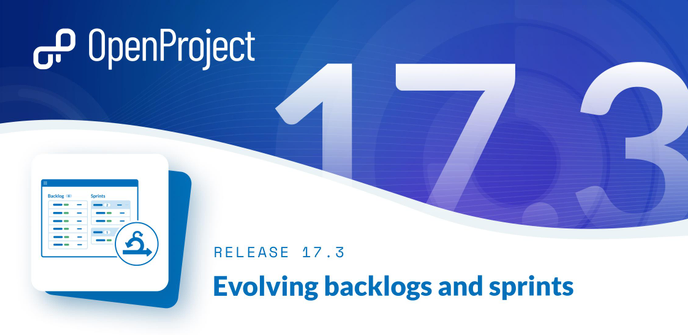


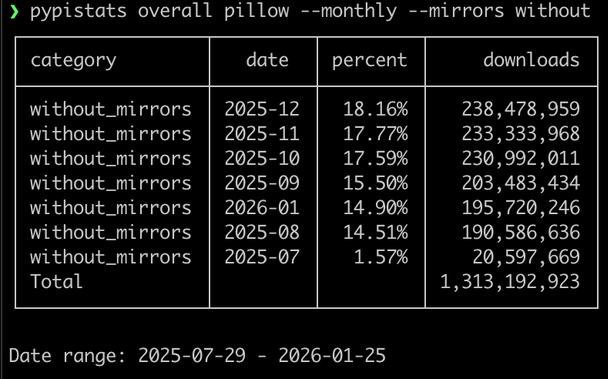
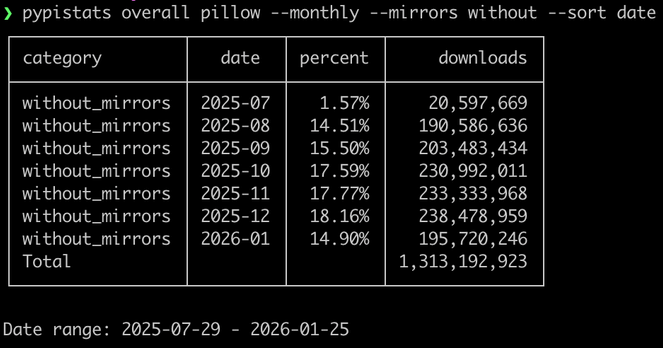


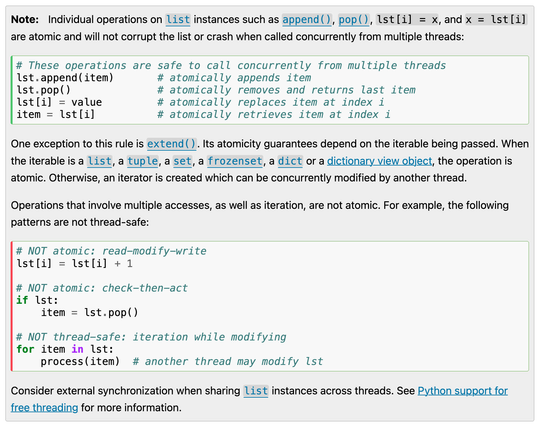
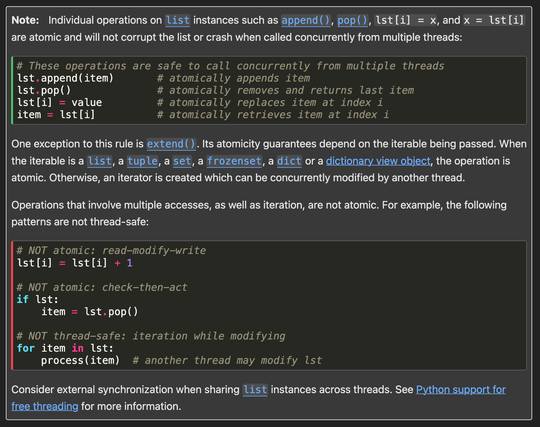
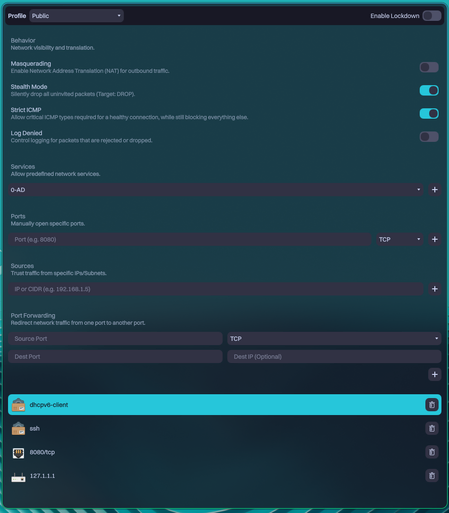




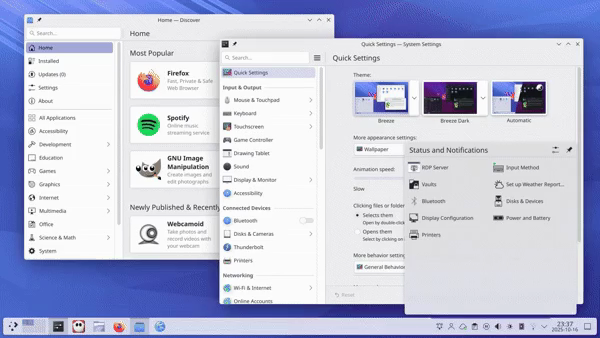
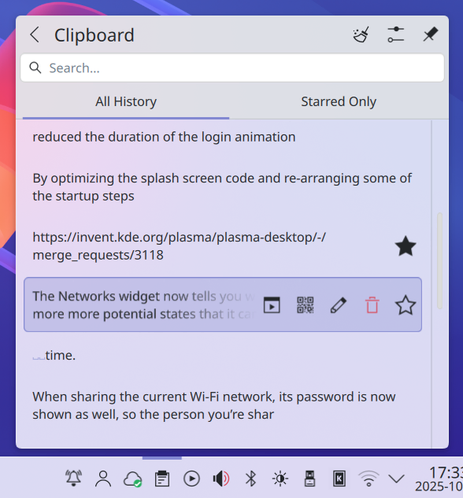






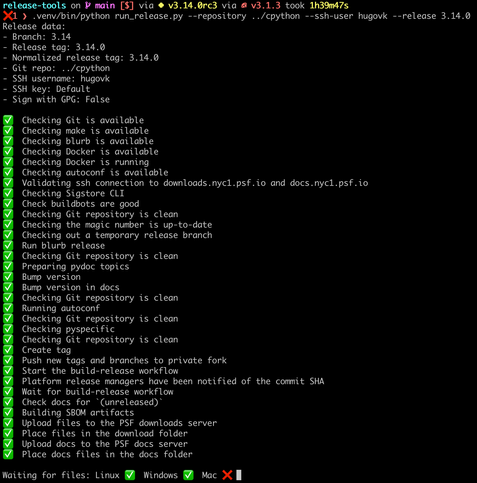
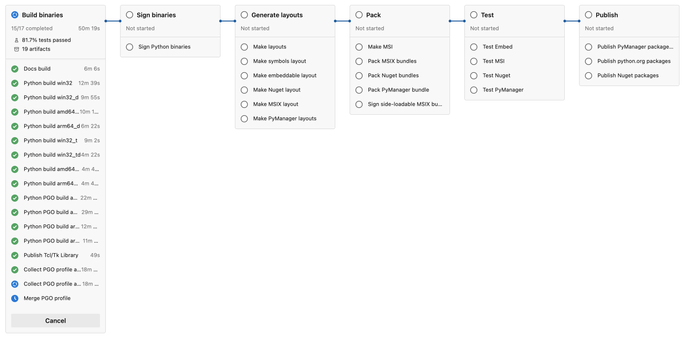
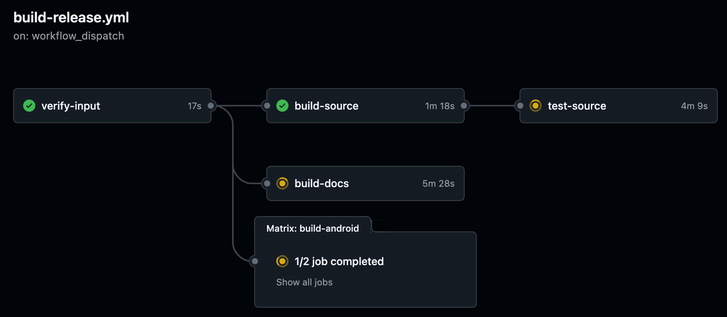
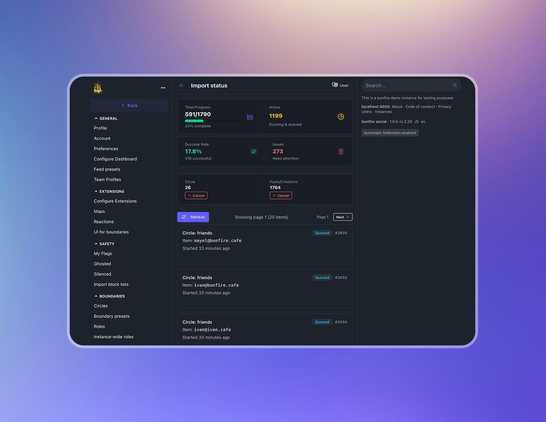
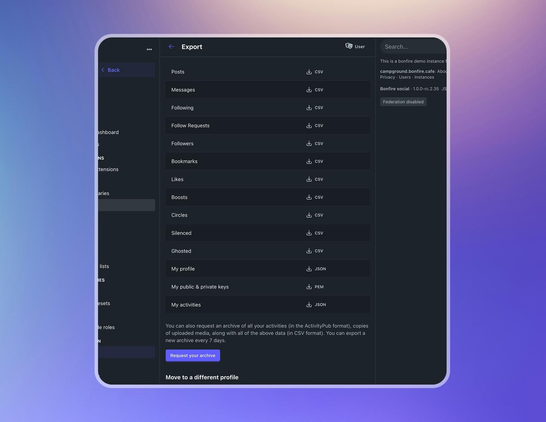

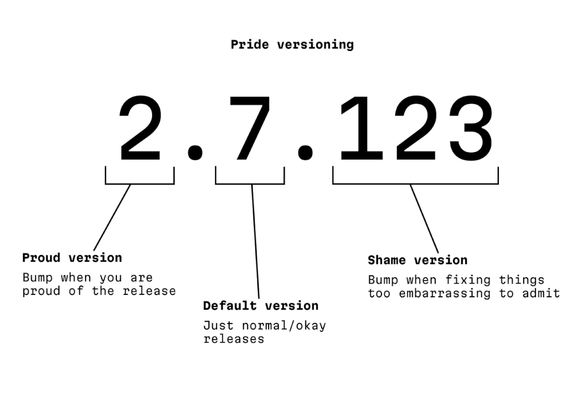

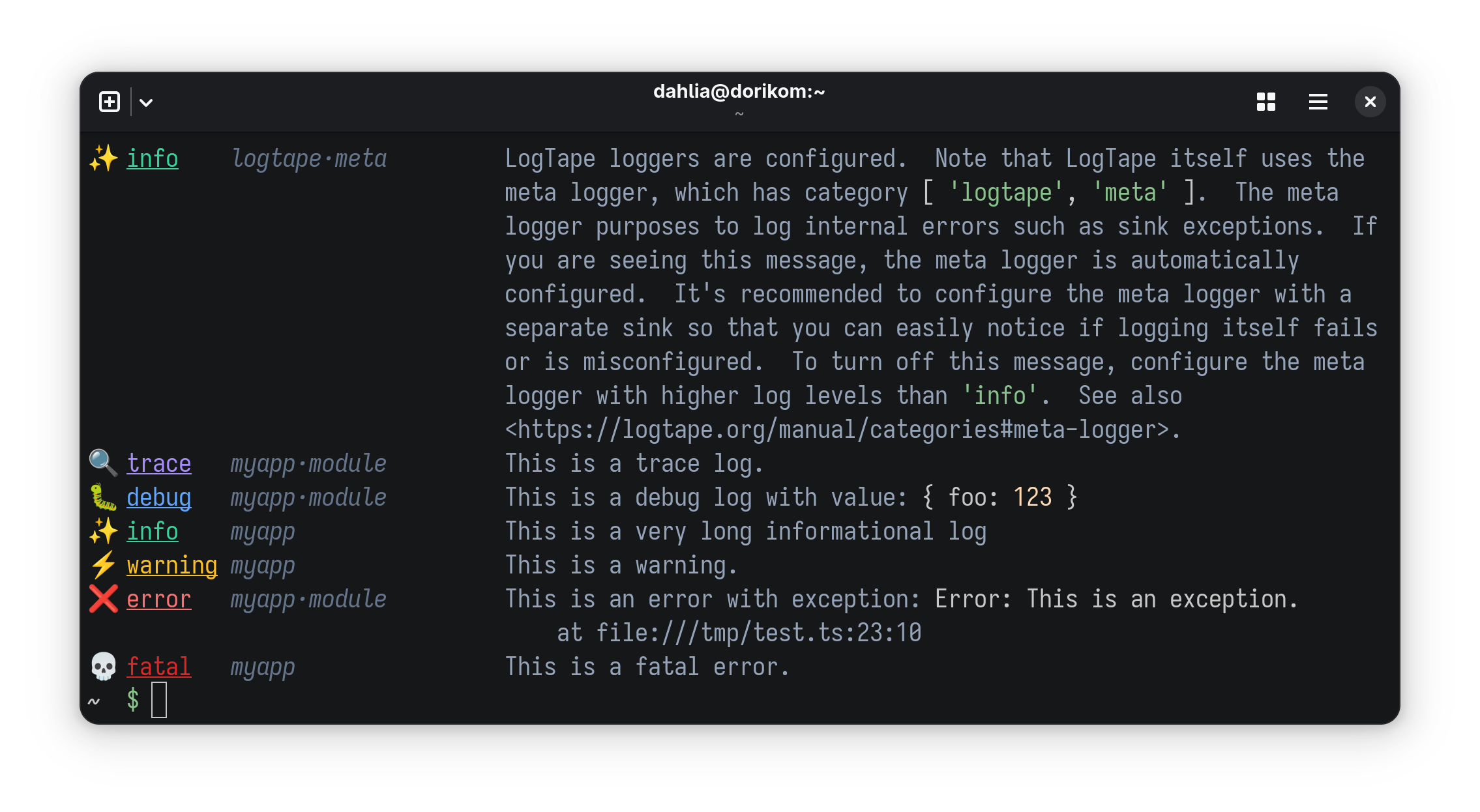

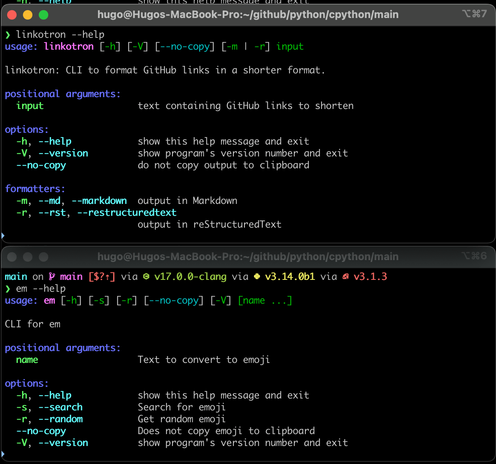
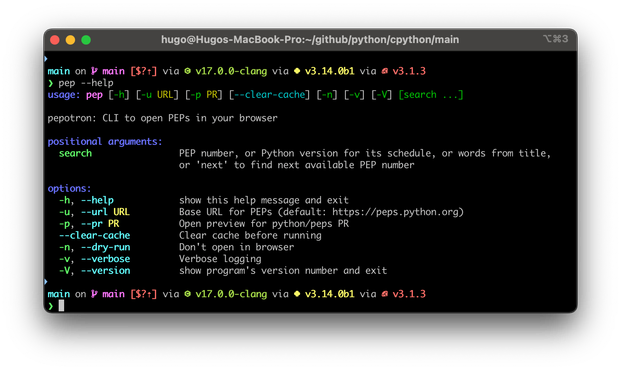
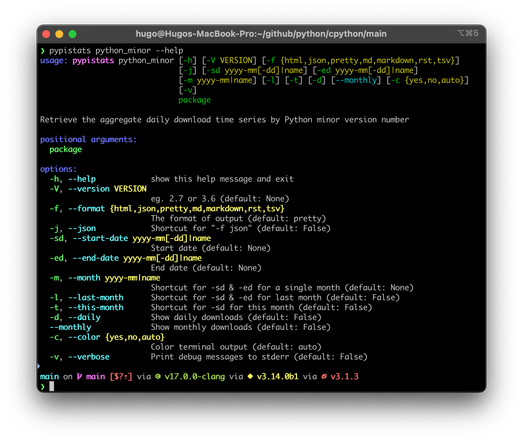
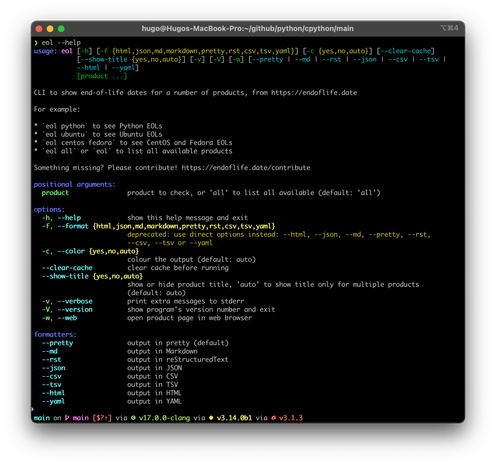
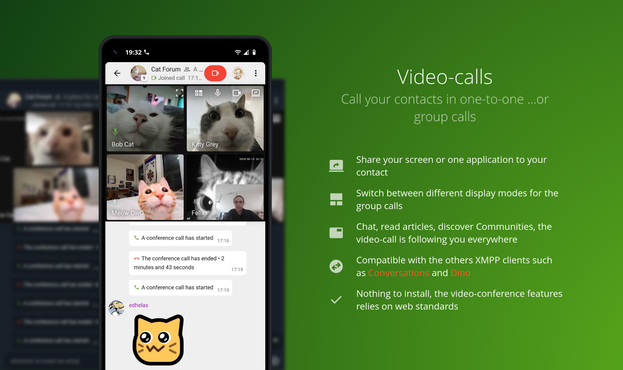
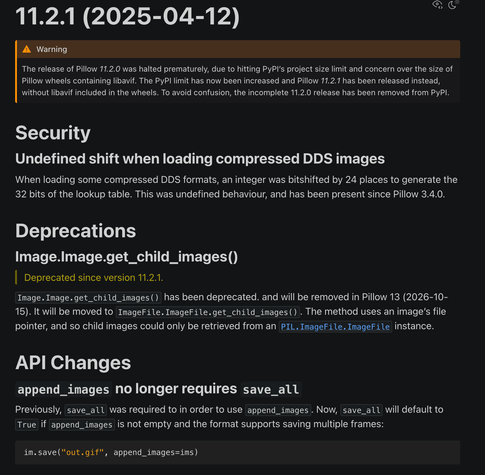
![Other Changes
Arrow support
Arrow is an in-memory data exchange format that is the spiritual successor to the NumPy array interface. It provides for zero-copy access to columnar data, which in our case is Image data.
To create an image with zero-copy shared memory from an object exporting the arrow_c_array interface protocol:
from PIL import Image
import pyarrow as pa
arr = pa.array([0]*(5*5*4), type=pa.uint8())
im = Image.fromarrow(arr, 'RGBA', (5, 5))
Pillow images can also be converted to Arrow objects:
from PIL import Image
import pyarrow as pa
im = Image.open('hopper.jpg')
arr = pa.array(im)
Reading and writing AVIF images
Pillow can now read and write AVIF images when built from source with libavif 1.0.0 or later.](https://media.social.fedify.dev/media/0196ad8b-ce6f-7bbb-bf90-7a44c443ad76/thumbnail.webp)
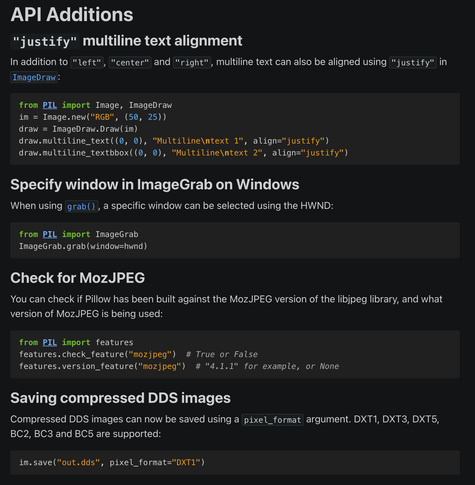
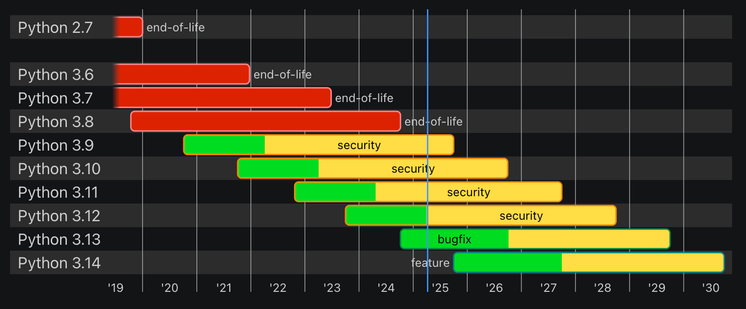
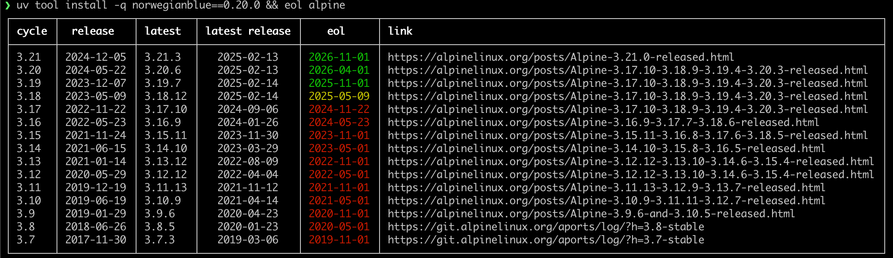
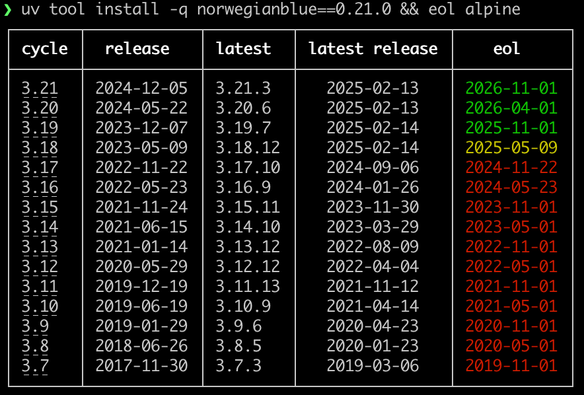
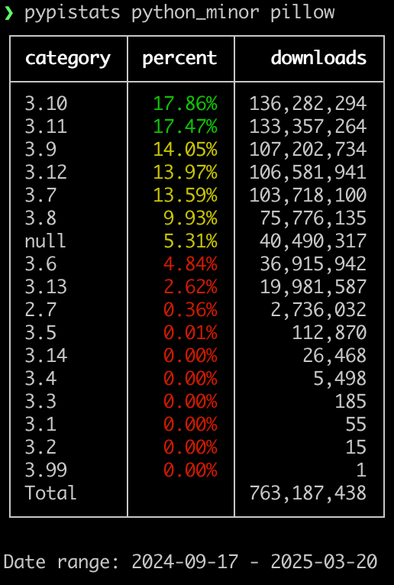




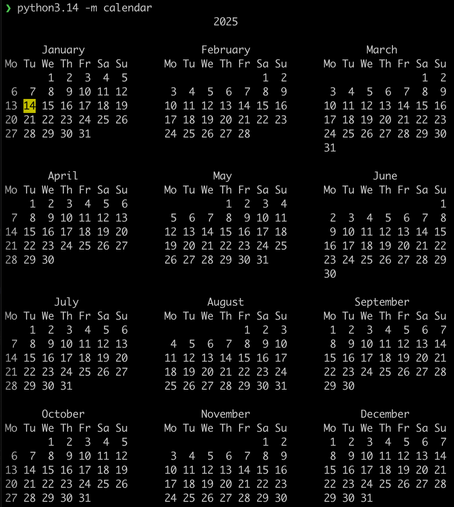
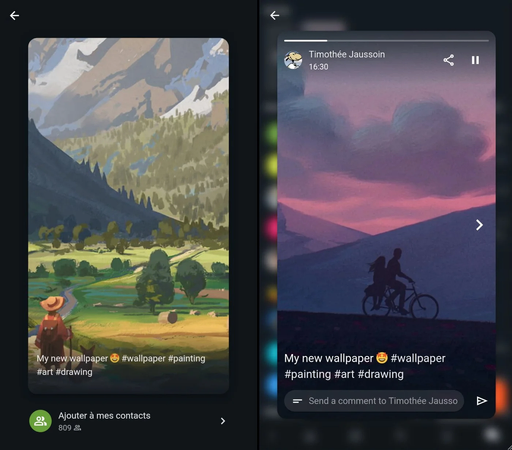
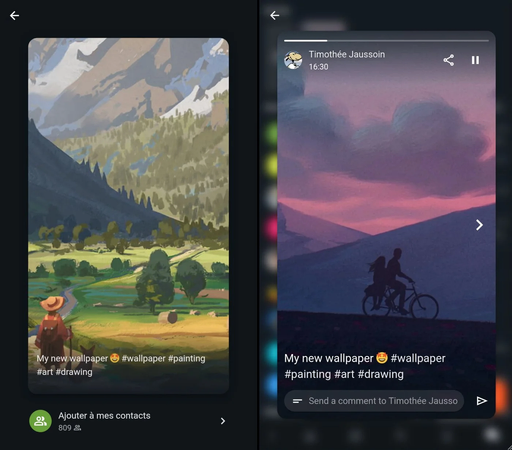
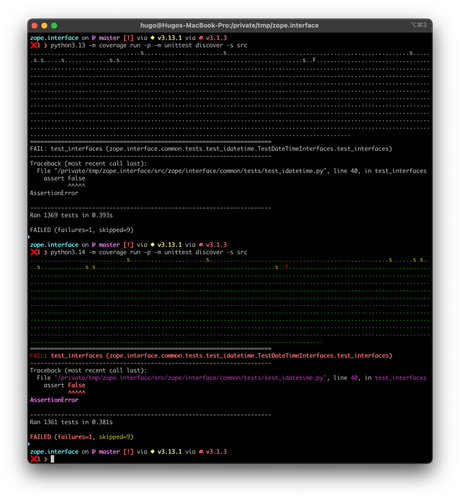







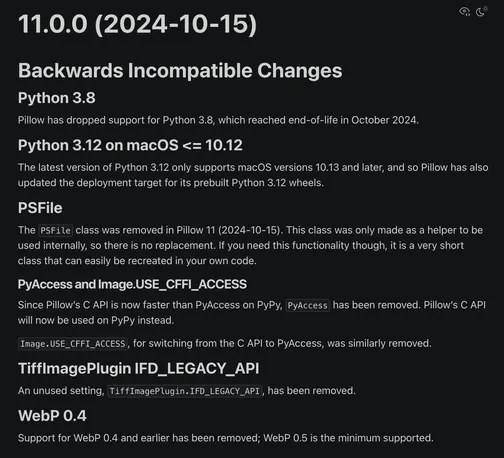
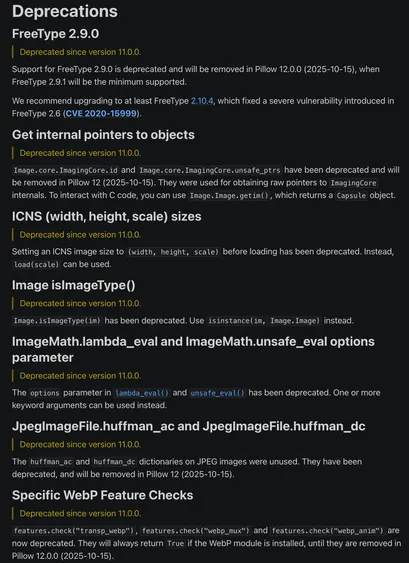
![API Changes
Default resampling filter for I;16* image modes
The default resampling filter for I;16, I;16L, I;16B and I;16N has been changed from Image.NEAREST to Image.BICUBIC, to match the majority of modes.
API Additions
Writing XMP bytes to JPEG and MPO
XMP data can now be saved to JPEG files using an xmp argument:
im.save("out.jpg", xmp=b"test")
The data can also be set through info, for use when saving either JPEG or MPO images:
im.info["xmp"] = b"test"
im.save("out.jpg")
Other Changes
Python 3.13
Pillow 10.4.0 had wheels built against Python 3.13 beta, available as a preview to help others prepare for 3.13, and to ensure Pillow could be used immediately at the release of 3.13.0 final (2024-10-07, PEP 719).
Pillow 11.0.0 now officially supports Python 3.13.
Support has also been added for the experimental free-threaded mode of PEP 703.
Python 3.13 only supports macOS versions 10.13 and later.
C-level Flags
Some compiling flags like WITH_THREADING, WITH_IMAGECHOPS, and other WITH_* were removed. These flags were not available through the build system, but they could be edited in the C source.](https://media.social.fedify.dev/media/0192bf92-2749-7478-8e52-3bd804dd2551/thumbnail)